Advanced capabilities for Databricks
Published 29 June 2026
EDITION: ENTERPRISE
Flyway's advanced capabilities for Databricks is in public preview, it lets you compare, govern, and deploy schema changes for Databricks, using the same state and migrations workflows you already use for other database types. It connects to Databricks over JDBC and works with Lakebase and Lakehouse Unity Catalog.
Advanced capabilities include
- Understanding changes made to a development schema
- Scripting those changes out so each object can be versioned controlled giving you an object-level history to see who, changed what, when and why
- Optionally generating versioned and undo migrations scripts, which account for dependencies
- Reporting on changes as part of a CI/CD pipeline so you can understand how many objects will be touched at a glance and drill into more details with a side-by-side diff of the changes
- Check for drift to ensure environments reflect what is in version control to catch issues sooner before releasing to production
Supported objects | |
|---|---|
| Lakehouse | Lakebase |
Create a new project with the Databricks Lakehouse (Unity Catalog) type. The Preview supports the most common object types:
Risky changes are flagged with a warning before you deploy. Review these carefully:
LimitationsThis Preview is not feature-complete. It is intended to work for common workflows; you may hit gaps outside them. Known limitations include:
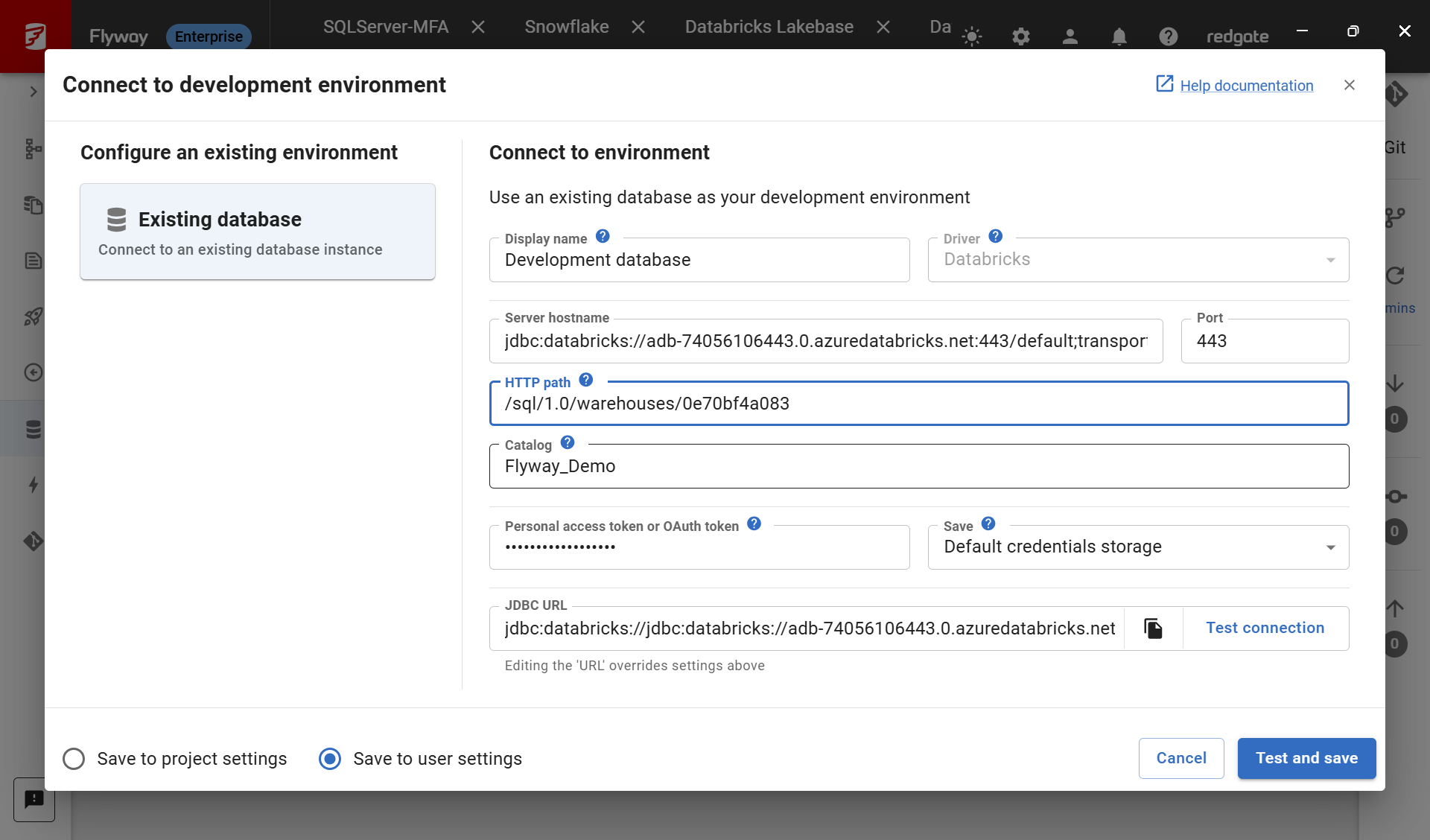
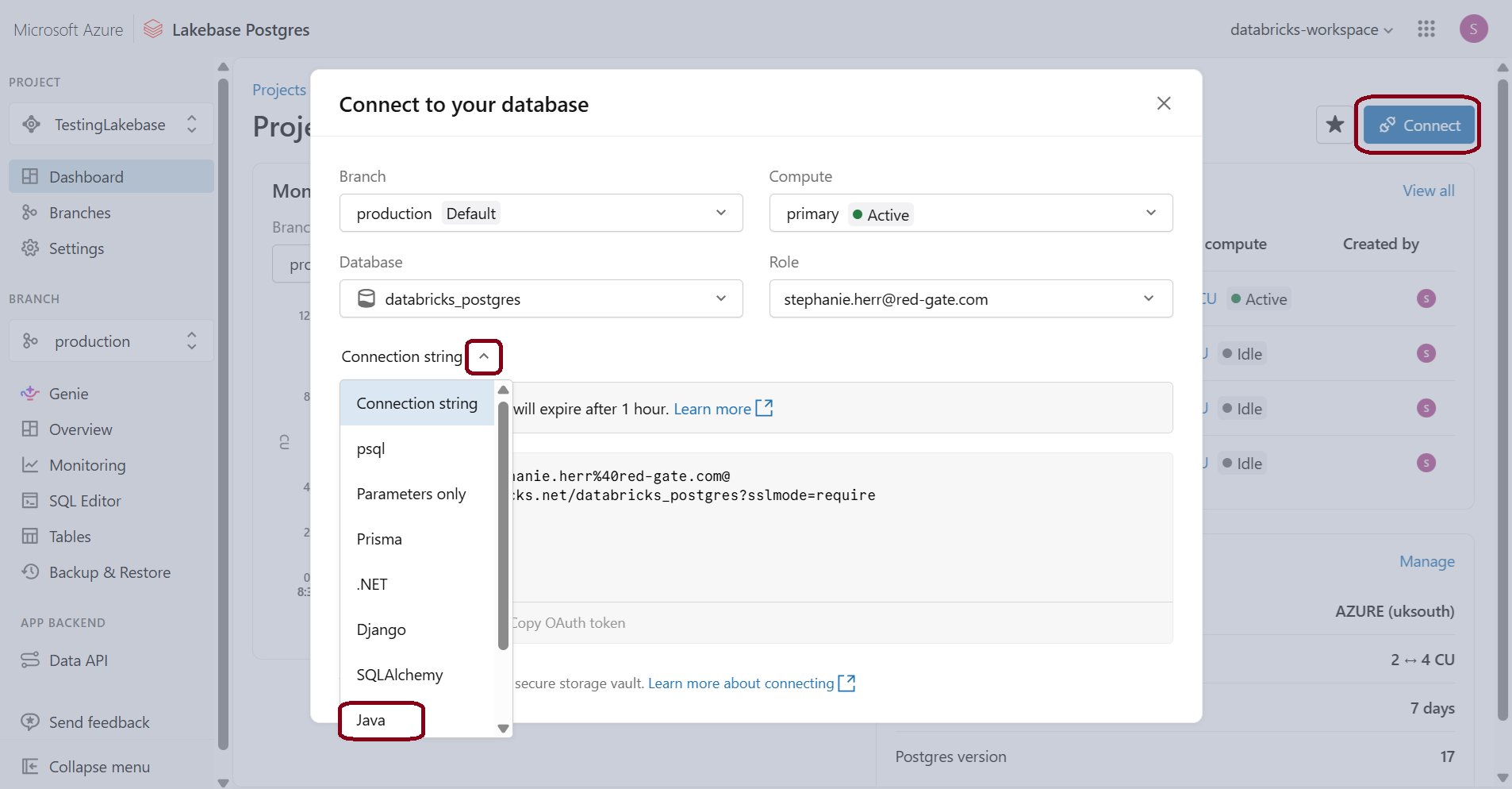
ConnectingMake sure you're on Flyway Desktop v9.9.0 or later Copy the JDBC URL from Databricks and paste it into the URL in the connection dialog.. It should look Make sure you enter the correct Catalog name. Add your Personal access token or OAuth token. | Create a new project with the Databricks Lakebase (PostgreSQL) type. The Preview aligns with the advanced capabilities we support for the PostgreSQL database. Where can I find my JDBC URL? When getting your connection information, change the Connection string to Java. |
We expect to expand coverage based on the feedback we get during the Preview. Email us with your feedback or complete our quick survey.
Demo
Click to walkthrough a demo of using Flyway with Databricks end-to-end - https://redgate.storylane.io/share/i2lbpyd81aob.
Turning the Preview off
Advanced Databricks support is on by default. To turn it off:
- Flyway Desktop: go to Settings > Preview features and turn the Databricks option off.
Giving feedback
We'd love to hear how you get on with the Preview. Tell us what works, what doesn't, and what you'd like to see next.
Please complete our quick survey or email us with your feedback.
This documentation contains proprietary information and is protected by copyright law.
Copyright © 2026 Red Gate Software Limited. All rights reserved


