Advanced capabilities for Snowflake
Published 05 August 2026
EDITION: ENTERPRISE
Flyway's advanced capabilities for Snowflake are in public preview. They let you compare, govern, and deploy schema changes for Snowflake, using the same state and migrations workflows you already use for other database types. Flyway connects to Snowflake over JDBC and works with Snowflake Data Warehouse and Snowflake Postgres.
Advanced capabilities include
- Understanding changes made to a development schema
- Scripting those changes out so each object can be version controlled, giving you an object-level history to see who changed what, when and why
- Optionally generating versioned and undo migration scripts, which account for dependencies
- Reporting on changes as part of your CI/CD pipeline so you can understand how many objects will be touched at a glance and drill into more details with a side-by-side diff of the changes
- Check for drift to ensure environments reflect what is in version control to catch issues sooner before releasing to production
Supported Objects
The Preview supports the most common object types:
- Schemas, created and dropped only
- Tables, including their columns
- Columns, including basic data types and NOT NULL. Columns can be added, dropped, retyped, and switched between nullable and NOT NULL
- Views, including the view body, with dependency-aware creation order
- Functions, including SQL-language bodies, scalar return types, and parameters with default values. Overloads are treated as distinct objects, so two functions sharing a name but differing in parameter types are compared and deployed separately
- Stored procedures, including SQL-language bodies, scalar return types, and parameters with default values. Overloads are treated as distinct objects, as for functions
Views, functions and stored procedures are updated in place with CREATE OR REPLACE, so a change to a body, return type or parameter default doesn't require dropping and recreating the object.
Where Snowflake cannot alter a column's type in place, Flyway drops and recreates the column instead of generating an ALTER that Snowflake would reject. This applies to narrowing a VARCHAR (Snowflake only allows widening, even when every existing value would fit) and to changing a NUMBER's scale in either direction. The data in that column is lost. The rest of the table is left untouched.
Deployments don't run in a transaction
Snowflake does not support running DDL inside an explicit transaction. Snowflake implicitly commits any open transaction before a DDL statement runs, and the DDL statement itself cannot be rolled back.
Because of this, Flyway Desktop doesn't offer the run in a transaction option when your target is Snowflake, in its place you'll see an indicator explaining that this database doesn't support running DDL inside a transaction. Snowflake deployment scripts always run without one. This applies everywhere you review a script before applying it: deploying a migration, reviewing a schema model deployment script, and reviewing an update-development script.
Because there is no transaction to roll back, a deployment that fails part-way through leaves the statements that already succeeded applied to your database. Check the state of your schema before re-running a failed deployment.
Known limitations
This Preview is not feature-complete. It is intended to work for common workflows; you may hit gaps outside them. Known limitations include:
- Object coverage is limited to the types listed above. Constraints (primary keys, foreign keys, check constraints), streams, tasks, sequences, materialized views, and Iceberg, Hybrid, External, Dynamic, temporary and transient tables are not yet supported.
- SQL-language routines only. Functions and stored procedures written in JavaScript, Python, Java or Scala are not supported, nor are routines returning a table.
- No data comparison, permissions or governance objects. Static and row data, grants, masking policies and row access policies are not modelled and CREATE OR REPLACE VIEW does not preserve grants.
- Comments, tags, owners, CLUSTER BY, column defaults and computed columns are not supported. Renames are not detected, and are deployed as a drop and a create.
- Unsupported properties of a supported object are not scripted. Where an object we support has a feature we don't yet model, that feature is ignored rather than captured or deployed. If the object is recreated, the unmodelled property is lost — for example, a CLUSTER BY on a table.
NOTE: If any of the following are blocking your use of the Preview or you feel something is missing, please let us know so we can prioritize these as we work through this list.
Connecting to a Snowflake database
Connecting using username/password
- Enter your Snowflake username and password.
- In the connection dialog, enter your Snowflake JDBC URL. It should look like:
jdbc:snowflake://<account>.snowflakecomputing.com/?db=<database>&warehouse=<warehouse>&schema=<schema>&JDBC_QUERY_RESULT_FORMAT=JSON
For example:
jdbc:snowflake://myAccount.snowflakecomputing.com/?db=myDatabase&warehouse=myWarehouse&schema=mySchema&JDBC_QUERY_RESULT_FORMAT=JSON
3. The URL must include schema, database (db) and warehouse (warehouse). Flyway takes its database and compute context from the URL, so a URL without them won't work. You can optionally add role in the same way.
To reduce the number of prompts during authentication, you can enable MFA caching by setting the ALLOW_CLIENT_MFA_CACHING parameter on your Snowflake account. See Connecting to Snowflake with MFA.
You will need to specify the authenticator connection parameter: authenticator=username_password_mfa inside your JDBC URL e.g.
jdbc:snowflake://myAccount.snowflakecomputing.com/?db=myDatabase&warehouse=myWarehouse&schema=mySchema&JDBC_QUERY_RESULT_FORMAT=JSON&authenticator=username_password_mfaConnecting using Programmatic Access Token (PAT)
If your Snowflake user authenticates with a programmatic access token rather than a password — for example because the account enforces MFA — paste the token into the password field. The JDBC URL itself is unchanged:
What we plan to add next
We expect to expand coverage based on the feedback we get during the Preview.
Turning the Preview off
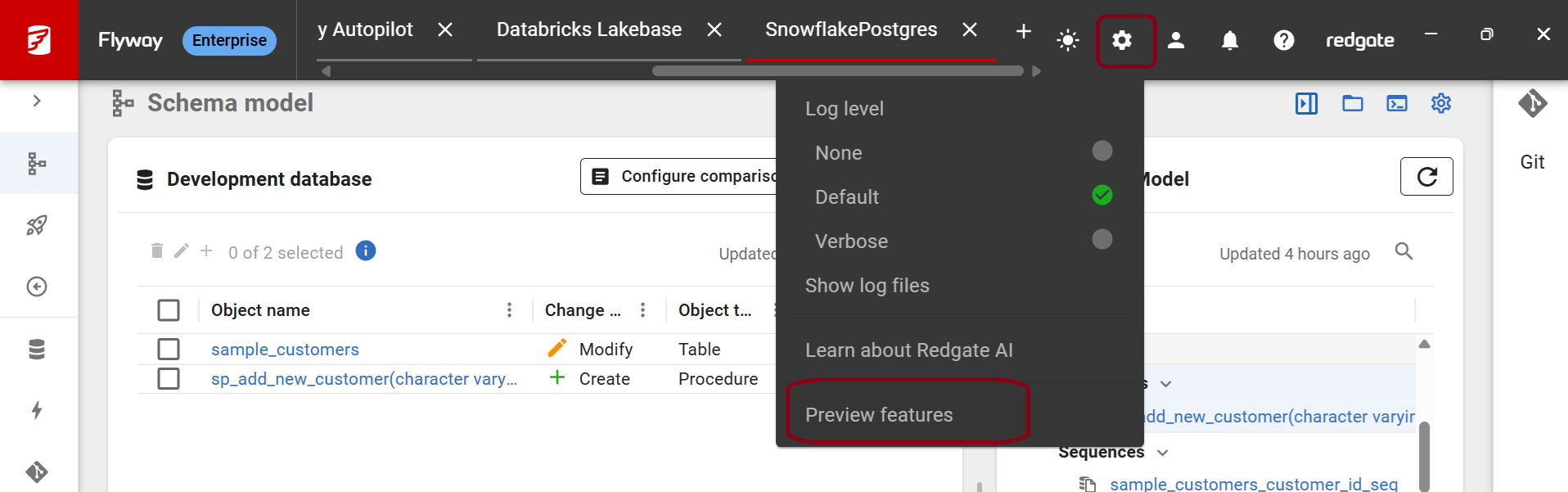
Snowflake advanced features is on by default. To turn it off:
- Flyway Desktop: go to Settings > Preview features and turn the Snowflake option off.
Snowflake Postgres
Snowflake Postgres aligns with the advanced capabilities we already support for the PostgreSQL database.
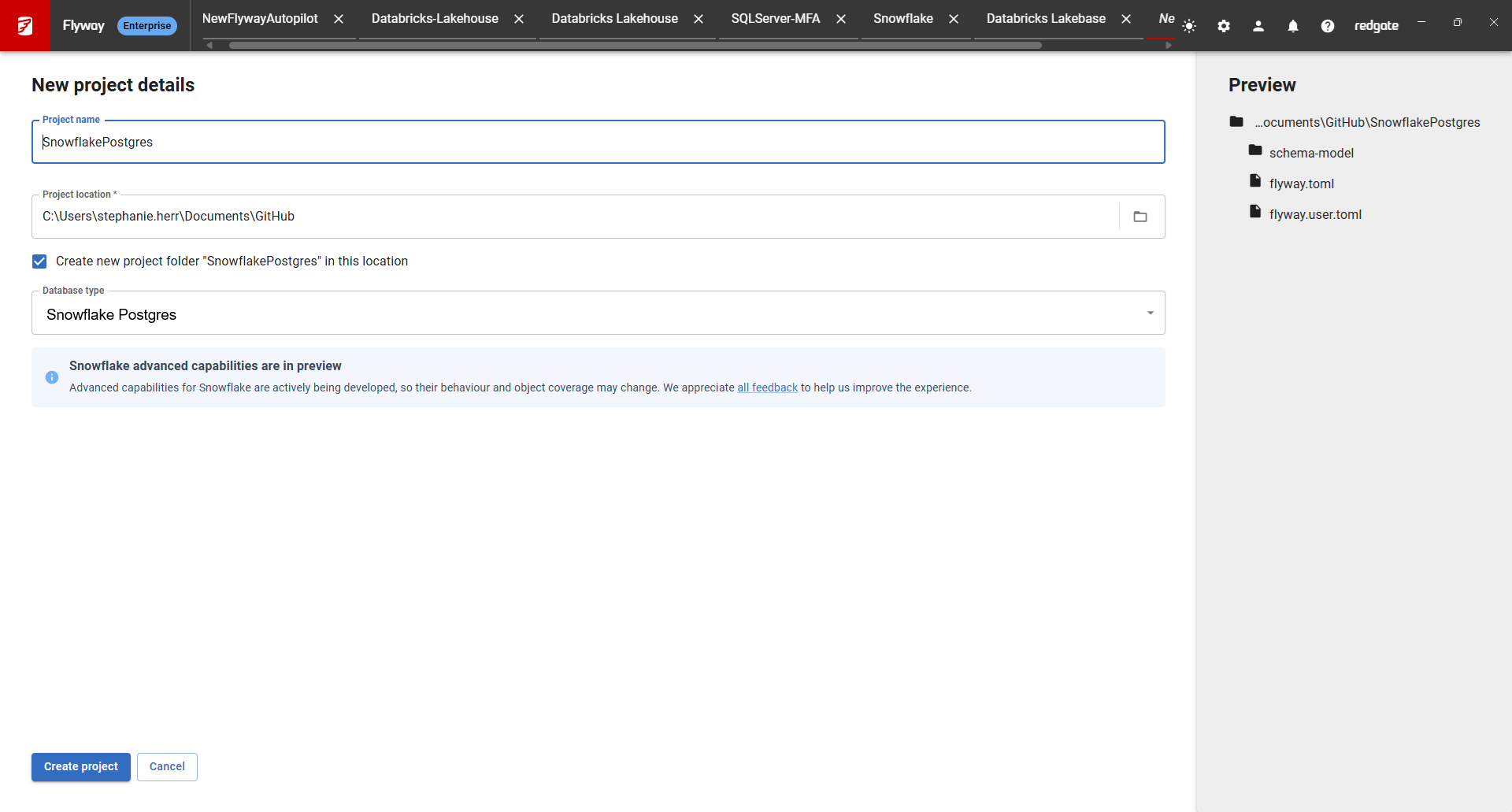
- Create a new project in Flyway Desktop and select Snowflake Postgres as the database type
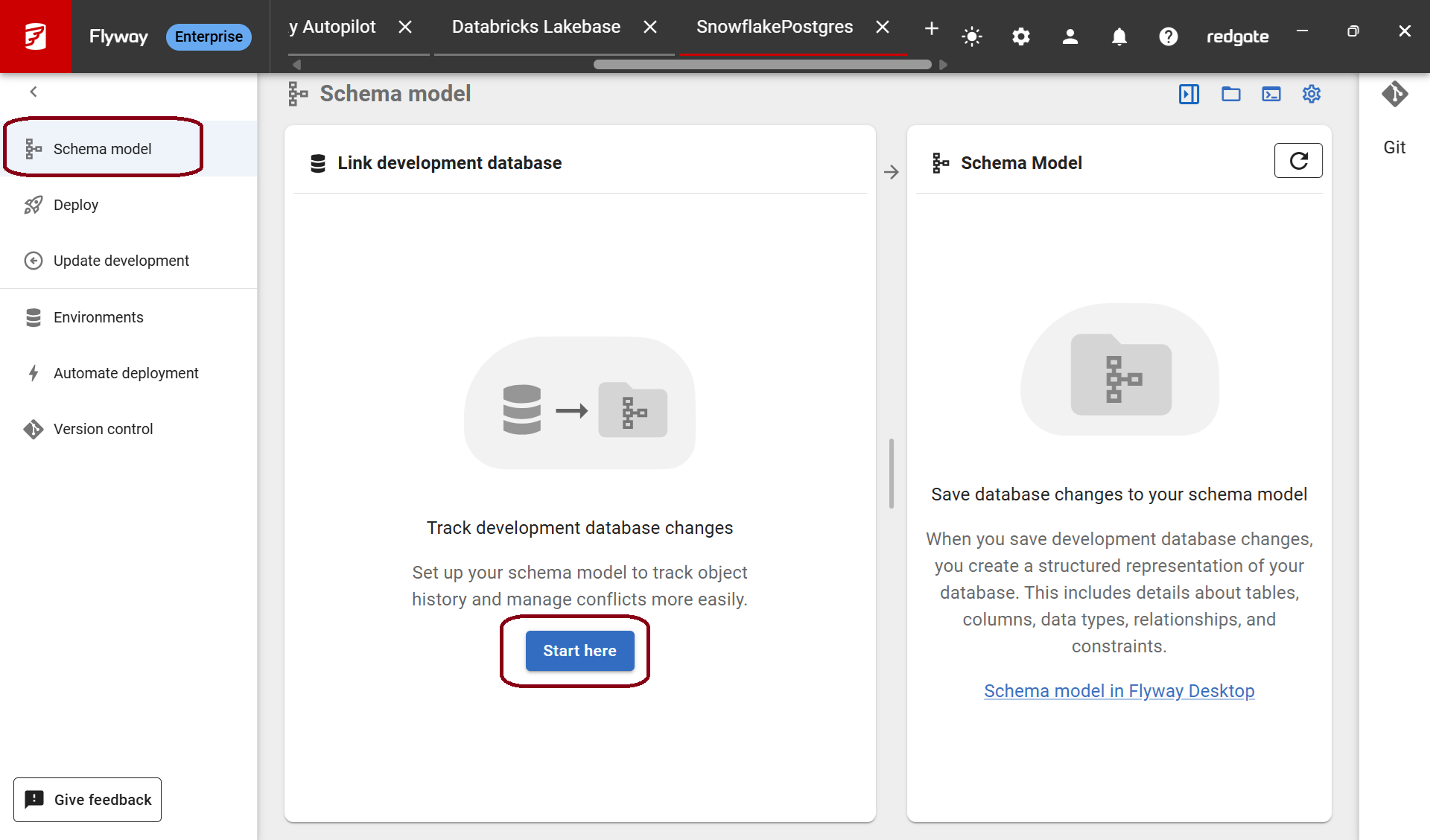
- On the Schema model page, click Start here to link your development database
- Copy your Host name from your Snowflake Postgres account:
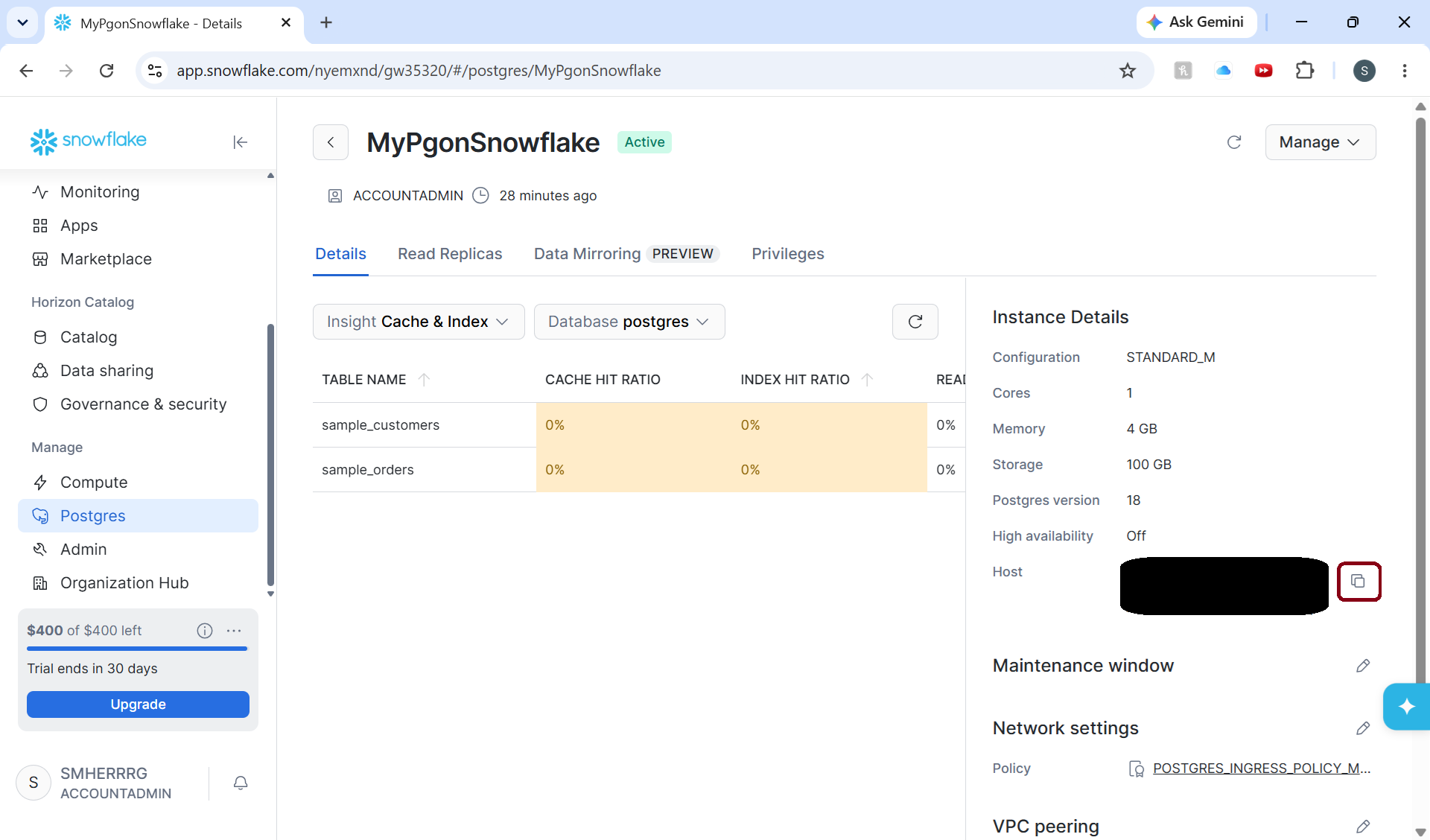
- Copy your Host name from your Snowflake Postgres account:
- Use this as your Host, enter your Database, Schemas, Username and Password information in the connection dialog:
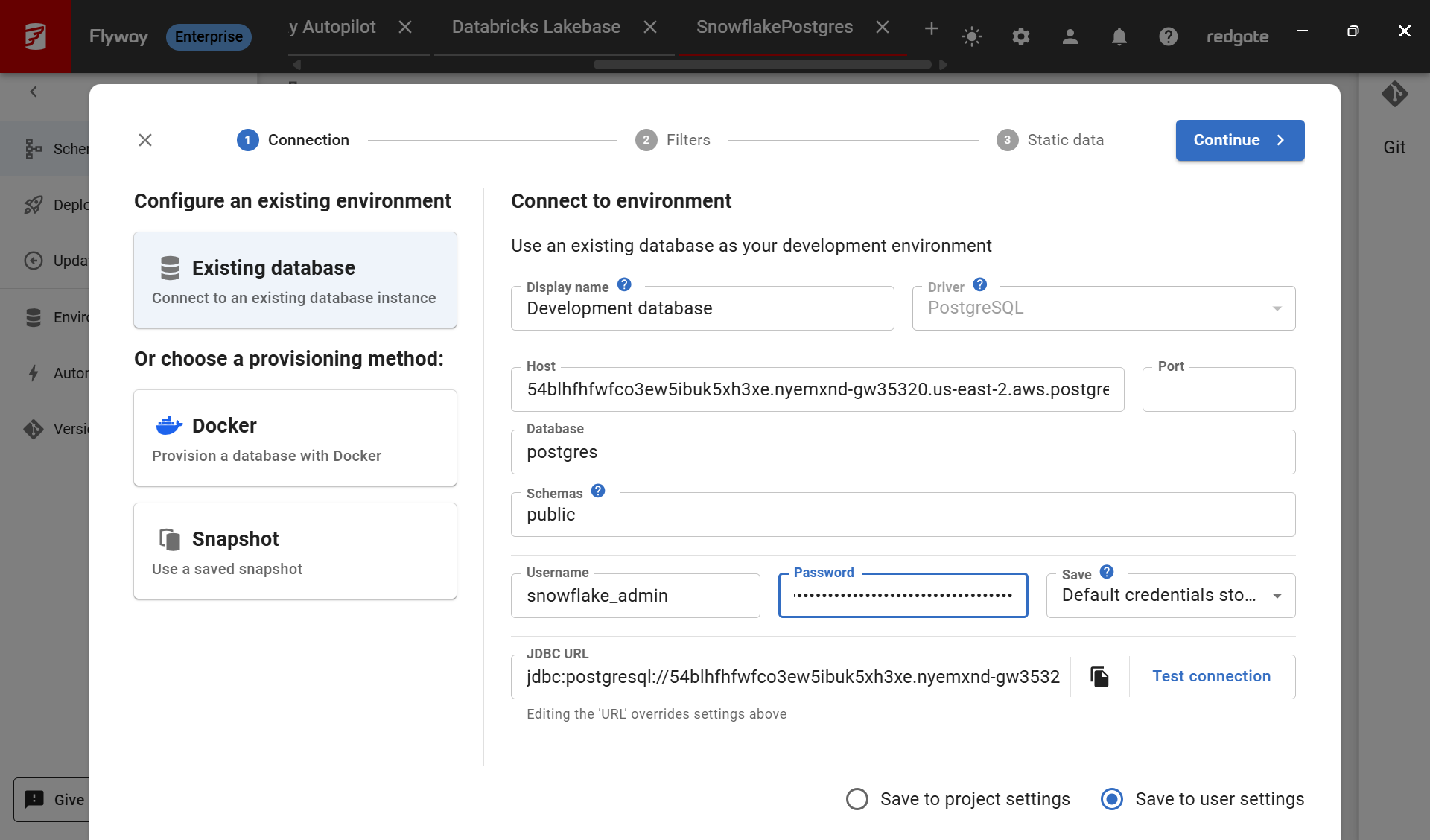
- Click Continue and optionally specify Filters and Static data, before clicking Finish.
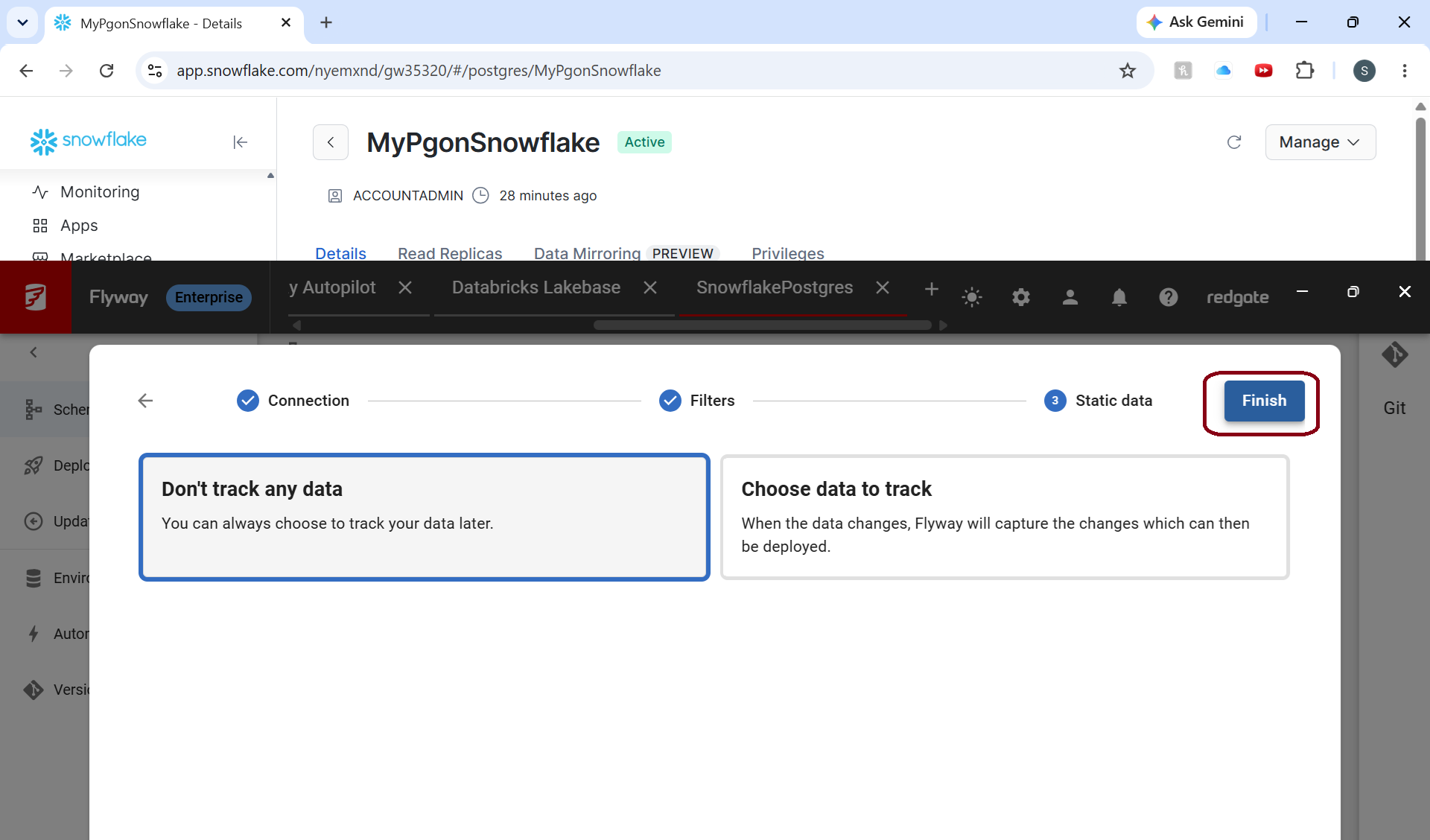
- The initial state of your schema objects have now been saved to disk.
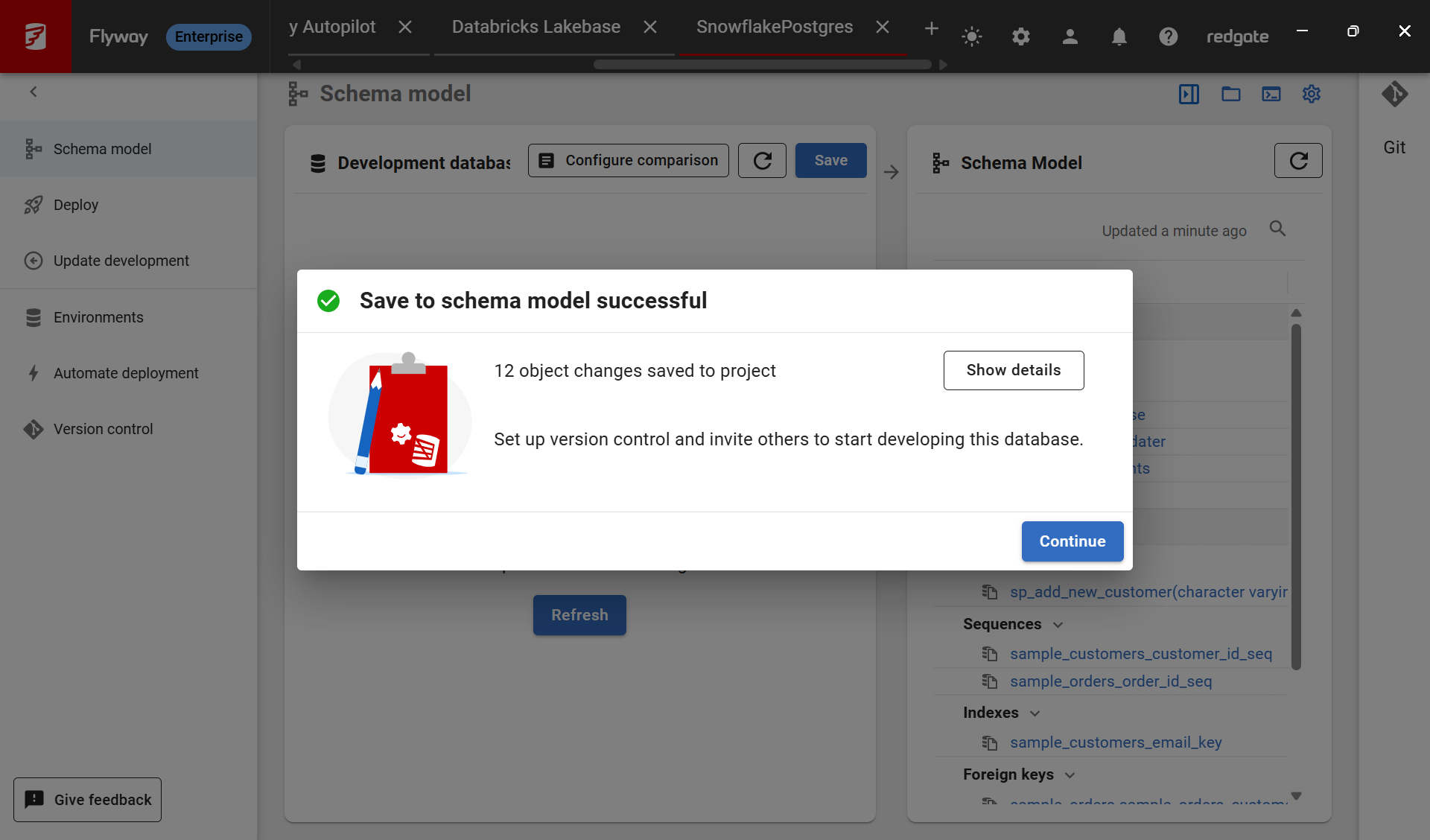
- Click Show details for more information.
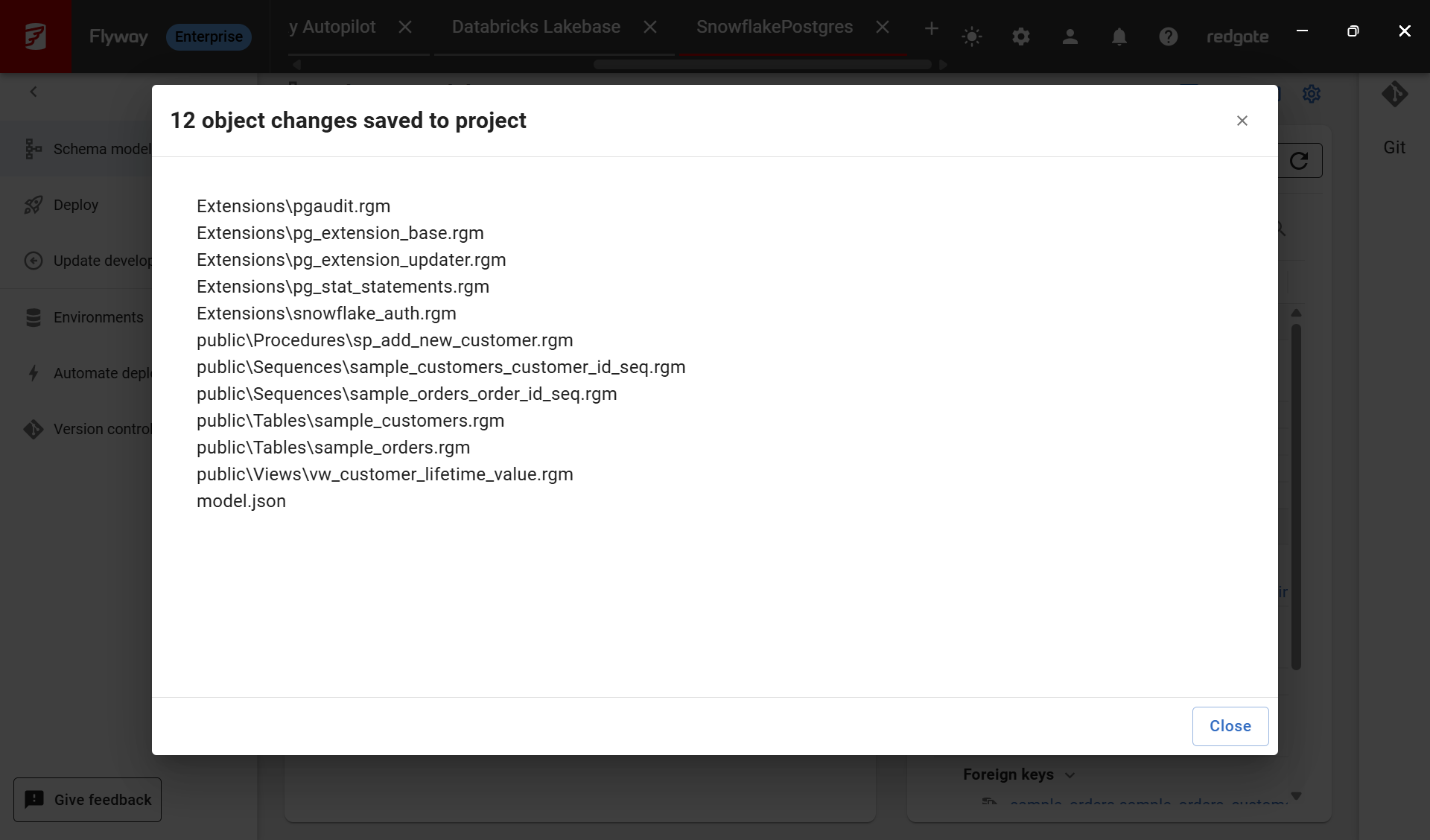
- Clicking Close and Continue returns you to the Schema model page. You can see the current state of all the objects in the Schema Model by clicking on them in the right for details
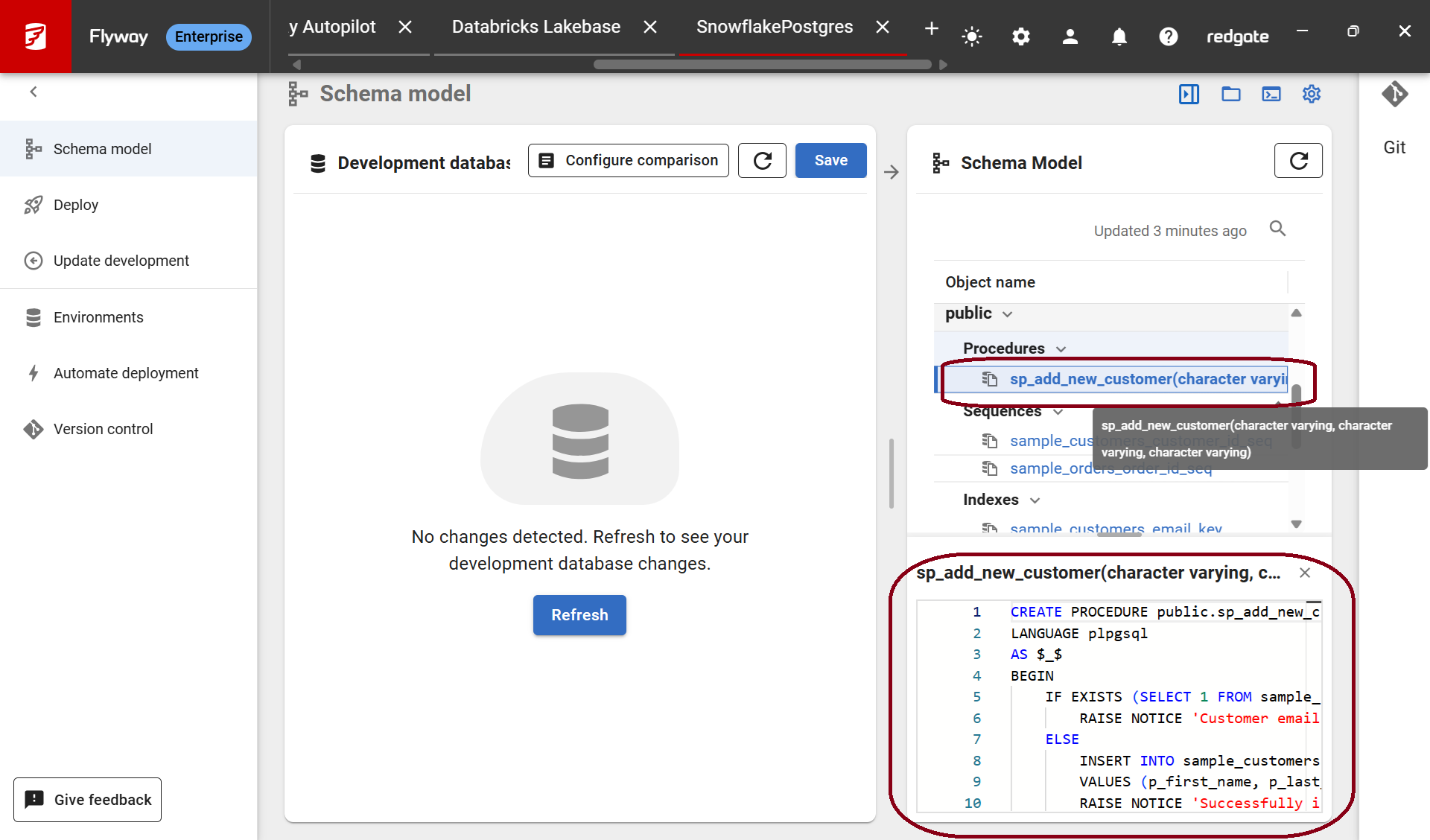
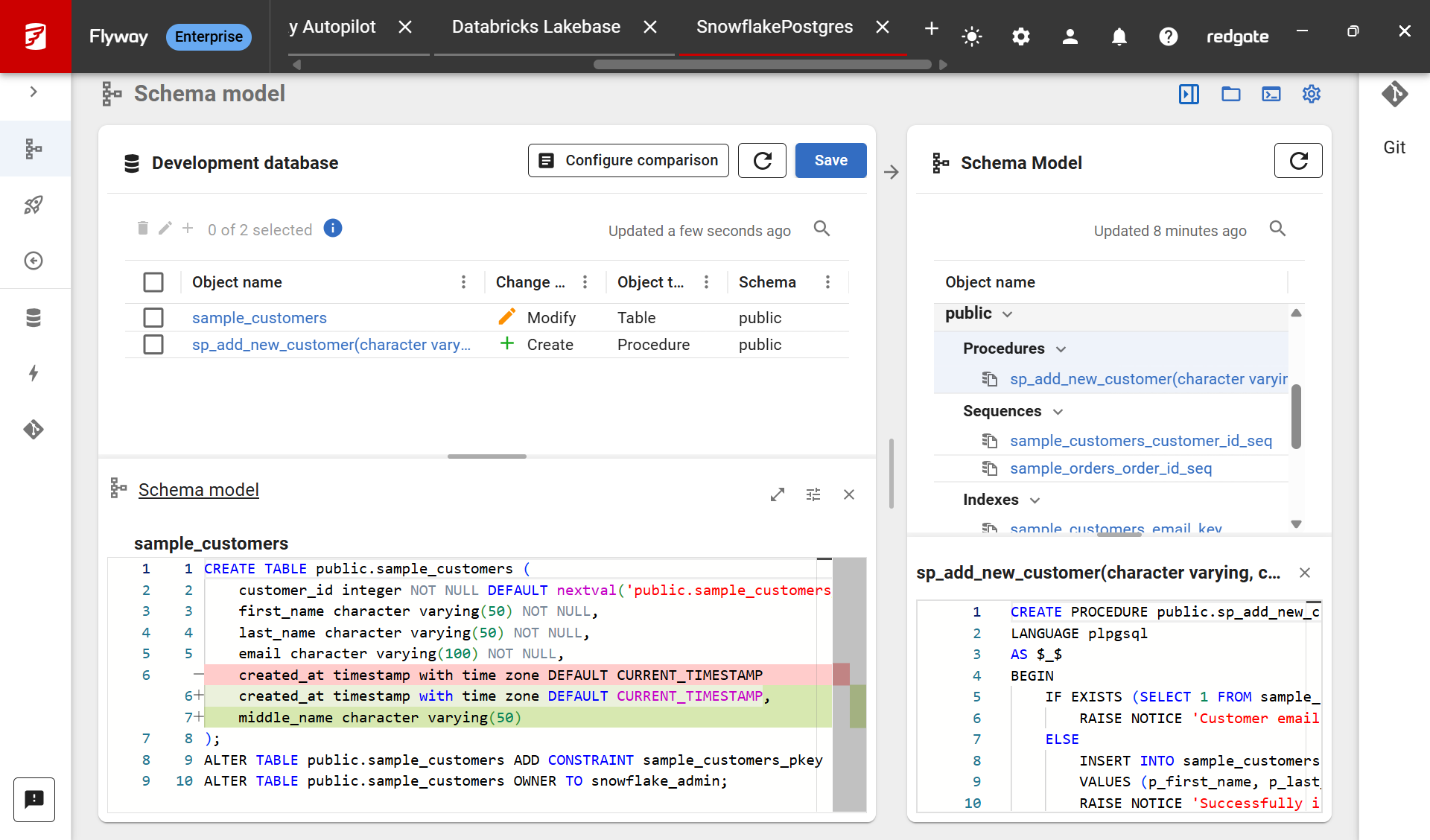
- Now, start making changes directly to your development database. Refresh the Flyway Desktop Schema Model to see your changes and save them to disk when you're ready.
This documentation contains proprietary information and is protected by copyright law.
Copyright © 2026 Red Gate Software Limited. All rights reserved


