Tutorial - Run code review while generating migrations
Published 18 March 2026
Prerequisites
- Enable Code Review – Opt in Code review in the Preview Feature Dialog under the settings cog.
- Save schema changes – Save changes from development database into schema model.
- Configure a shadow database (Alternatively you can also follow the same steps from step 2 without configuring a shadow database).
- Configure code review rules – Configure the rules you want to apply to your scripts. If not configured, the default SQLFluff rules will be used. (Note: The default configuration is located in your Flyway Desktop installation folder, e.g., Flyway Desktop\flyway\conf)
Note: This tutorial uses a shadow database to generate migrations, but the same steps apply if you choose to generate migrations without one.
How to view code violations while generating a migrations script
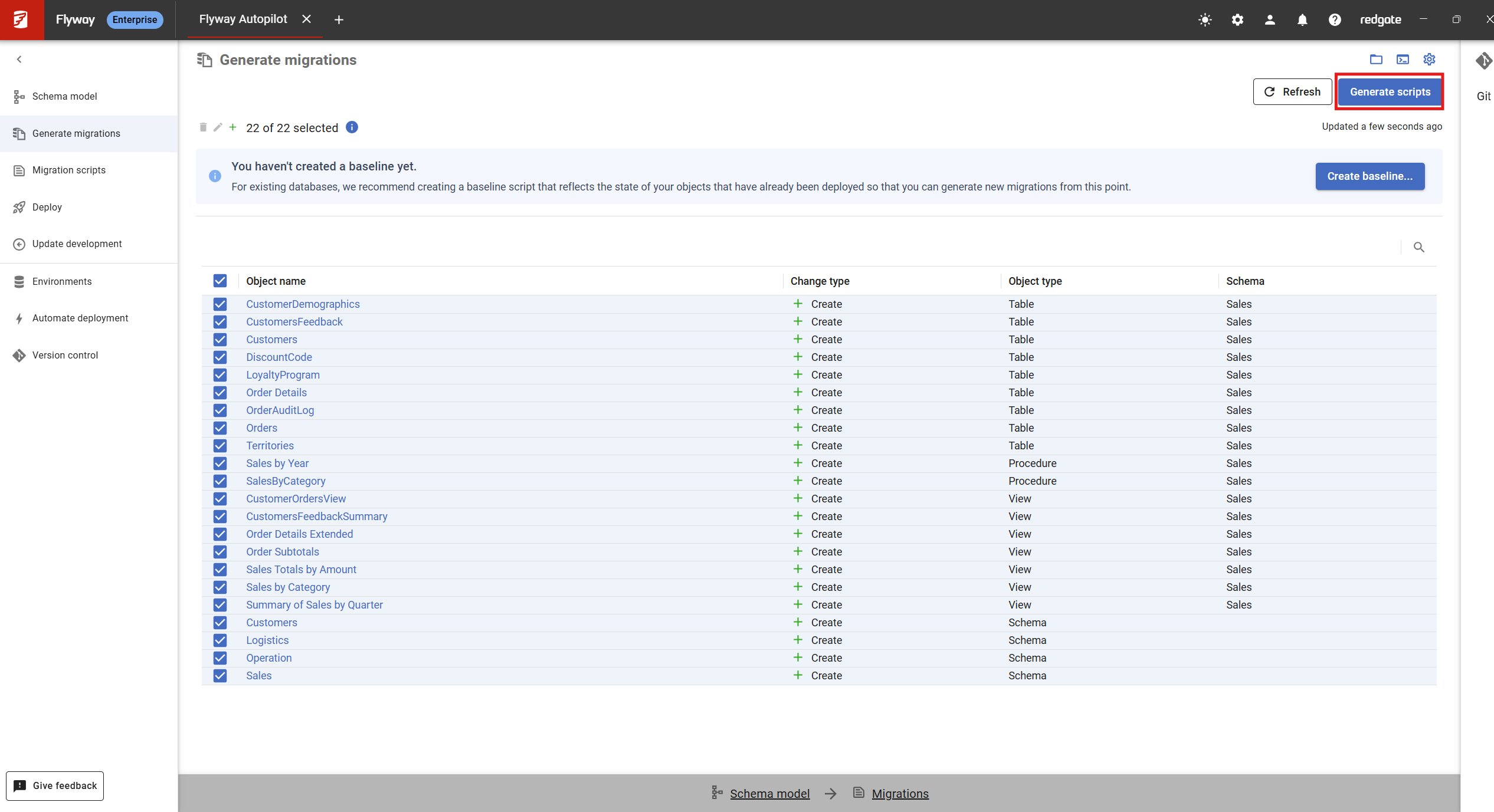
- Navigate to the Generate migrations page.
- Select the objects you want to include in your migration script, then click the Generate scripts button on the top right corner.
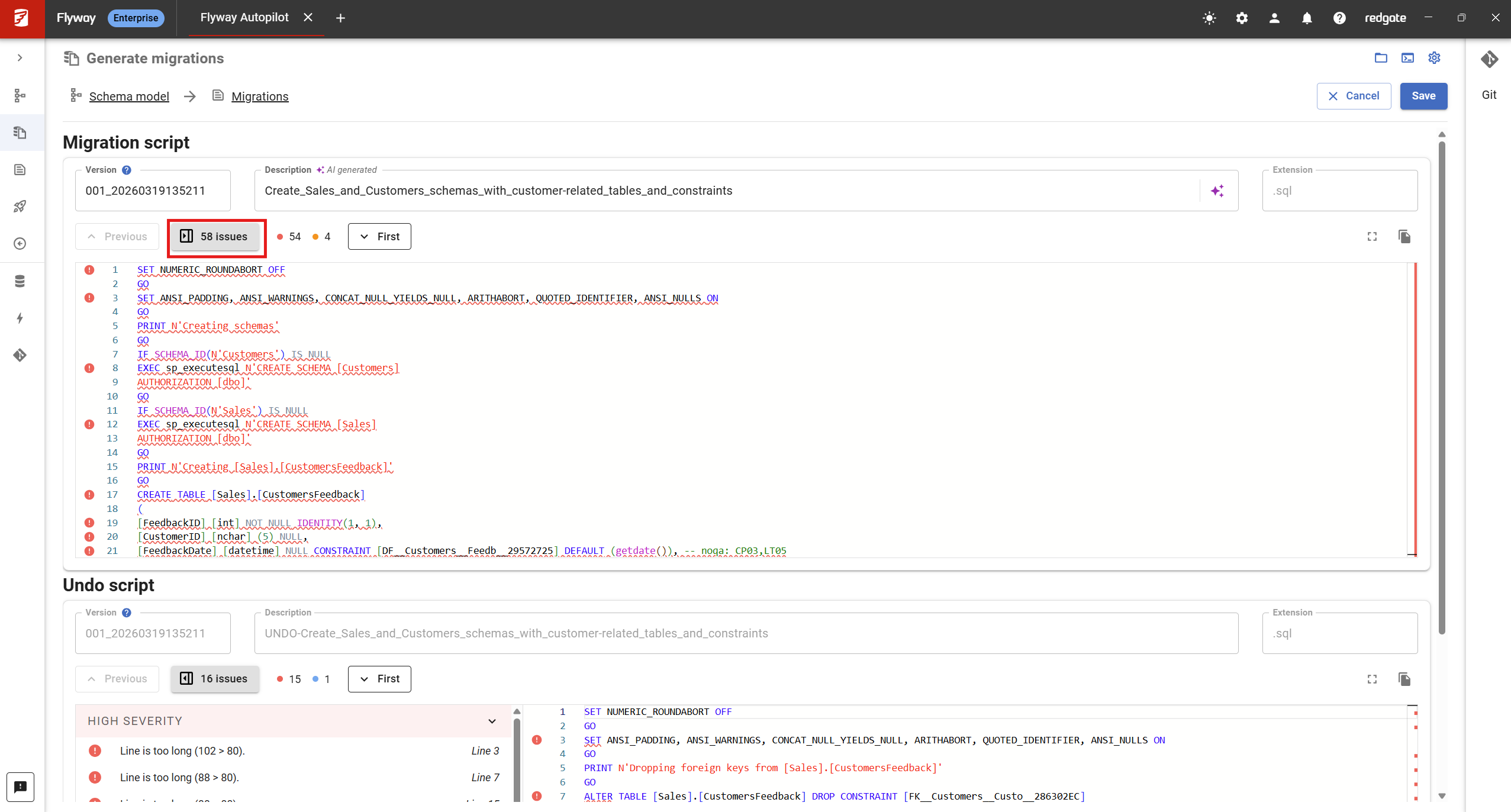
- Once the migration scripts are generated, if they contain any violations, a grey button will be shown indicating the total number of violations found from running code review. Clicking this toggles the code review side bar for the script. If no violations are found then a green check along with the message "Code review passed" will be shown instead.
Understanding the Code Review Side bar
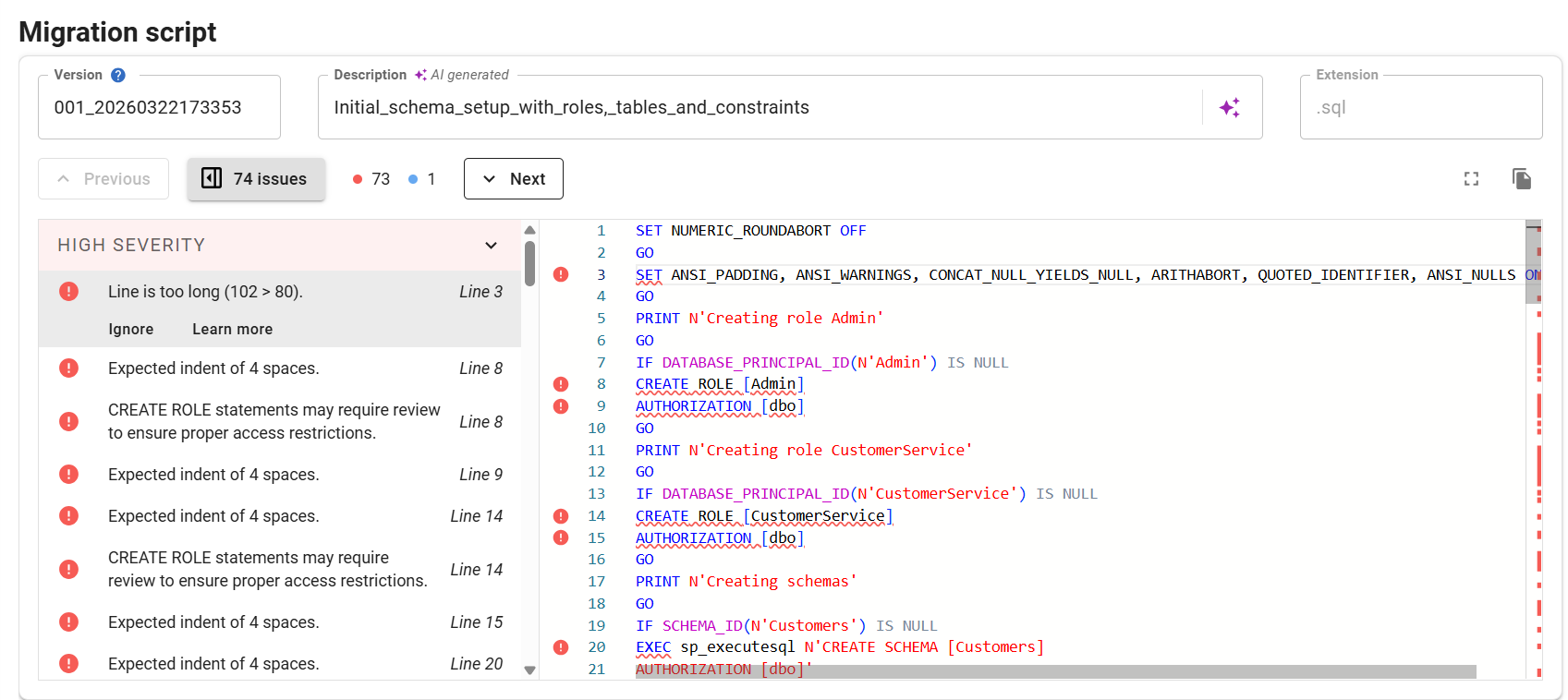
- The sidebar shows the details of each code review violation, ordered by their appearance in the script and grouped by severity.
- For each violation you can,
- Click on the violation - This navigates the script editor to where the issue occurs.
- Ignore - Clicking this dismisses the violation by adding a comment at the end of the line. (Note: This is only available for certain rule types).
- Learn more - Clicking this opens documentation for the relevant rule in your browser.
- In addition, you can also navigate between issues using the Next and Previous buttons to step through the violations sequentially.
- To close the sidebar, click the grey issues button which was used in step 3 to toggle open sidebar.
Code review supports a maximum of 60,000 lines per script by default. If this limit is exceeded, code review will not run and no violations will be shown.
This documentation contains proprietary information and is protected by copyright law.
Copyright © 2026 Red Gate Software Limited. All rights reserved


