Tutorial - Update PostgreSQL or MySQL filters
Published 02 December 2022
You can setup filters to include/exclude objects within each project.
- In Flyway Desktop, on the Schema model page within a project, click on Configure comparison.
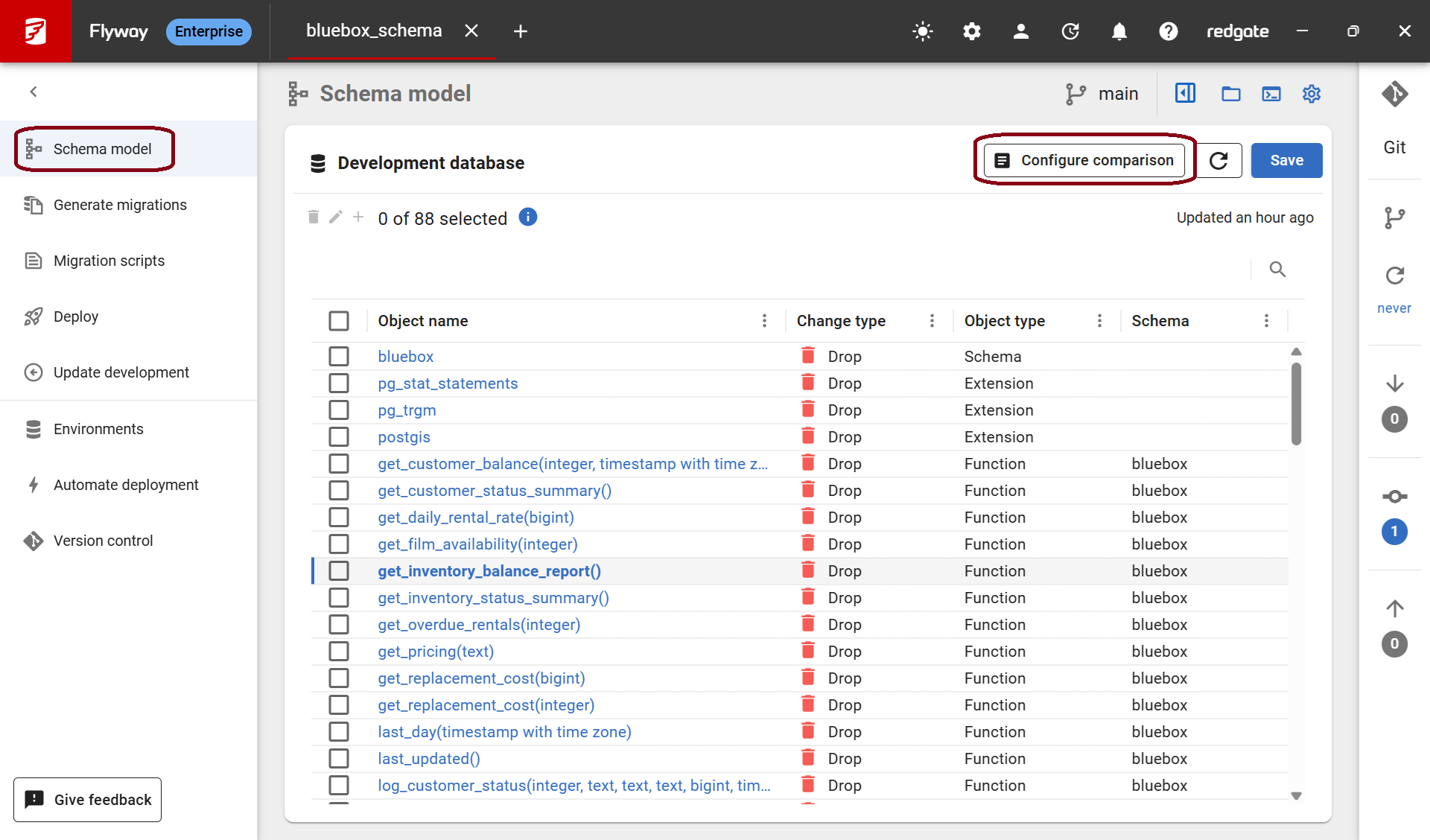
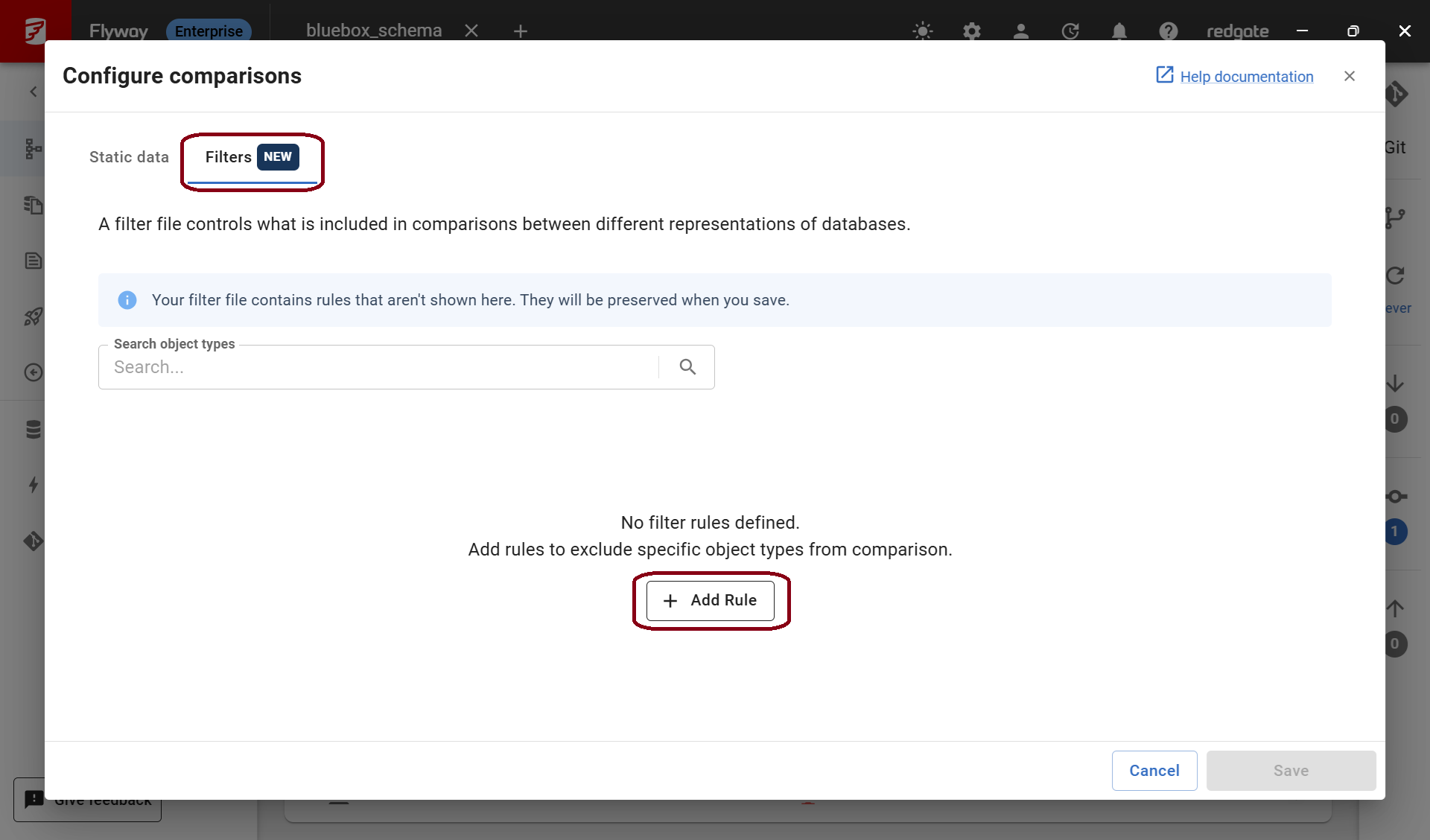
- Click the Filters tab and then Add Rule:
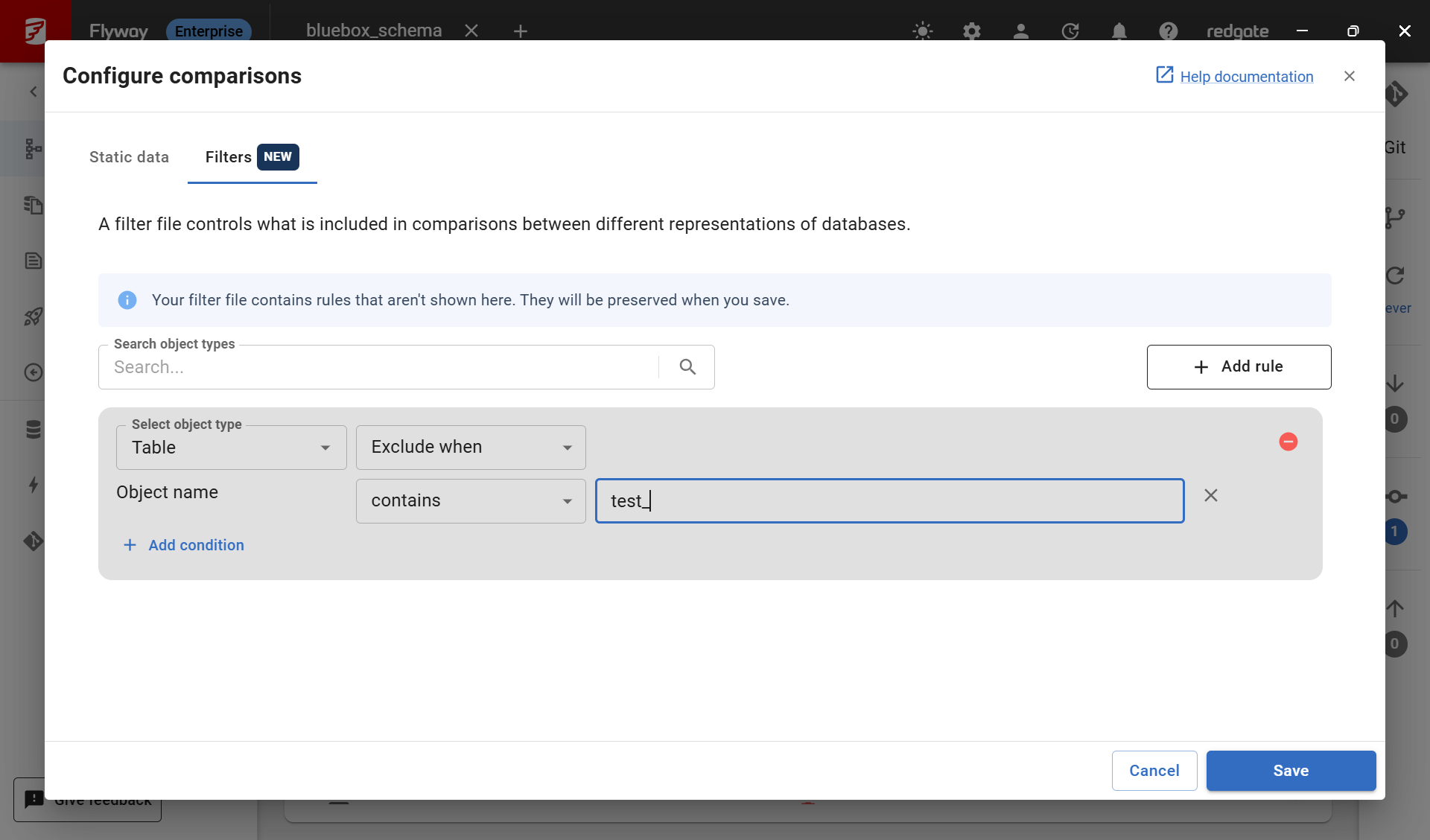
- Select the object from the drop down and setup the rule. You can add additional conditions or add another rule for a different object type. Then click Save.
In addition to filtering objects in/out of the comparison, the filter file can be manually edited to also filter properties.
Example scenarios
I want to ignore all properties of a particular name e.g. collations
{
    "version": "1.1",
    "postFilters":
    [
        {
            "filterTarget": "property",
            "filterBy": "name",
            "filterValue": "collation",
            "effect": "exclude"
        }
    ]
}
PostgreSQL specific example scenarios
These examples apply only to PostgreSQL and its variants
How do I ignore all privileges
{
    "version": "1.1",
    "postFilters":
    [
        {
            "filterTarget": "property",
            "filterBy": "name",
            "filterValue": "privileges",
            "effect": "exclude"
        }
    ]
}
How do I ignore all owners
{
    "version": "1.1",
    "postFilters":
    [
        {
            "filterTarget": "property",
            "filterBy": "name",
            "filterValue": "owner",
            "effect": "exclude"
        }
    ]
}
How do I ignore partitions of a certain partition method/strategy
{
    "version": "1.0",
    "postFilters":
    [
        {
            "filterTarget": "objectType",
            "filterBy": "propertyValue",
            "filterProperty": "partitionInfo.partitionStrategy",
            "filterValue": "HASH",
            "effect": "exclude"
        }
    ]
}
RANGE partitions are ignored by default, how do I include them?
{
    "version": "1.2",
    "postFilters":
    [
        {
            "filterTarget": "objectType",
            "filterBy": "propertyValue",
            "filterProperty": "partitionInfo.partitionStrategy",
            "filterValue": "RANGE",
            "effect": "include"
        }
    ]
}
How do I filter out objects based on name
{
    "version": "1.5",
    "postFilters":
    [
        {
            // fullNameExact filters on the exact fully-qualified name (i.e., including the schema name) where each part is separated by commas in a list
        	"filterBy": "fullNameExact",
        	"filterValue": ["public", "audit_log"],
        	"effect": "exclude"
        },
        {
            // fullNameContains matches on all names which contain the specified substring
        	"filterBy": "fullNameContains",
        	"filterValue": "temp", // your value can also be represented as a list like so: ["pub", "aud"]
	        "effect": "exclude"
        },
        {
            // fullNameStartsWith matches on names that start with the specified substring
        	"filterBy": "fullNameStartsWith", // your value can also be represented as a list like so: ["pub", "aud"]
        	"filterValue": "publ",
        	"effect": "exclude"
        },
        {
            // fullNameEndsWith matches on names that end with the specified substring
    	    "filterBy": "fullNameEndsWith", // your value can also be represented as a list like so: ["lic", "log"]
    	    "filterValue": "log",
    	    "effect": "exclude"
        }
    ]
}
How do I combine multiple filters into one rule
{
    "version": "1.6",
    "postFilters": [
      {
        "filterBy": "and",
        "effect": "exclude",
        "filterValue": [
          {
	      	"filterBy": "objectType",
			"filterValue": "table"
		  },
          {
			"filterBy": "fullNameStartsWith",
			"filterValue": "publ"
		  }
        ]
      }
    ]
  }
See also
TABLESPACE support can also be enabled using a filter file.
This documentation contains proprietary information and is protected by copyright law.
Copyright © 2026 Red Gate Software Limited. All rights reserved


