Tutorial - View the history of an object
Published 09 September 2026
Object level history is currently a preview feature and is available in Flyway Enterprise. It is turned on by default. We'd love to hear what you think: use the Give feedback button at the top of the history panel.
Each object in the schema model is stored as its own file in version control, so the Git history of that file is the history of that object. Flyway Desktop lets you browse that history without leaving the app, so you can see who changed an object, when they changed it, and exactly what changed in each commit.
Open the Schema model page and click an object in the full schema model on the right-hand side to open it. At the top of the object viewer, next to the close button, click the View object history button (the clock icon).
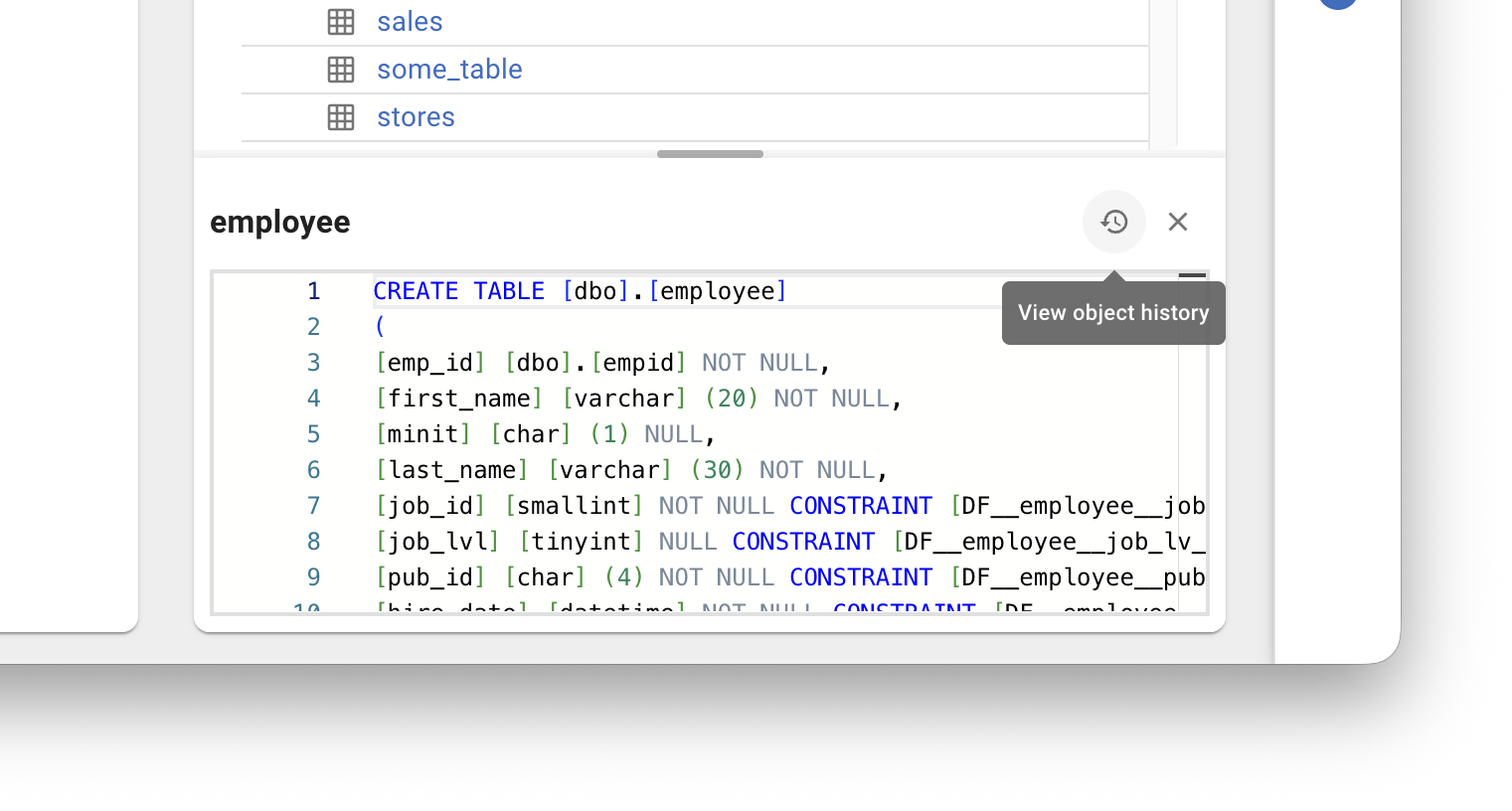
The object's history opens in a panel over the page.
On the left, Commit history lists every commit that changed the object, most recent first. Each entry shows the commit message, author, date and short commit hash. Type in the search box to filter the list by any of these. Click a commit to select it.
On the right, Changes shows exactly what the selected commit did to the object: the commit message, who made it and when, then a diff of the object's script before and after the commit. The diff uses the same split or unified view as the rest of Flyway Desktop. If your repository is hosted on GitHub and the commit has been pushed, click Open commit on GitHub in the Changes header to see the whole commit in your browser.
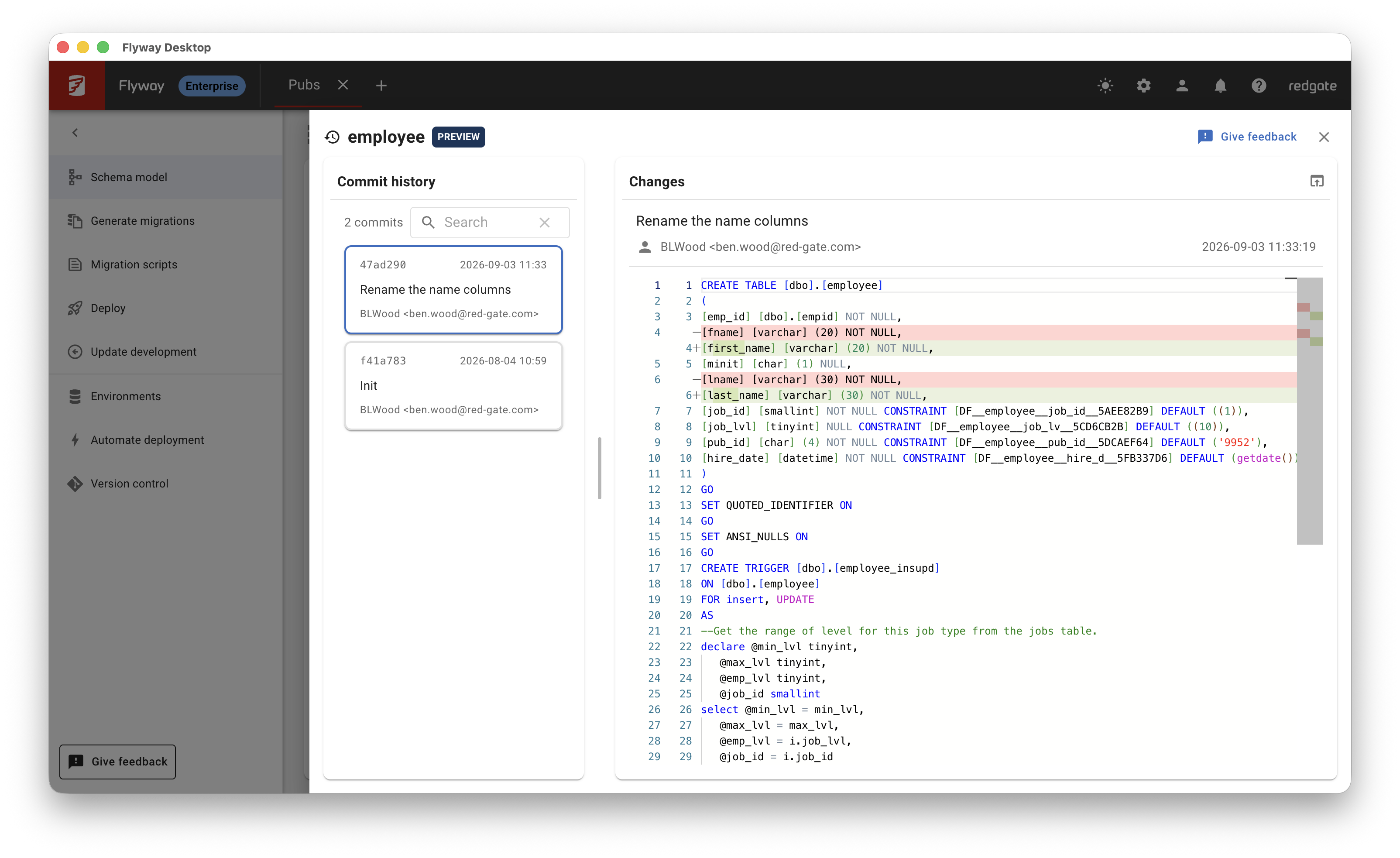
Drag the divider between the two panes to give either one more room. Click the close button, or anywhere outside the panel, to return to the Schema model page.
Object level history is read from your project's Git repository, so it only includes changes that have been committed. If your project isn't in a Git repository yet, the panel offers to initialize one for you, and each object's history then builds up as you commit changes to the schema model. An object that has been saved to the schema model but never committed shows no history until its first commit.
This documentation contains proprietary information and is protected by copyright law.
Copyright © 2026 Red Gate Software Limited. All rights reserved


