Tutorial - Create a new branch
Published 20 January 2025
- Open the Version Control side panel on the right
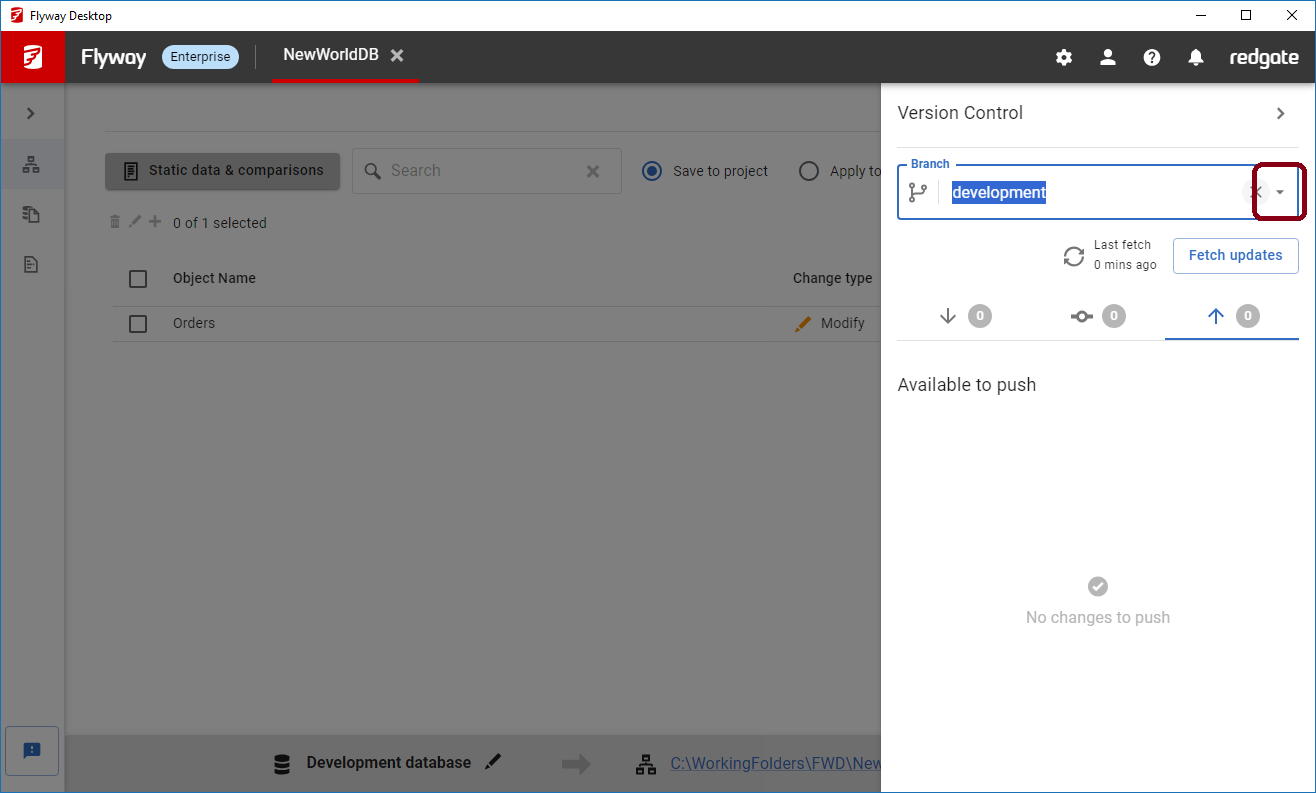
- Click the drop down next to the current branch name
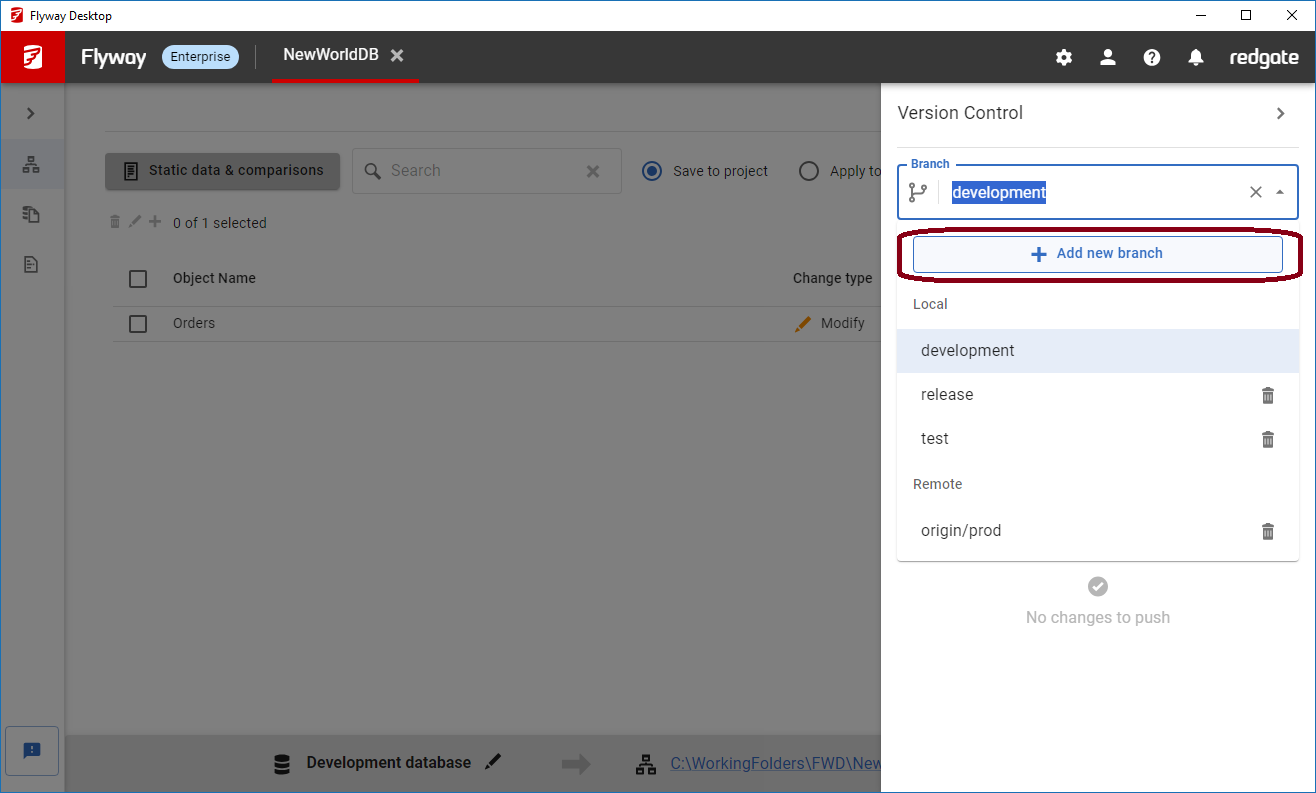
- Click Add new branch
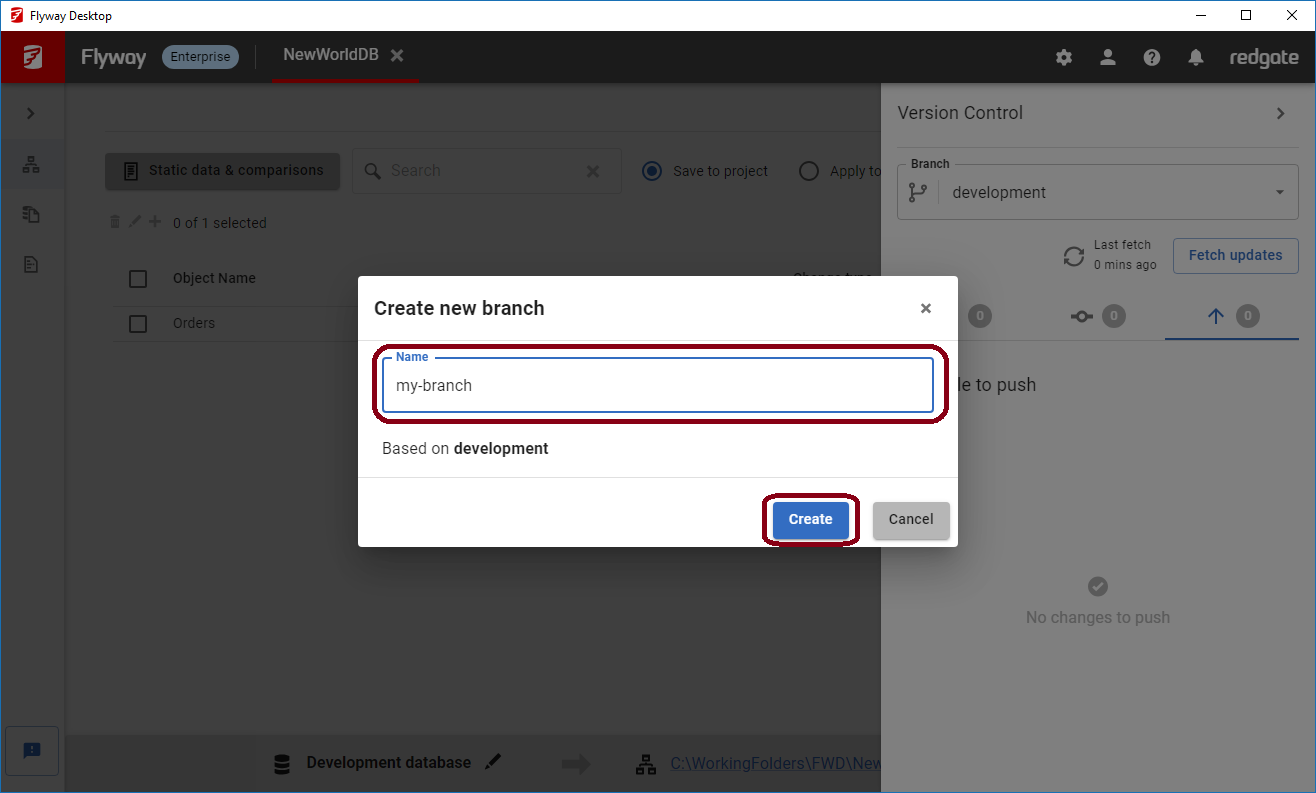
- In the opened modal, enter the name of your new branch and click Create.
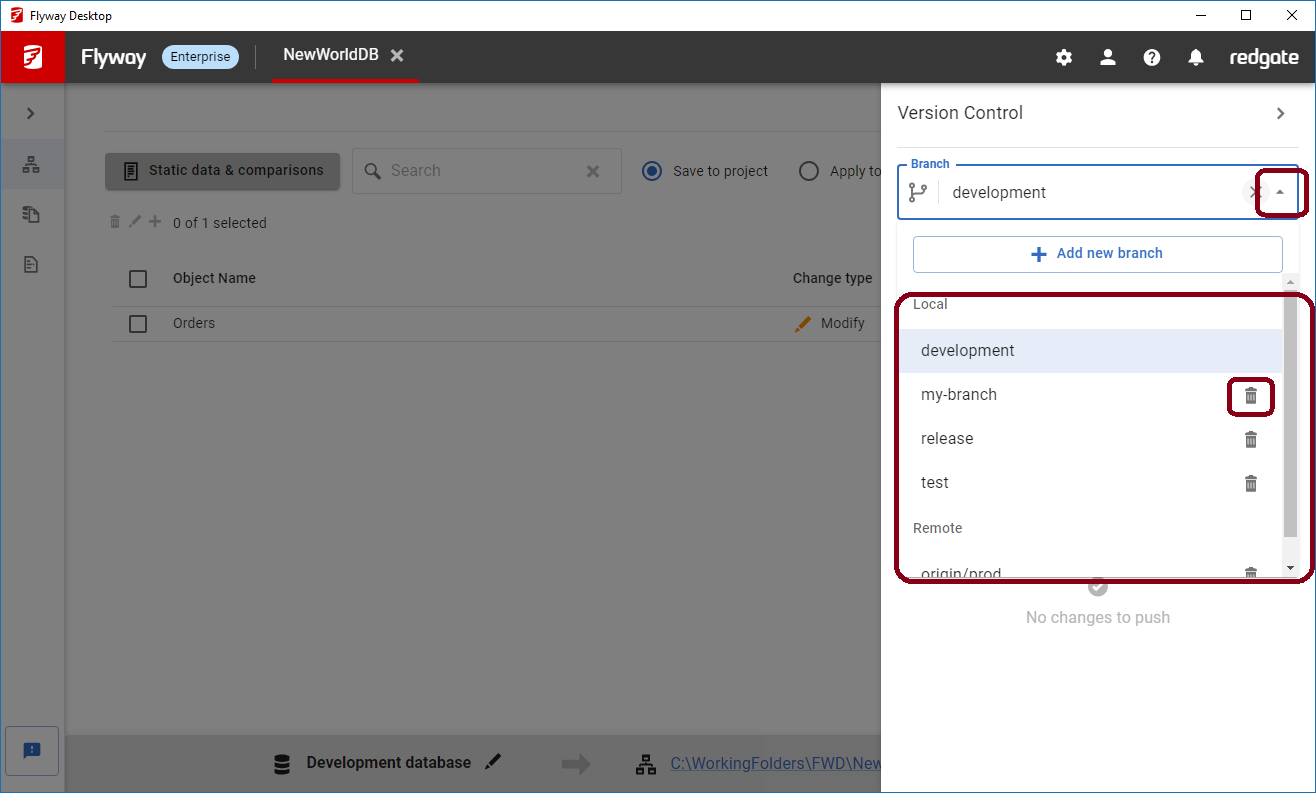
You can use the branch drop down to switch between different branches and delete a branch if needed.
This documentation contains proprietary information and is protected by copyright law.
Copyright © 2026 Red Gate Software Limited. All rights reserved


