Quickstart - CI / CD Pipeline
Published 23 July 2024
Flyway Pipelines is now Flyway Insights. Read our blog to find out more details. These documentation pages will be updated soon. You can access Flyway Insights and see sample data at https://flyway.redgate.com.
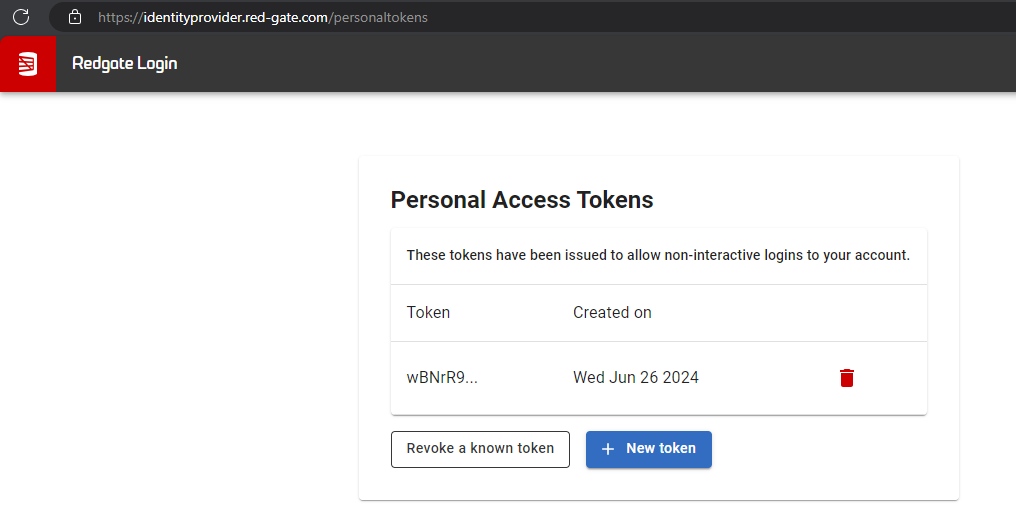
- Go to Redgate's Personal Access Tokens (PAT) site
- Login with your Redgate ID. If you don't have one, you can create one.
- Create a New token and copy it. You will NOT be able to see the full token again.
2. Add the parameters
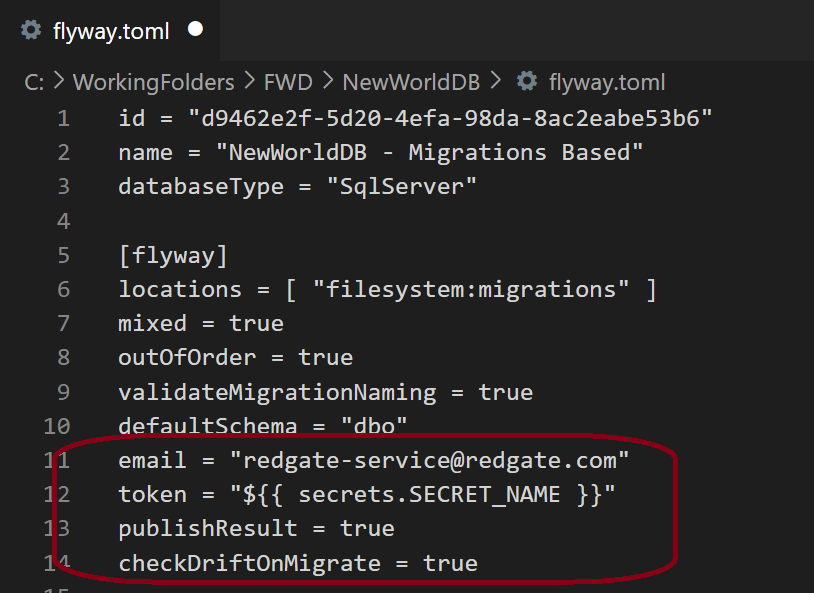
- Add the following parameters to the existing [flyway] section of your project's flyway.toml file. This file is in the root of your project. If you are in a project in Flyway Desktop, use the blue icon folder in the upper right to jump to the root project folder on disk.
[flyway]
email = "<your email linked to PAT>"
token = "<your PAT>"
publishResult = true
checkDriftOnMigrate = true - Save the file, commit and push it to your repository.
NOTE: You should treat the token as a secret variable and pull this in from your secret manager. We don't recommend committing your token to source control.
Add the following Environment Variables to your CI/CD agent. This can be used for self-hosted agents.
- FLYWAY_EMAIL="<your Redgate email>"
- FLYWAY_TOKEN="<your personal access token>"
- FLYWAY_ENVIRONMENT="<your environment name>"
FLYWAY_PUBLISH_RESULT=true
- FLYWAY_CHECK_DRIFT_ON_MIGRATE=true
- Wherever you use the flyway migrate command, add the extra parameters:
flyway migrate -email="<your email linked to PAT>" -token="<your personal access token>" -publishResult=true checkDriftOnMigrate=true
NOTES:
- We recommend using the TOML file or Environment Variables because these set the parameters globally on every call and you don't have to worry about missing a command, or if you add new commands, remembering to include these extra parameters.
- You should treat the token as a secret variable and pull this in from your secret manager. We don't recommend committing your token to source control.

3. Publishing insights to the Flyway Service
- To see your deployment event being published to the service all you need to do is run your pipeline
- Ensure that you have at least one pending migration script
- When Flyway Migrate runs the results will be published to the service

4. Viewing your deployments in the Flyway Service
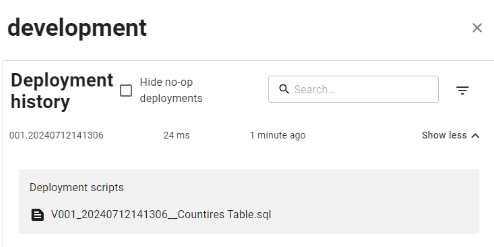
The flyway migrate operation has now published its results to the Flyway Service. Simply visit https://flyway.red-gate.com/ to open the pipeline dashboard view.

You can drill down to to view any environments that have deployments registered against them for a specific Flyway project.

Use show more to view the detailed deployment history for an environment.
This documentation contains proprietary information and is protected by copyright law.
Copyright © 2026 Red Gate Software Limited. All rights reserved


