Oracle GoldenGate database tables are not automatically ignored
Published 25 February 2026
Problem
GoldenGate is a database replication technology supplied by Oracle. When installed, it adds some special tables to your database and adds some special columns to your tables.
The Oracle comparison engine automatically excludes the GoldenGate columns from all database comparisons but it does not automatically exclude GoldenGate tables. It is very unlikely that you would want to include GoldenGate tables in a database comparison.
GoldenGate tables begin with the characters: DT$_
Solution 1
Update to the latest version of Flyway. Version 9.4.2 and above automatically filters out tables that begin with DT$_
Solution 2
Using Flyway Desktop
Go to the "Schema Model " Page
Click "Configure comparison"
Go to the "Filters" tab
Click "Add Rule"
Select Tables from the "Select object type" drop-down list
Select "Exclude when"
Type ^DT\$_ in the "Regex pattern"
Click "Save".
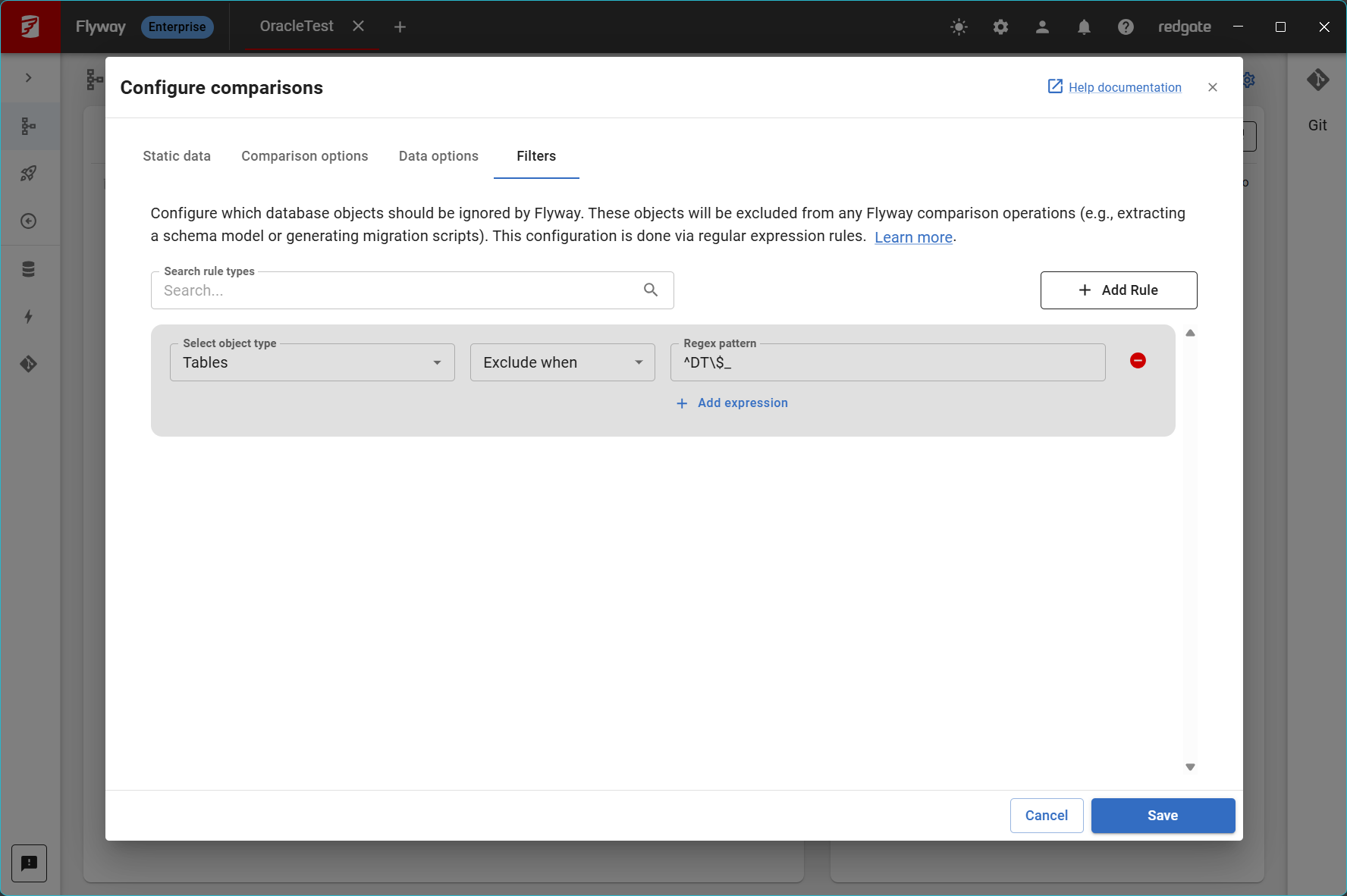
This means that tables that begin with DT$_ will not be included in your comparison.
Using the Command Line (CLI)
Create a filter file (e.g. IgnoreRulesFile.scpf) or add a filter rule to your existing filter file if you have one:
Contents of example filter file:
{
  "filters": {
    "table": [
      "\!^DT\$_"
    ]
  }
}
Explanation of \!^DT\$_:\! = negation^ = start with
the \ between T and $ escapes the $ character.
Use the Oracle Ignore Rules Setting on the flyway diff command e.g.
./flyway diff -redgateCompare.oracle.ignoreRules=ignoreRulesFile.scpf
This documentation contains proprietary information and is protected by copyright law.
Copyright © 2026 Red Gate Software Limited. All rights reserved


