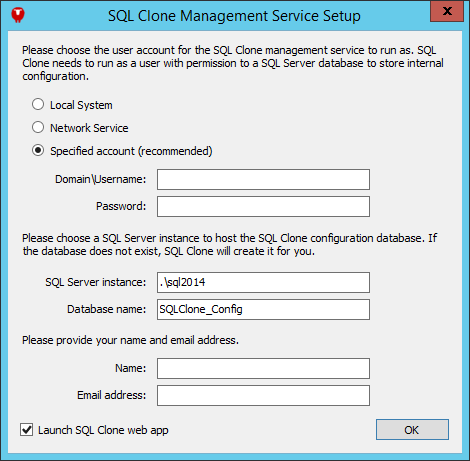
You only need to install one copy of SQL Clone management service, however many servers you want to perform SQL Clone operations on. The management service is a web app, so it must be installed on a machine that is visible from everywhere you want to use SQL Clone. After running the installer, a setup utility runs to configure the management service:
This will configure and start the management service. The management service web app uses Windows authentication, so log in with your Windows credentials.
Once you have installed the management service, you will need to install one or more SQL Clone agents. The SQL Clone agent installed can be downloaded from the home page of the management service. You will need to install an agent on every machine with SQL Servers on which you want to perform SQL Clone operations. The agent installer requires a username and password for the agent service:
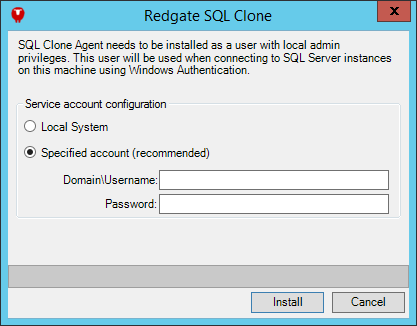
See Requirements for more information about what permissions the agent user requires.