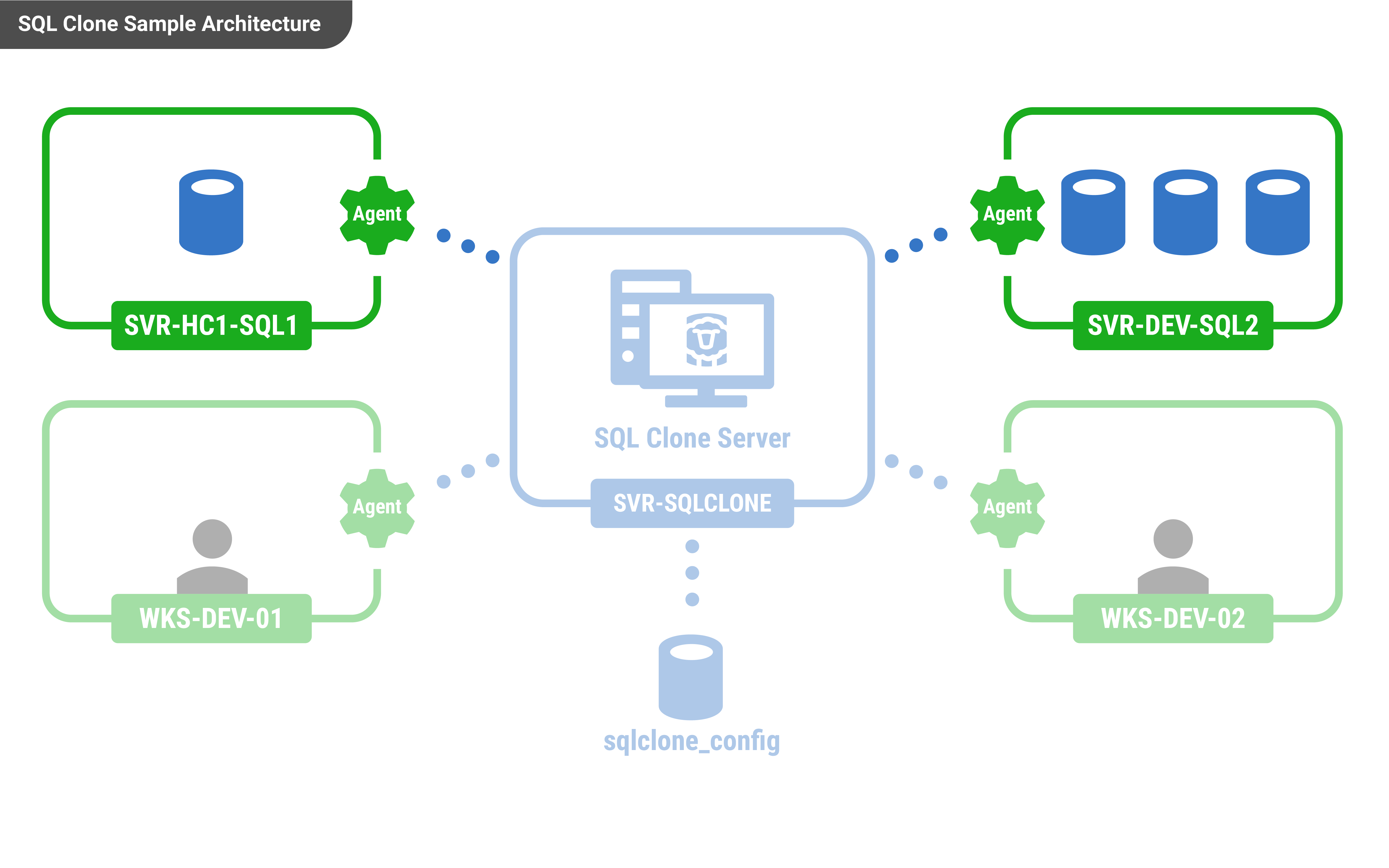
Once you have installed SQL Clone Server, you will need to install one or more SQL Clone agents. You will need to install an agent on every machine with SQL Servers that hosts databases you wish to make a copy of.
Note: If creating an image from a backup the Agent machine will need to have sufficient space for the database to be temporarily restored and the version of the SQL Server instance should be the same or higher than the backed up database.
The SQL Clone agent installed can be downloaded from the home page of the server's web app.
The agent installer requires a username and password for the agent service. These credentials will also be used to connect to databases if you choose "windows authentication" within the tool.
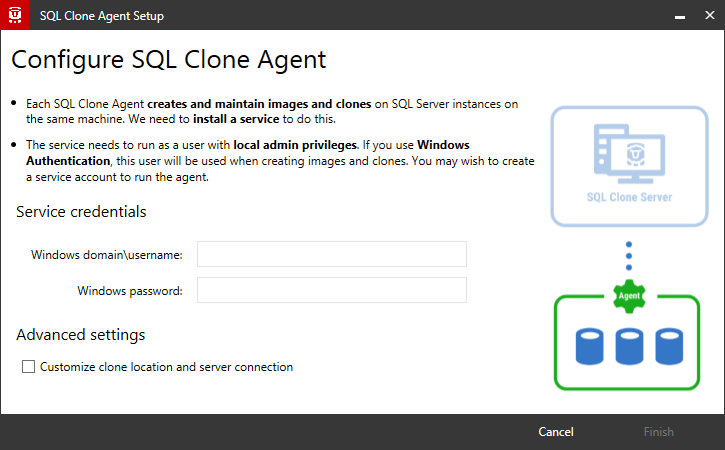
Most users won't need to customize the advanced settings:
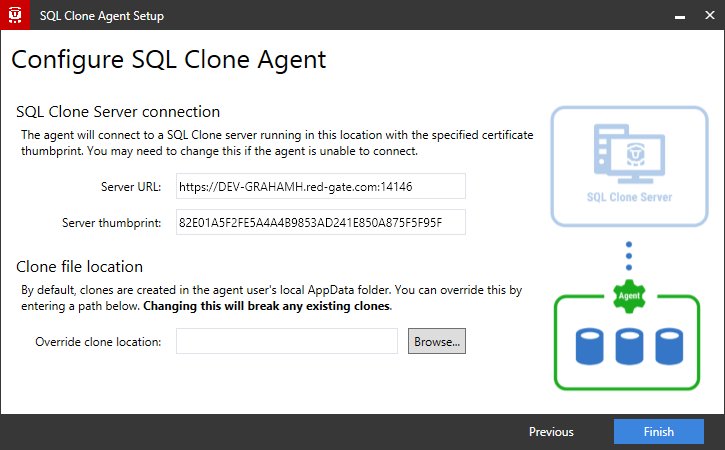
See Requirements for more information about what permissions the agent user requires.