Logical model workspace overview
Published 19 August 2025
The Redgate Data Modeler workspace, as shown below, is divided four main areas:
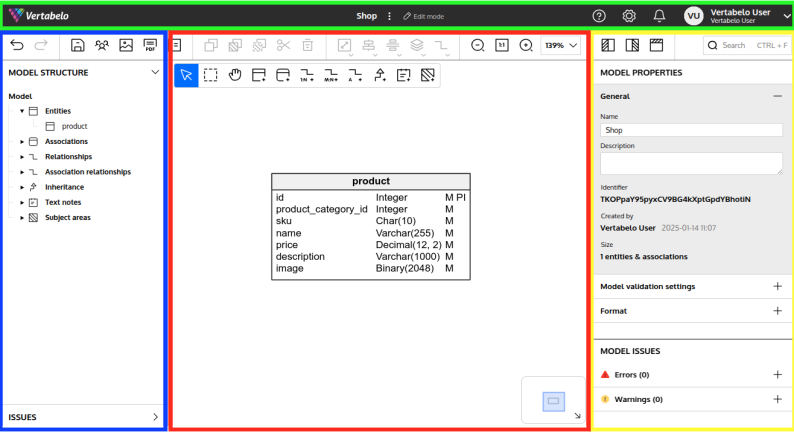
Main toolbar
In the Main toolbar you can find all of the tools you may need to edit your database model.
Model navigation panel
In the Model navigation panel you can manage and navigate through your database model and check whether Redgate Data Modeler has detected any problems.
Diagram area
In the Diagram area you can find a visualization of your database model and maintain it using Redgate Data Modeler’s graphic user interface.
Properties panel
In the Properties panel you can edit the properties of any selected element.


