Migration Scripts
Published 27 August 2025
Redgate Data Modeler has a feature that automatically generates migration scripts. These scripts make it possible to change database structure from one version to another. In this way, you can update your database or go back to a previous schema with much less hassle.
Generating a Migration Script
Start by going to your drive. Then pick a model you want to create a migration script for and in the right tab open the Versions tab.
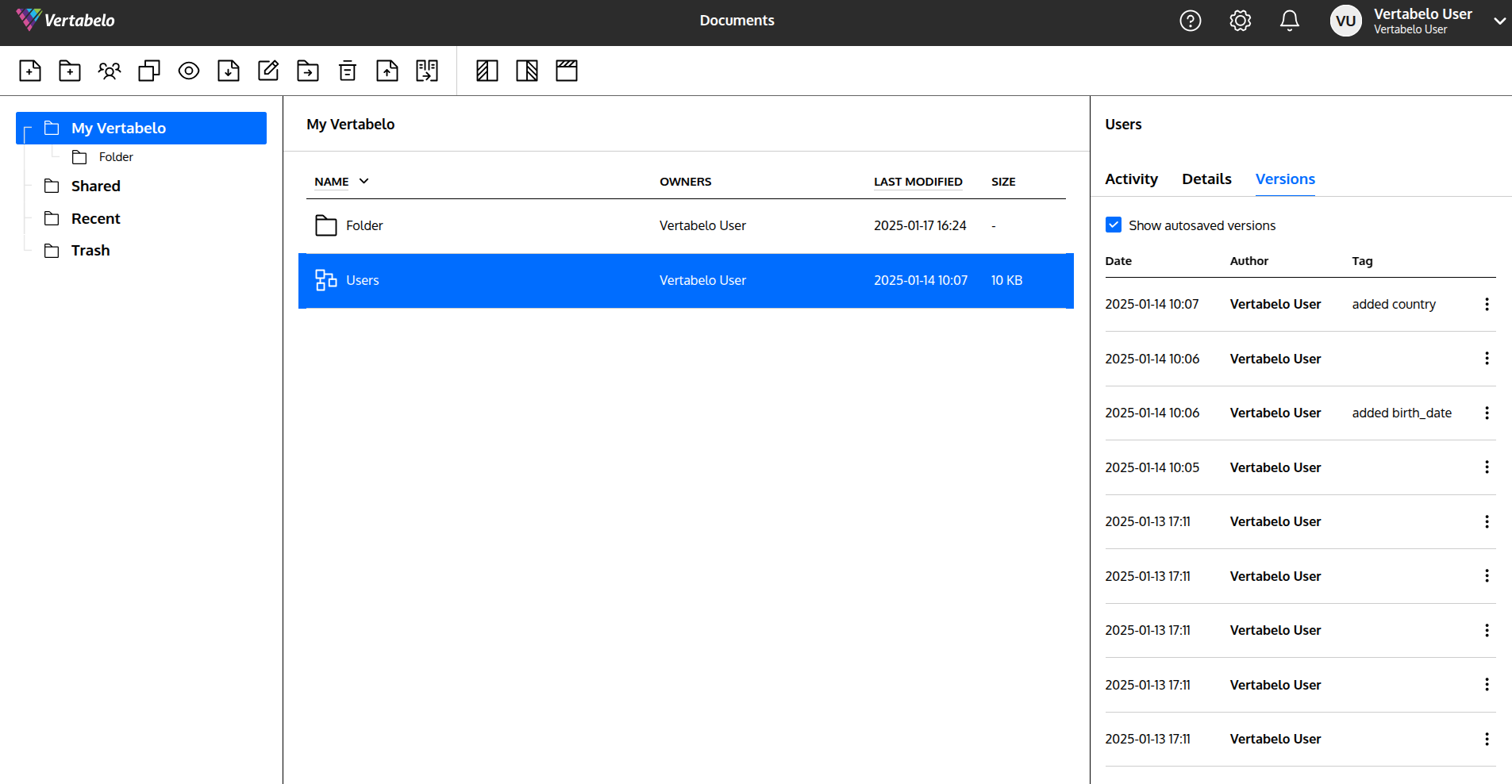
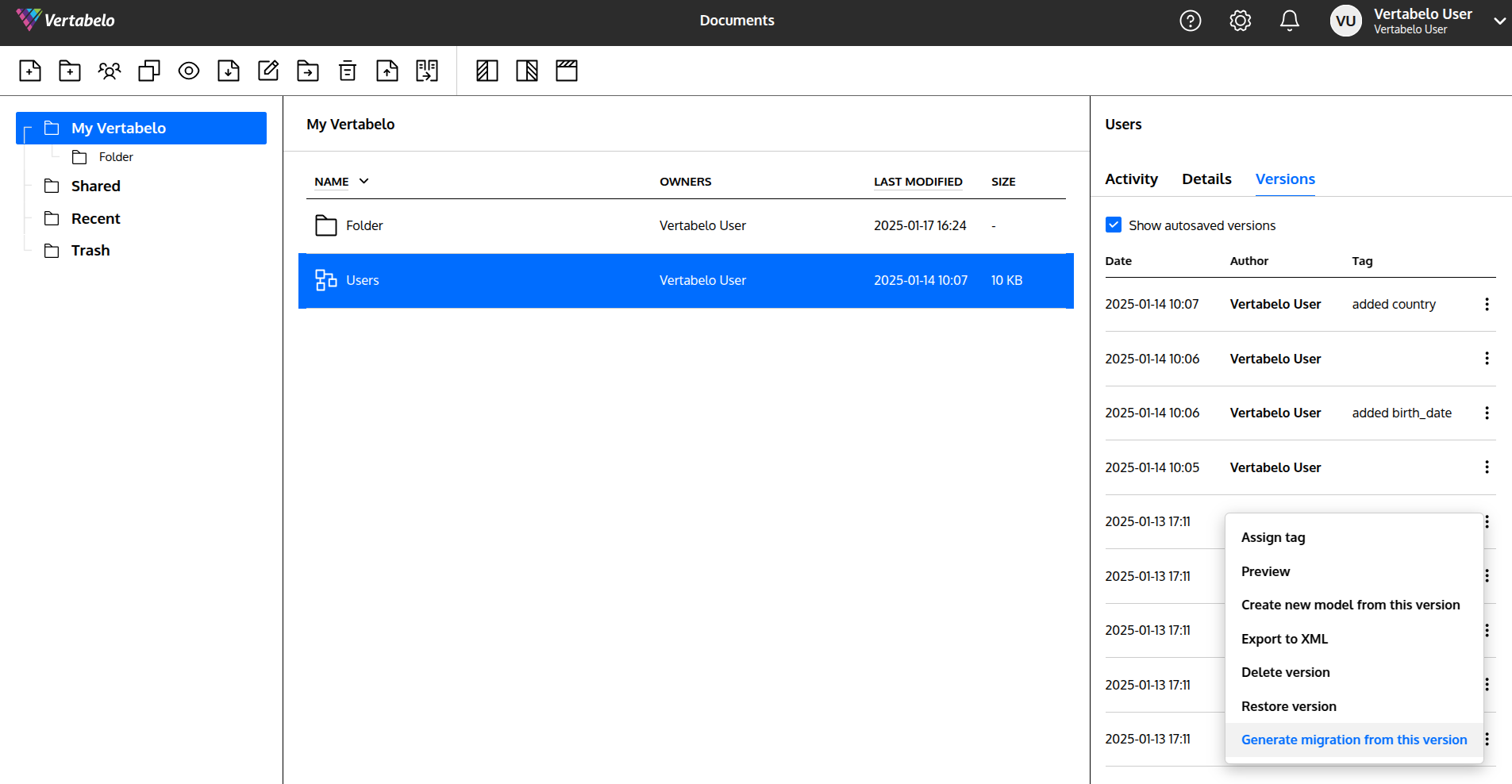
In the Versions tab select a version you want to create a migration script from, and from its drop-down menu select Generate migration from this version.
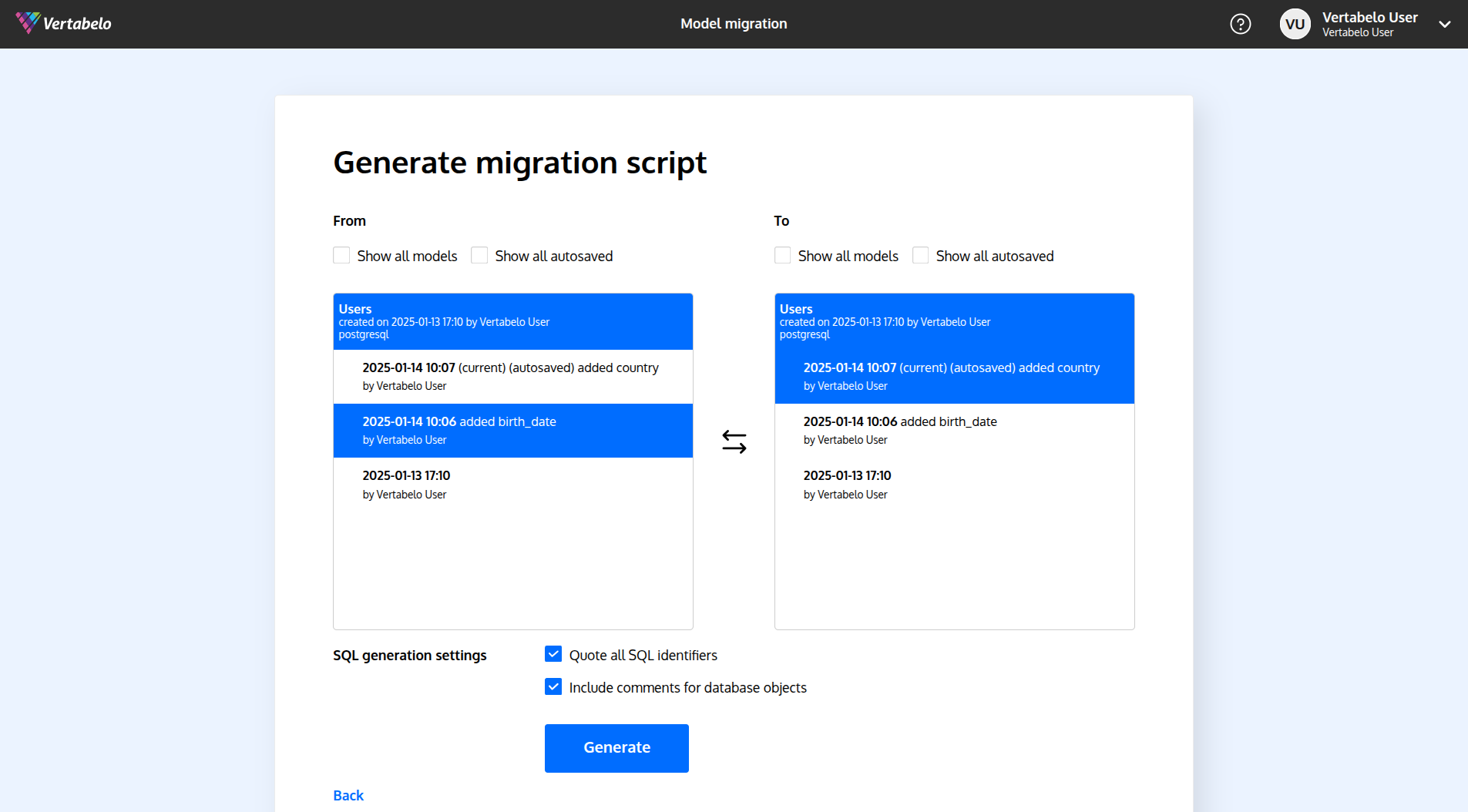
A view offering selecting versions will show up – just pick deliberately the correct ones. You may also select two versions of two different models. (Just be sure to have Show all models checked.)
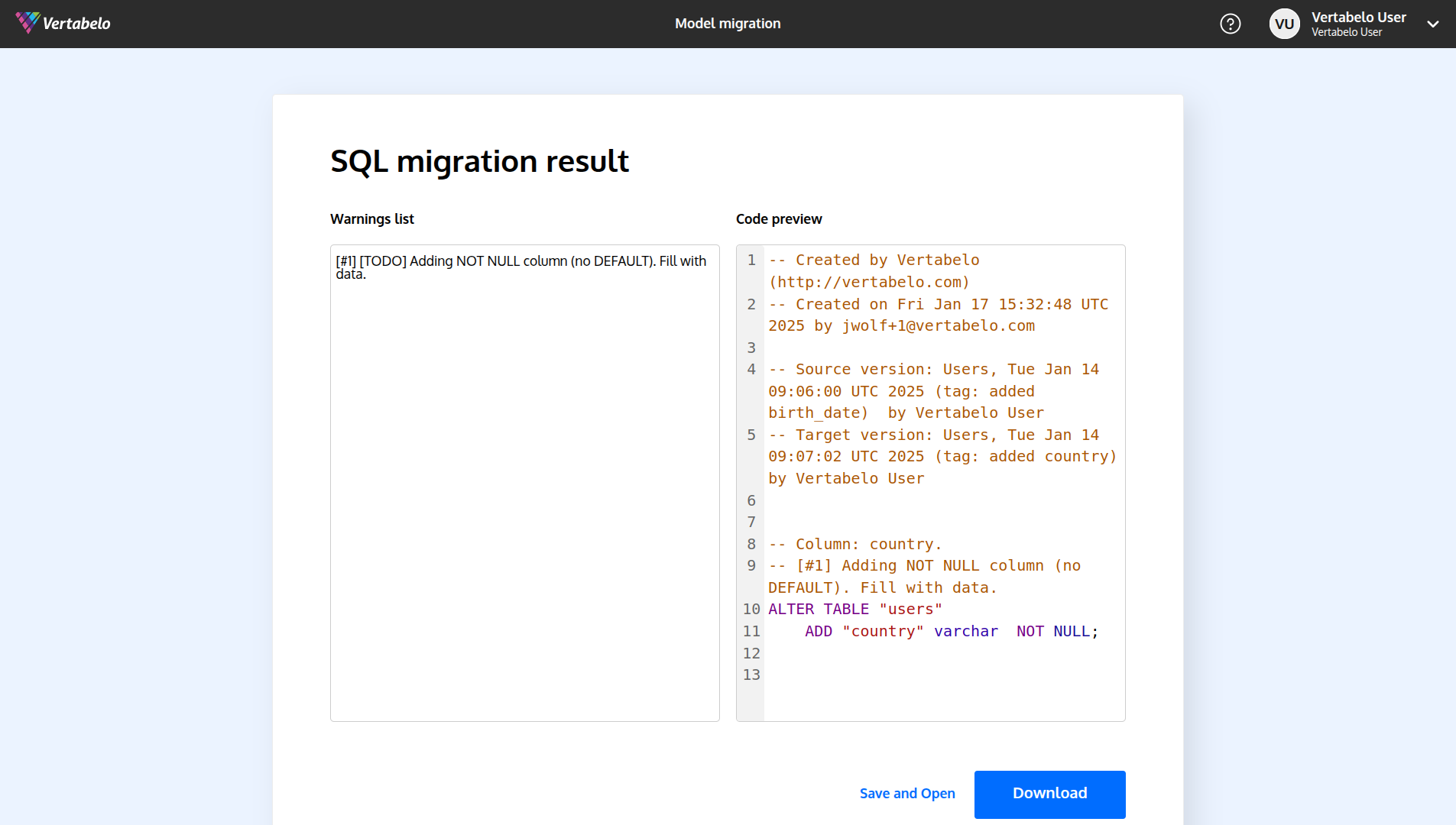
When you're done, click on the GENERATE button. After a while, your script will be generated, and you'll have to just click on the DOWNLOAD button. Alternatively, you may just save the file within your drive by clicking on the Save and Open button.