Using the add-in
Published 10 December 2025
SQL Data Compare includes a free add-in for SQL Server Management Studio you can use to compare and deploy (deploy) data from within SQL Server Management Studio.
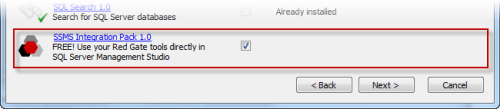
The add-in is bundled with the SQL Data Compare installer, which you can download here. When you run the installer, make sure that the SSMS Integration Pack check box is selected:
Comparing data
To compare two databases from SQL Server Management Studio:
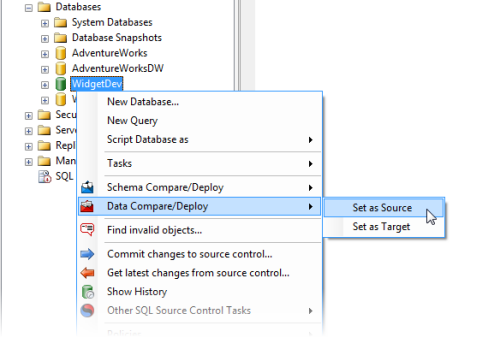
- In the SQL Server Management Studio Object Explorer, right-click the database you want to use as the source, and under Data Compare/Deploy, click Set as Source:
The Data Compare/Deploy tab is displayed, with the database you selected set as the source: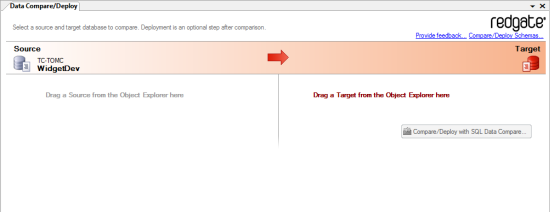
- Drag the database you want to use as the target from the Object Explorer to the Target pane.
- Click Compare/Deploy with SQL Data Compare.
SQL Data Compare launches a creates a new project using the databases you selected. - On the SQL Data Compare Project Configuration dialog box, click Compare Now.
This documentation contains proprietary information and is protected by copyright law.
Copyright © 2026 Red Gate Software Limited. All rights reserved


