Logging and log files
Published 23 March 2022
Log files collect information about Source Control for Oracle while you use it. These files are useful if you're working with Redgate support to fix a problem.
Logging is always enabled and all log files are stored.
Locating the log files
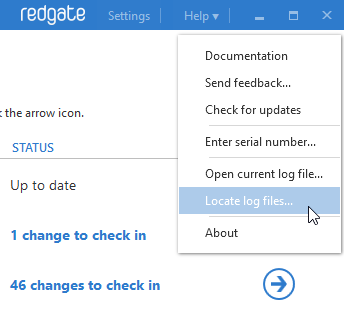
To view the current log file in your default text editor, on the Help menu, click Open current log file.
To open the folder where the log files are stored, on the Help menu, click Locate log files.
This documentation contains proprietary information and is protected by copyright law.
Copyright © 2026 Red Gate Software Limited. All rights reserved


