AI code completion (Preview)
Published 03 December 2025
This is an experimental/preview feature available since version 11.3.0.20275. It is provided as a preview and may be changed, removed, or stop working at any time. We encourage you to try it out and provide feedback, but please be aware of its experimental nature.
As part of Prompt AI we are releasing AI code completion. This feature goes beyond traditional suggestions by generating multi-line blocks of code based on your query's context and even natural language comments, allowing you to write complex queries faster and with less effort, right inside your query editor.
Getting started
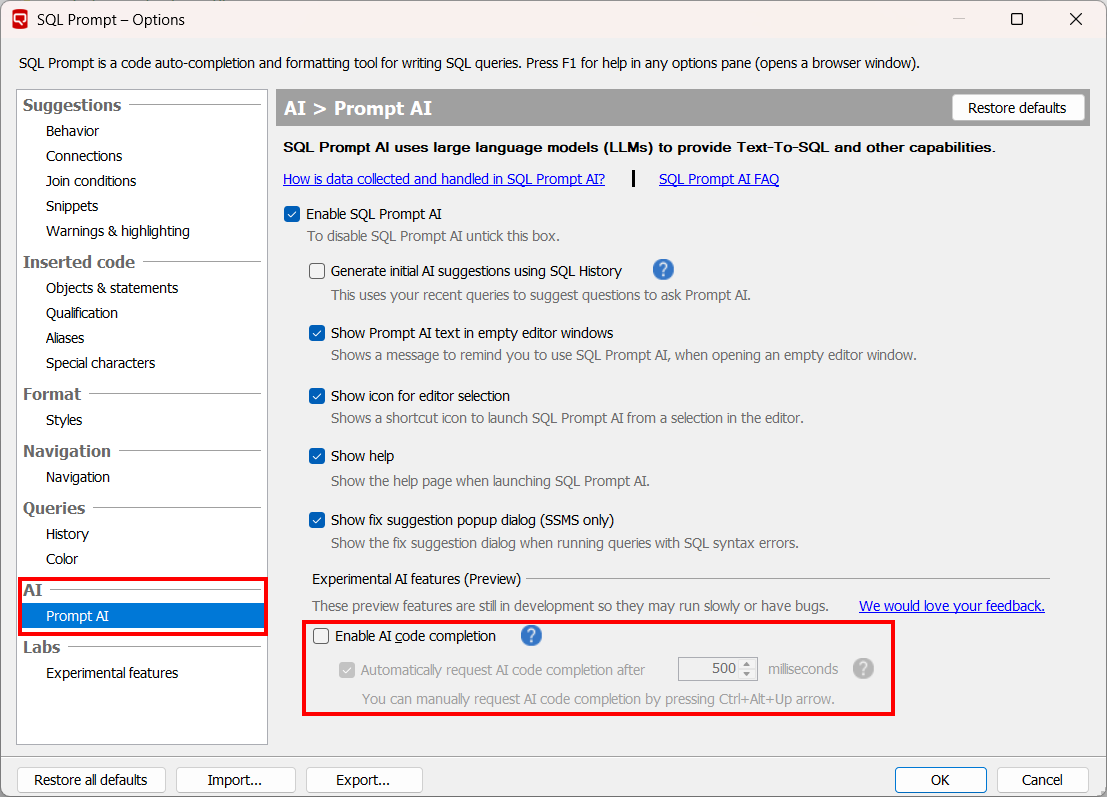
To enable AI code completion in your query editor, go to the SQL Prompt Options menu and in the Prompt AI menu under the AI section, and tick the checkbox “Enable AI code completion” to activate it. To disable it you can untick the same checkbox.
You must also have code suggestions turned on for AI code completions to appear in the query editor. Specifically, ensure that the checkbox under Options > Behavior > Show code suggestions is enabled, as this is a requirement for AI code completion.
By default, autocompletions will show up automatically after 500 milliseconds. To change the number of milliseconds the suggestion is shown in, you can change the number provided with the up and down toggles next to "Automatically request AI code completion after". If you would like to stop automatic autocompletions from showing up, and would rather just manually request them to appear (using the Ctrl+Alt+Up Arrow), you can disable the checkbox next to this.
How it works
As you write a query, SQL Prompt analyzes the code you've written, your database schema, and the position of your cursor. When it can predict what you're trying to do, it will show a suggestion in greyed-out "ghost text".
- To accept the suggestion, press the
Tabkey. - To dismiss the suggestion, press the
Esckey. - To generate a manual autocompletion, press
Ctrl+Alt+Up Arrow - If you keep typing, the suggestion will disappear and a new one will be created for you.
Rejected or dismissed suggestions will not be added to your SQL History.
Recommended ways to use it
There are two primary ways to use AI code completions:
- Smart Code Completion
As you write a query, the AI model understands the context of your code. It can suggest completions for complex clauses, join conditions, and entire blocks of code, automatically matching the formatting and naming conventions already in your script.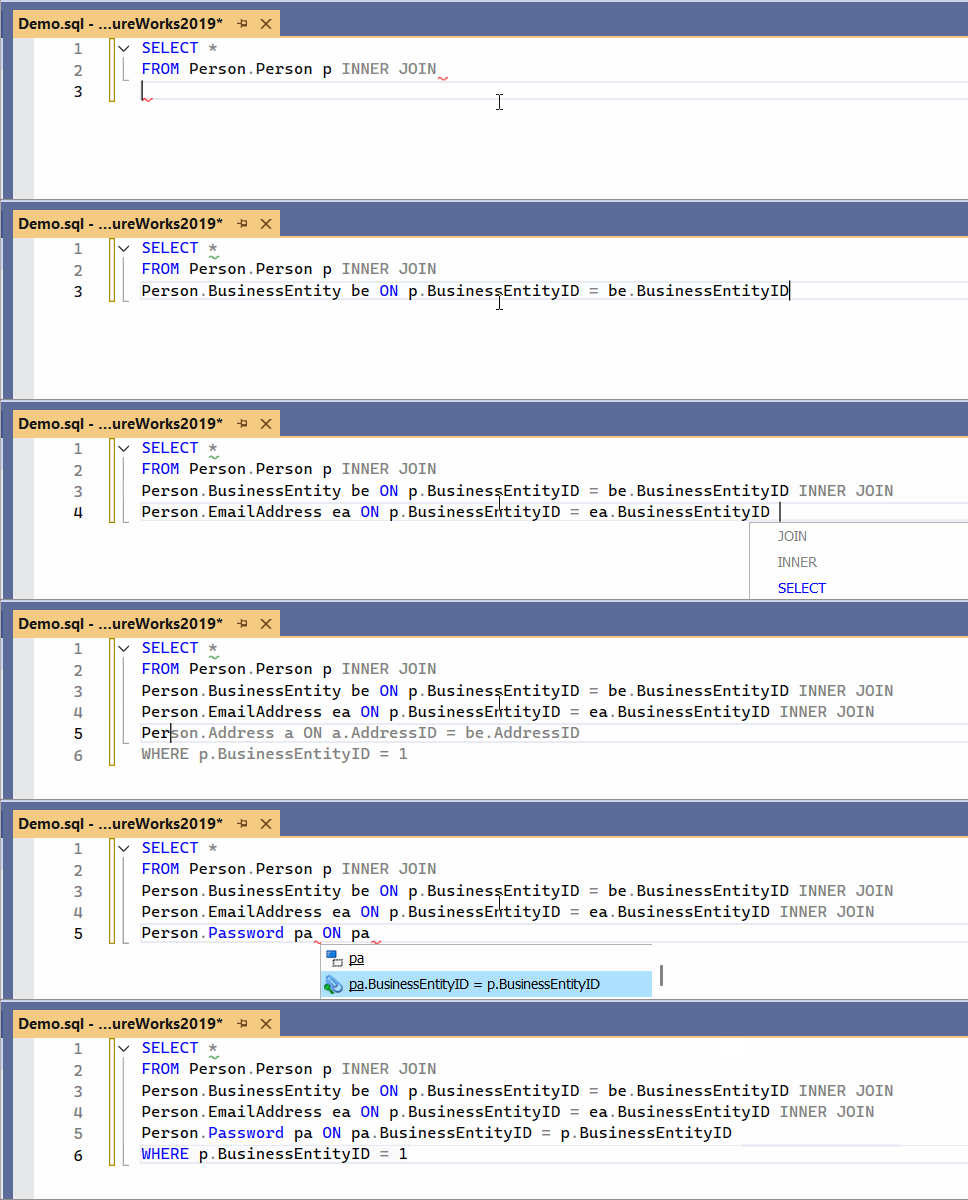
- Writing SQL from a Comment
You can also instruct the AI using plain English. Write a comment describing the query you need, and the AI will generate the SQL for you. This is a powerful way to quickly create complex queries without having to type them from scratch.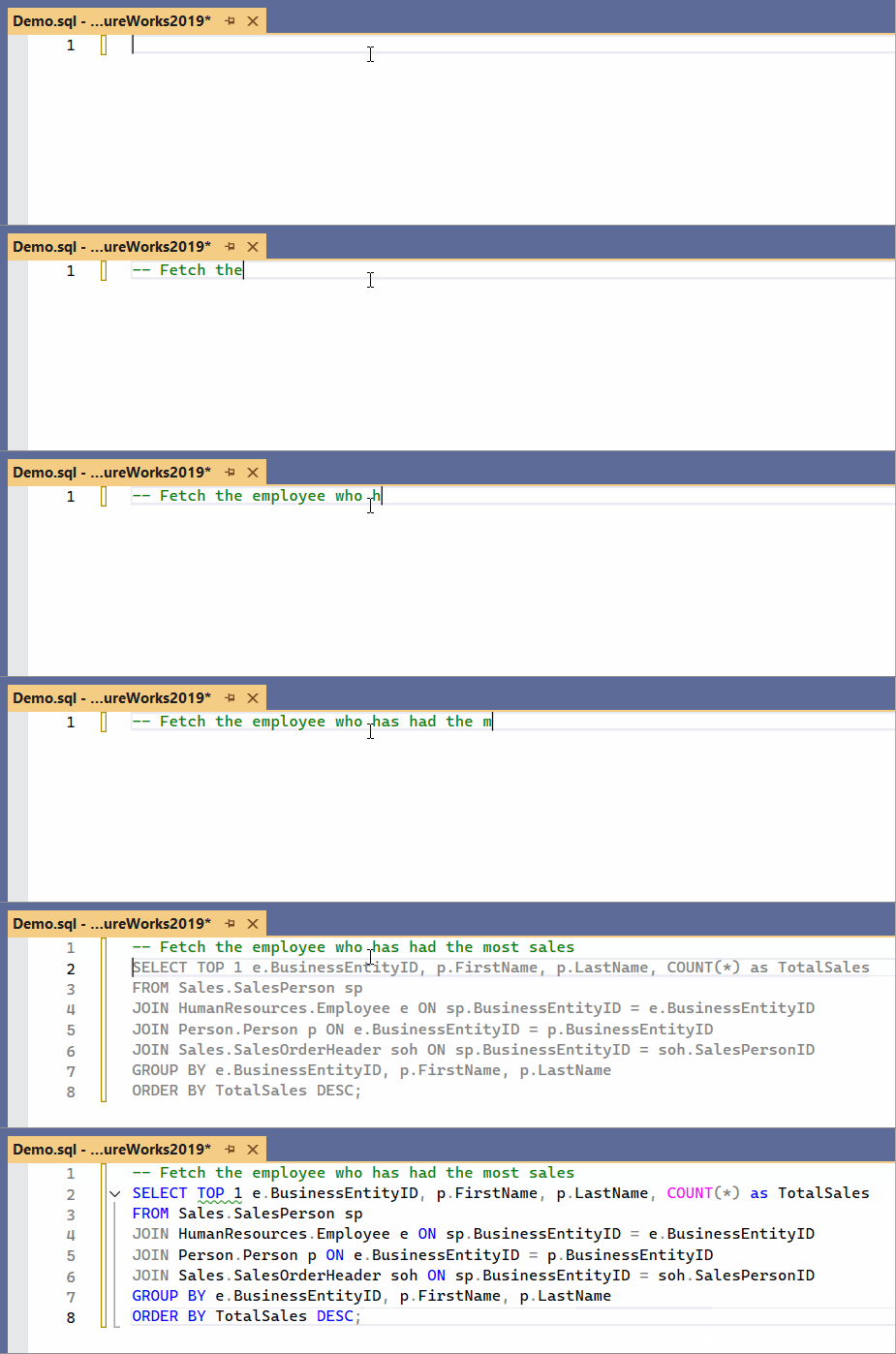
Model details
The third party LLM we are using for autocompletion is Mistral Devstral 2, starting from SQL Prompt 11.5.0.26718.
Older versions use Alibaba Cloud's Qwen3-Coder.
Visit the SQL Prompt AI data handling page and Redgate AI trust hub to see how your data is handled by AI code completion.
This documentation contains proprietary information and is protected by copyright law.
Copyright © 2026 Red Gate Software Limited. All rights reserved


