SQL Prompt AI data handling
Published 02 September 2025
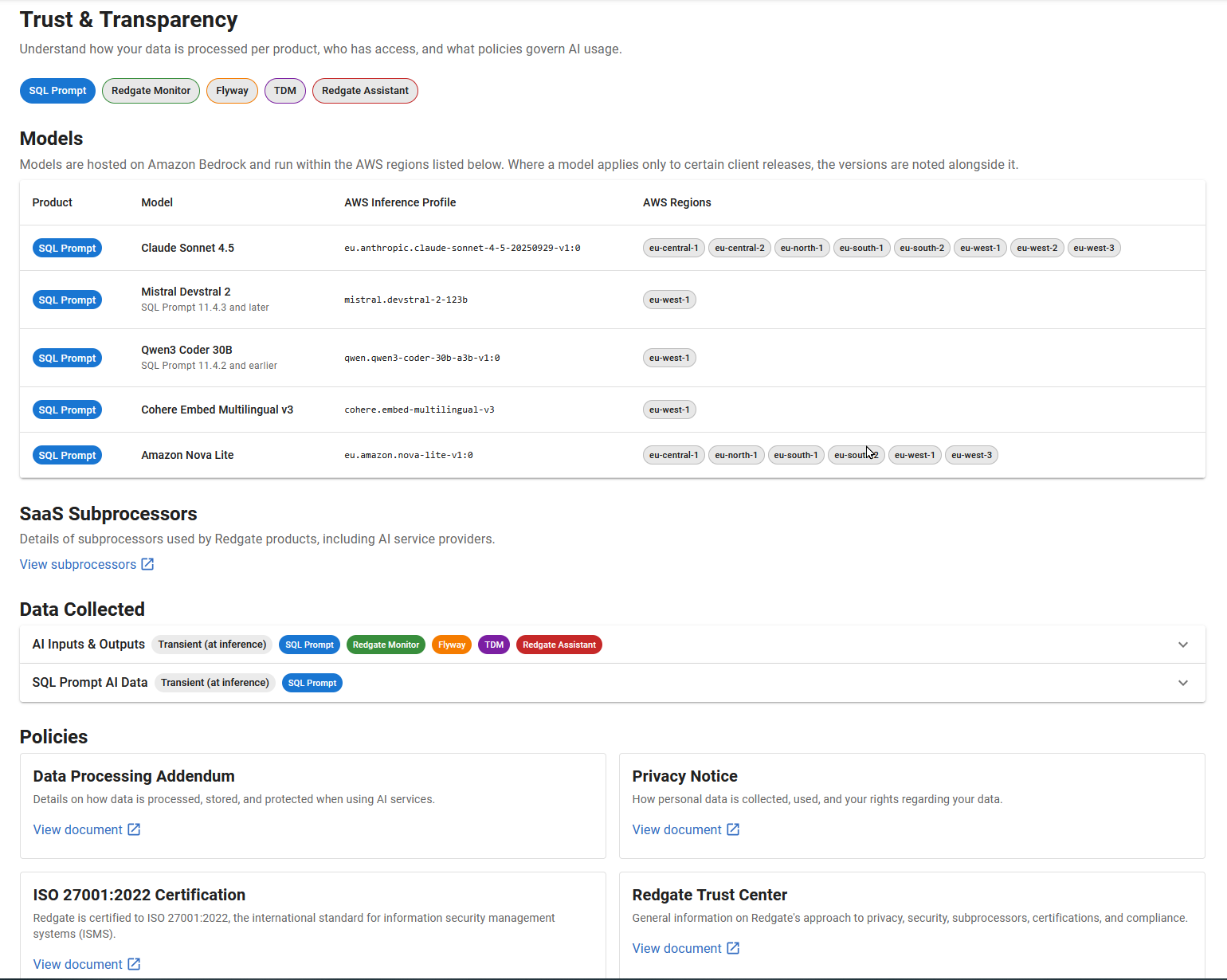
When you use AI features in SQL Prompt, Redgate may transmit your prompt, the contents of your query window, SQL execution and SSMS/VS CodeSense errors, SQL execution plans and relevant database schema information to its dedicated AI services. Additionally, if the Generate initial suggestions using SQL History option is enabled, recent queries from the connected database stored in SQL History will also be sent. This is solely for the purpose of generating SQL code, SQL AI code completion, SQL suggestions, apply fixes, optimizations and explanations with appropriate context. No data sent in this manner is stored or used to train machine learning models. It is processed transiently and cannot be accessed by Redgate once the response is generated.
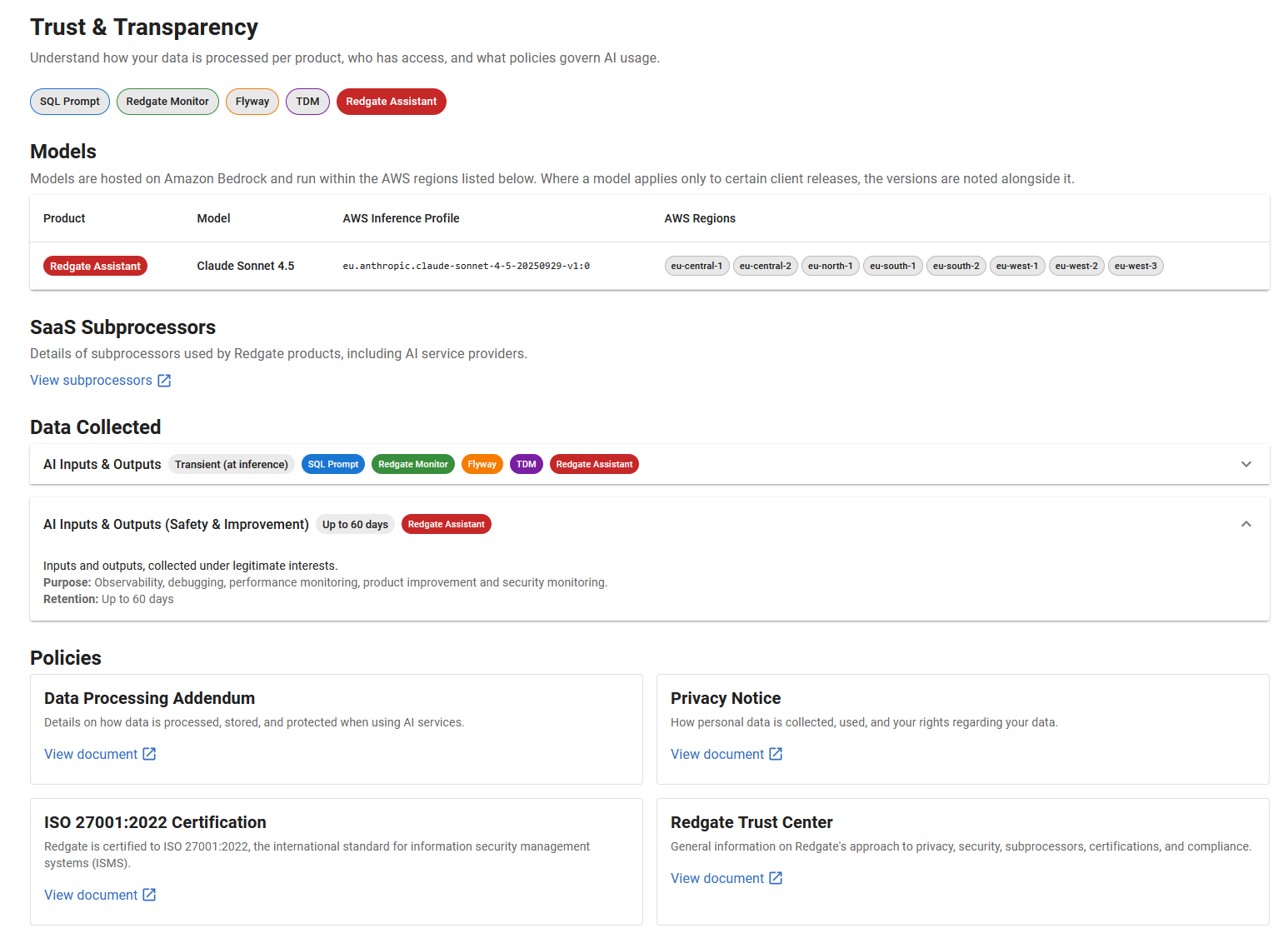
Redgate Assistant (Preview) collects additional data under legitimate interests – such as conversation inputs, outputs and history – up to 60 days. Machine learning model fine tuning and training is out of scope.
For more information about our data collection policies, refer to our Information collected by Redgate products page. Also check the Redgate AI Trust Hub section below.
AI features are opt-in, and can be disabled at any time in the SQL Prompt options. Organizations may also restrict access centrally through the settings page on the Redgate Portal. See our AI in SQL Prompt FAQ on full instructions on how to do this.
AI features do not access or transmit any actual data stored in your connected databases.
You may also refer to the AI in SQL Prompt FAQ for more information.
Redgate AI trust hub
You can find all Redgate AI-related data handling information in the Redgate AI trust hub, which is also available in-product at the bottom of the Redgate Assistant chat window in SSMS:
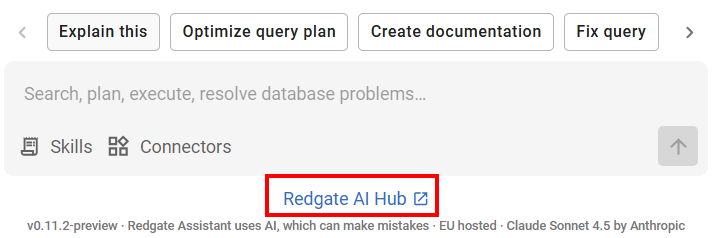
The Redgate AI trust hub is a dedicated section within the Redgate Trust Center that provides enterprise-level transparency, security, and privacy details regarding how Redgate handles artificial intelligence features and data across its product portfolio.
You can use it to discover, per Redgate product, which LLM models are being used, what data is being collected and where it's stored, which SaaS subprocessors are active and what policies are in place to name a few things. Use the filter buttons at the top of the page to narrow your findings – e.g. For SQL Prompt tag:
Additionally, the server-side data handling of Redgate Assistant (Preview) can be perused with the Redgate Assistant filter:
This documentation contains proprietary information and is protected by copyright law.
Copyright © 2026 Red Gate Software Limited. All rights reserved


