Theme Switching Support (Aligned with SSMS 21 & SSMS 22)
Published 21 April 2026
SQL Prompt now supports theme switching, including dark mode, to align with the modern theming experience available in SSMS 21 and SSMS 22. This enhancement allows users to switch between available themes for a more personalized viewing experience.
Supported Themes
SQL Prompt support themes configured via:
- SSMS → Tools → Options → Environment → General → Color theme
- SSMS → Tools → Themes
Supported Environments
- SSMS 21 (Modern Preview Themes only)
- SSMS 22 (all available themes)
Not Supported
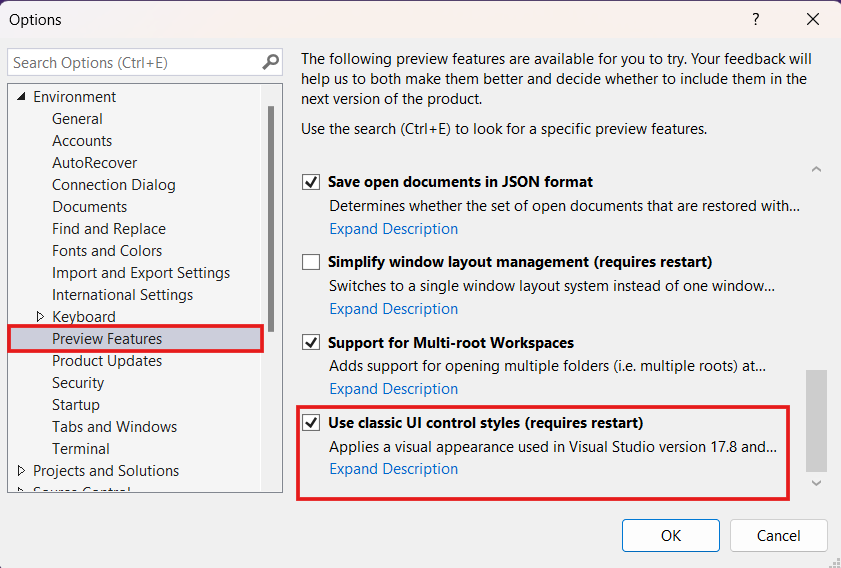
- SSMS 21 Classic UI theme
Know Limitations
The following areas are not yet fully theme-aware:
- Tooltips (Show Help)
- Scrollbars in certain UI components (e.g., suggestion popup, prompt options)
These limitations are known and will be addressed in upcoming releases.
This documentation contains proprietary information and is protected by copyright law.
Copyright © 2026 Red Gate Software Limited. All rights reserved


