SQL Prompt update notification may display an older installer version
Published 18 May 2026
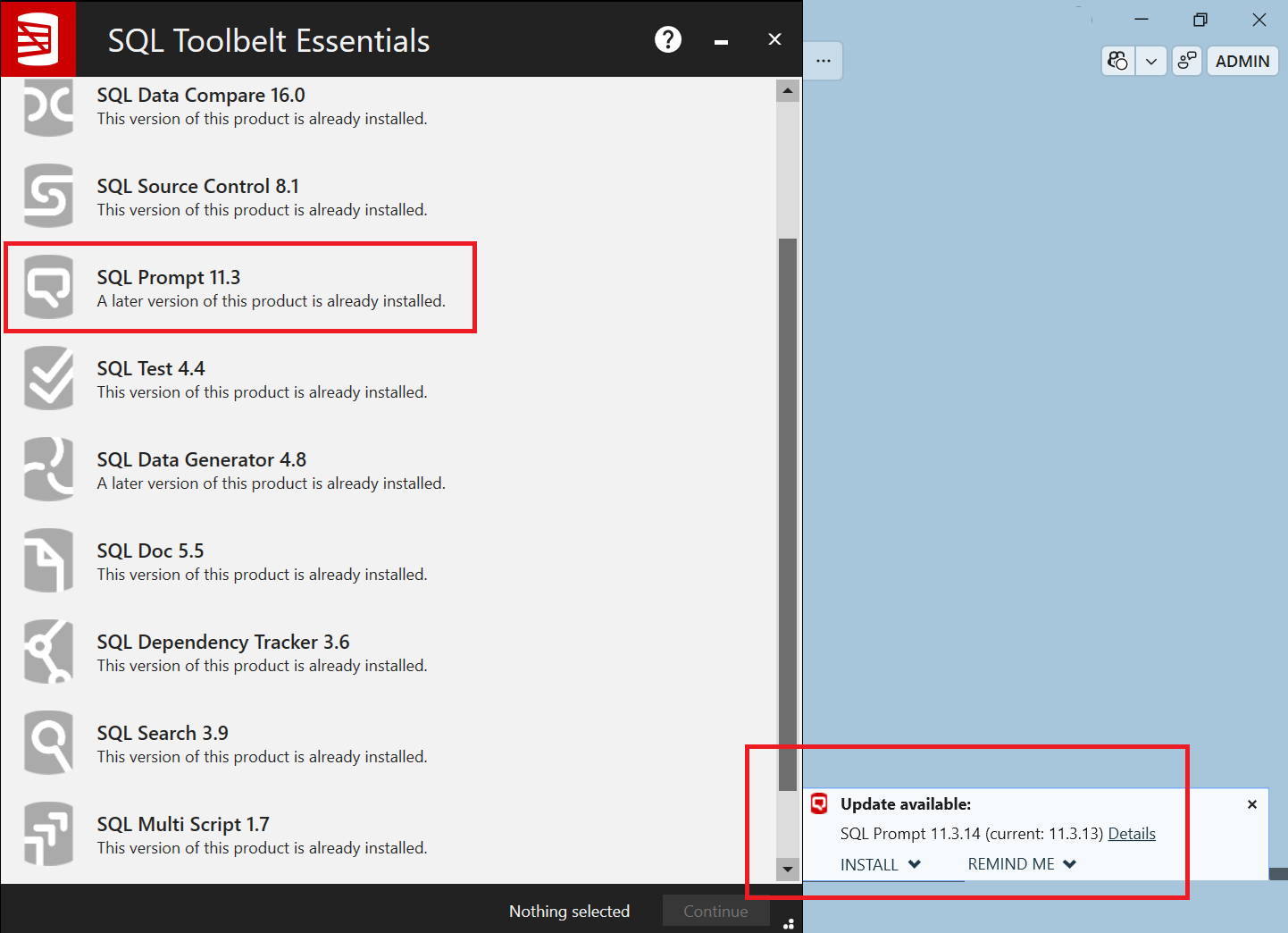
In some cases, SQL Prompt may display an update notification in SSMS indicating that a newer version is available (for example, SQL Prompt 11.3.14), but selecting Install launches the SQL Toolbelt Essentials installer showing an older SQL Prompt version with no available update actions.
This can occur if cached CFU (check for Updates) installer files are stale or out of sync with the latest update metadata.
Workaround
- Close SSMS.
- Navigate to the folder: C:\Users\<username>\AppData\Local\Temp\RedGate\CFU
- Delete the SQLToolbeltEssentials.exe file.
- Reopen SSMS.
- Run Check for Updates again and retry the installation.
After the cached installer is removed, SQL Prompt should download the latest installer package correctly.
Example
The following examples shows:
- SSMS displaying an available update for SQL Prompt 11.3.14
- The SQL Toolbelt Essentials installer opening the SQL Prompt 11.3 and no update action available.
This documentation contains proprietary information and is protected by copyright law.
Copyright © 2026 Red Gate Software Limited. All rights reserved


