SSMS 22 freezes while importing settings for the first time
Published 24 November 2025
This issue has been resolved in SQL Prompt version 11.3.4. Please update to version 11.3.4 or later to avoid this problem.
While importing settings from SSMS 21 (or older versions) into SSMS 22, SSMS freezes on the import screen and does not proceed if SQL Prompt is present on the machine.
This import issue occurs only when:
- SSMS 22 is installed on machine, but user has not completed the
Import User Settingaction. ANDSQL Prompt is already installed on the machine.
Then if user tries to initiate SSMS 22 and proceeds with Import User Setting, SSMS 22 may freeze or become unresponsive.
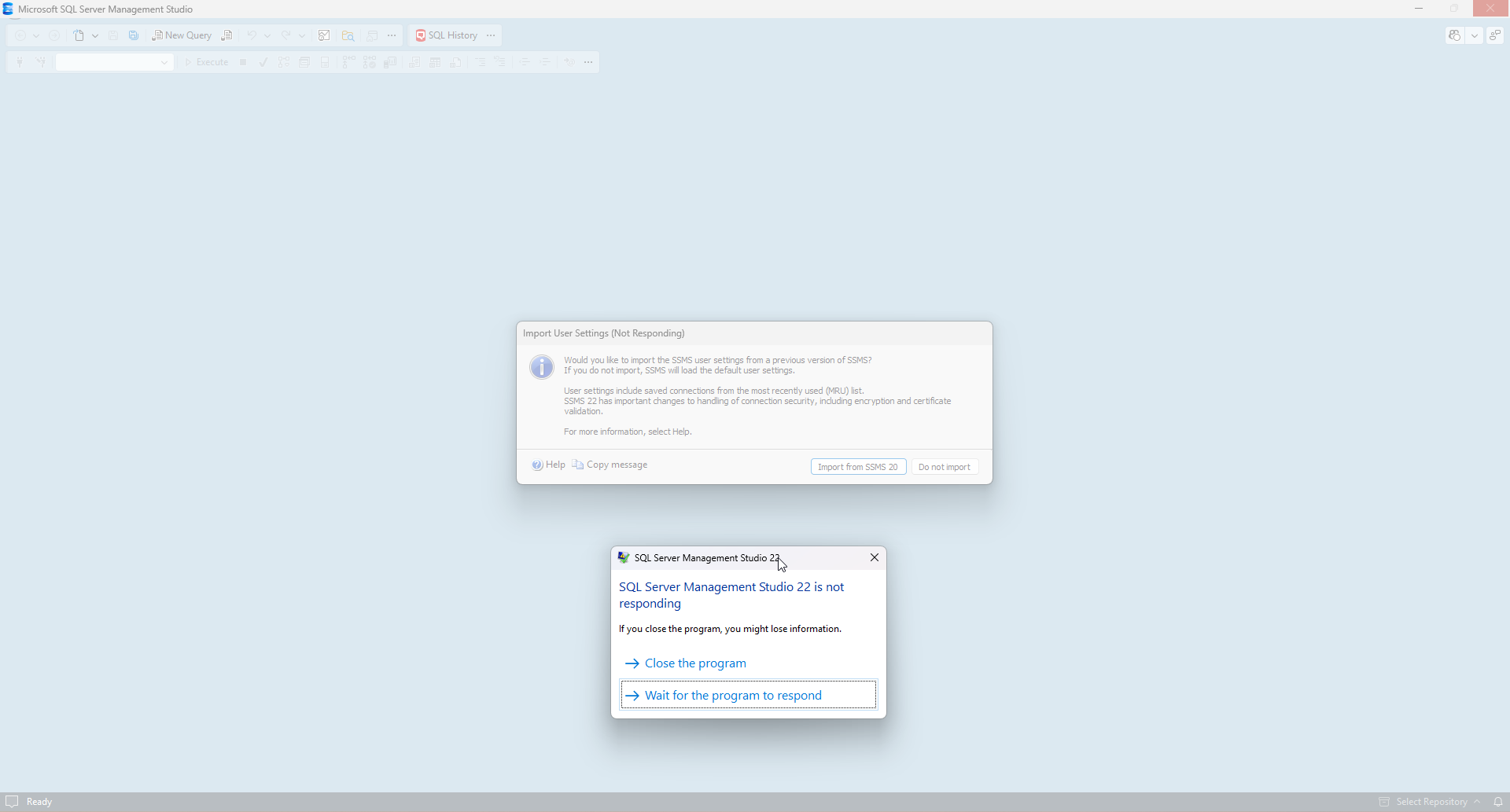
To resolve this problem:
- Uninstall SQL Prompt from your system.
Launch SSMS 22 and finish the
Import User Setting.- Close SSMS 22.
- Reinstall SQL Prompt.
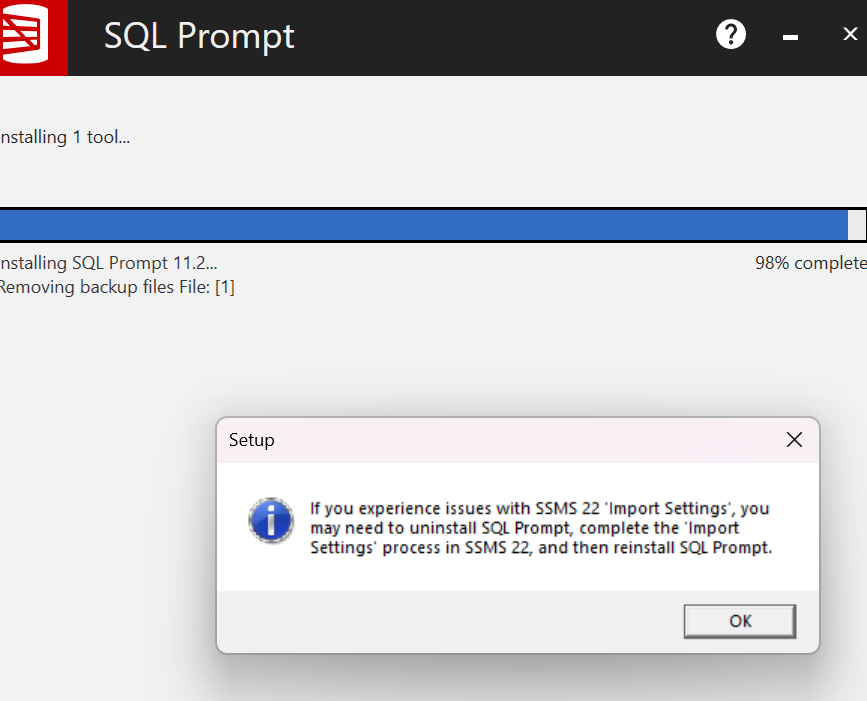
If the SSMS 22 import settings have not been completed, the installer may display an informational message near the end of the installation.
This documentation contains proprietary information and is protected by copyright law.
Copyright © 2026 Red Gate Software Limited. All rights reserved


