Accessing the SQL Prompt log files
Published 13 February 2013
Log files collect information about the application while you are using it. These files are useful to us if you have encountered a problem.
To view the log file for the current session in your default text editor, open the SQL Prompt menu, click Help and then click Show Log.
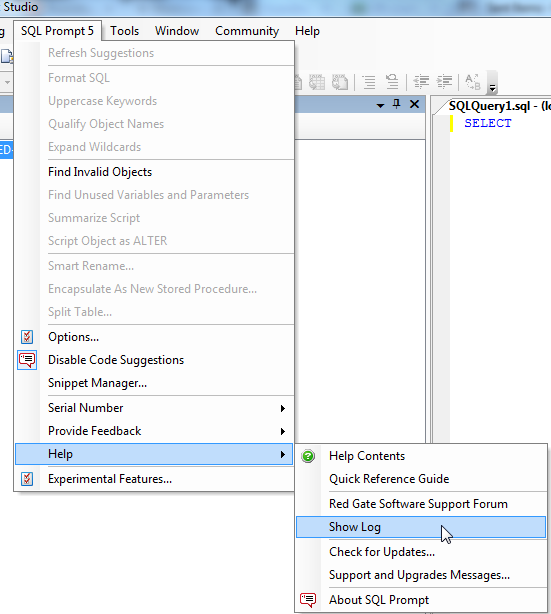
By default the log files are stored in:
This documentation contains proprietary information and is protected by copyright law.
Copyright © 2026 Red Gate Software Limited. All rights reserved


