Creating a Database Model
Published 27 November 2025
Do not connect to production databases: Always create database models using non-production environments. Test Data Manager scans database metadata during model creation, and treatments will modify data in databases. Use dedicated test or development environments only.
Creating a Database Model
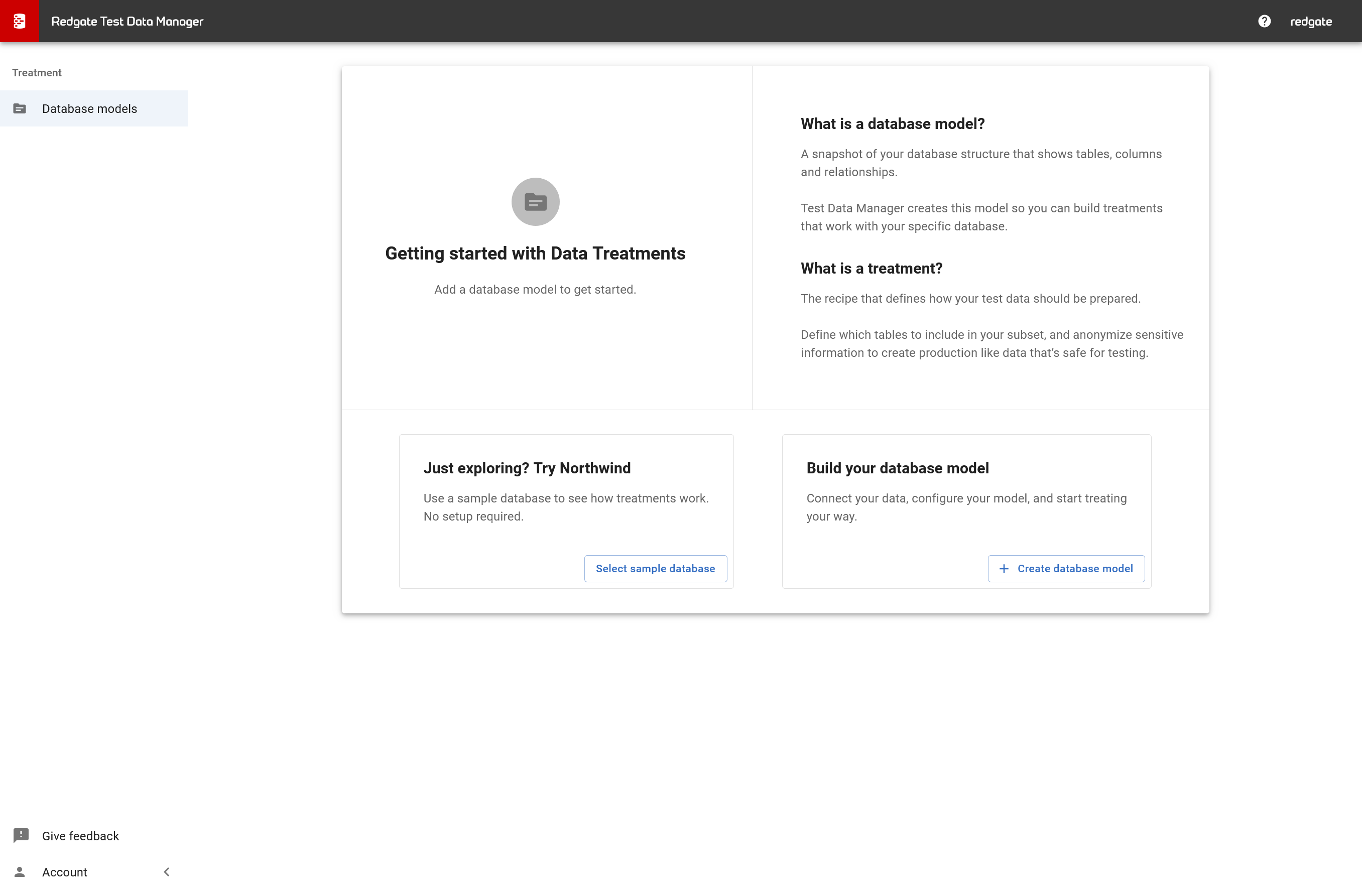
- Go to Database models in the left sidebar
- Click + Create database model
- Enter a name for your model (e.g., "Copy_of_Production_Database")
- Under Database connection, either:
- Select an existing connection from the dropdown, OR
- Click + Add connection to create a new one
If Creating a New Connection
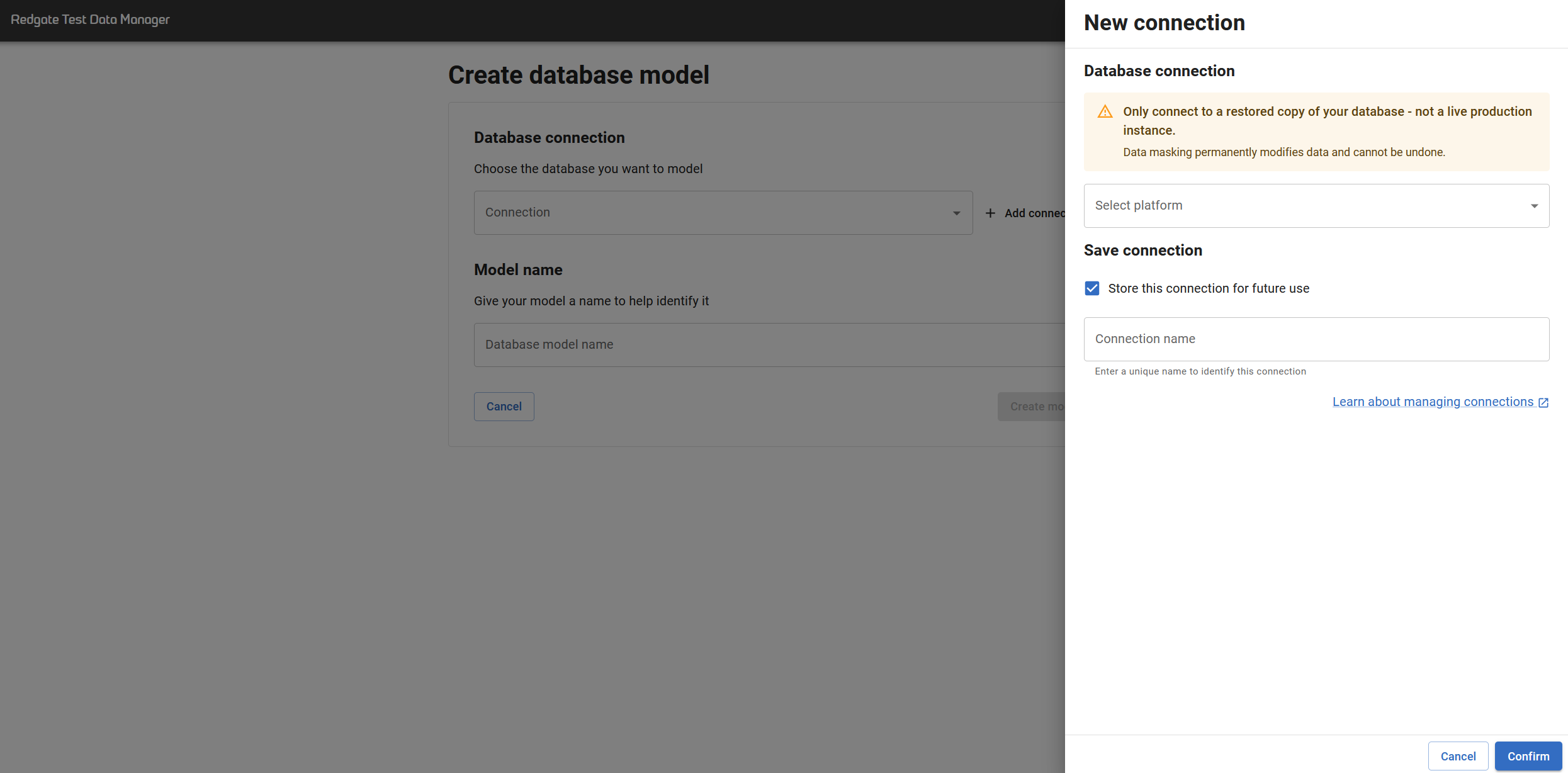
- Select platform: Choose your database type (SQL Server, PostgreSQL, etc.)
- Connection input type:
- Parameters (recommended): Fill in the form fields
- Connection string: Paste a complete connection string for advanced scenarios
- Fill in connection details:
- Server: Your database server name
- Database name: The database to model
- Authentication: Windows or SQL Authentication
- Encrypt: Leave checked (enabled by default)
- Trust certificate: Check if using self-signed certificates or service account access
- (Optional) Click Test connection to verify
- (Optional) Check Store this connection for future use and give it a name
- Click Confirm → Create model
What Happens Next?
The model enters an Initializing status while TDM scans your database (usually takes a few seconds). You can navigate away—it continues in the background.
If initialization fails: Check the error logs in the UI. Common causes are incorrect credentials or insufficient permissions. Delete the failed model and create a new one with corrected settings.
Cannot edit models: Once created, models are read-only. If you need to change connection details, delete the model and create a new one.
Related Pages
This documentation contains proprietary information and is protected by copyright law.
Copyright © 2026 Red Gate Software Limited. All rights reserved


