Profiling Azure Functions (Core Tools)
Published 05 November 2026
Setting up the session
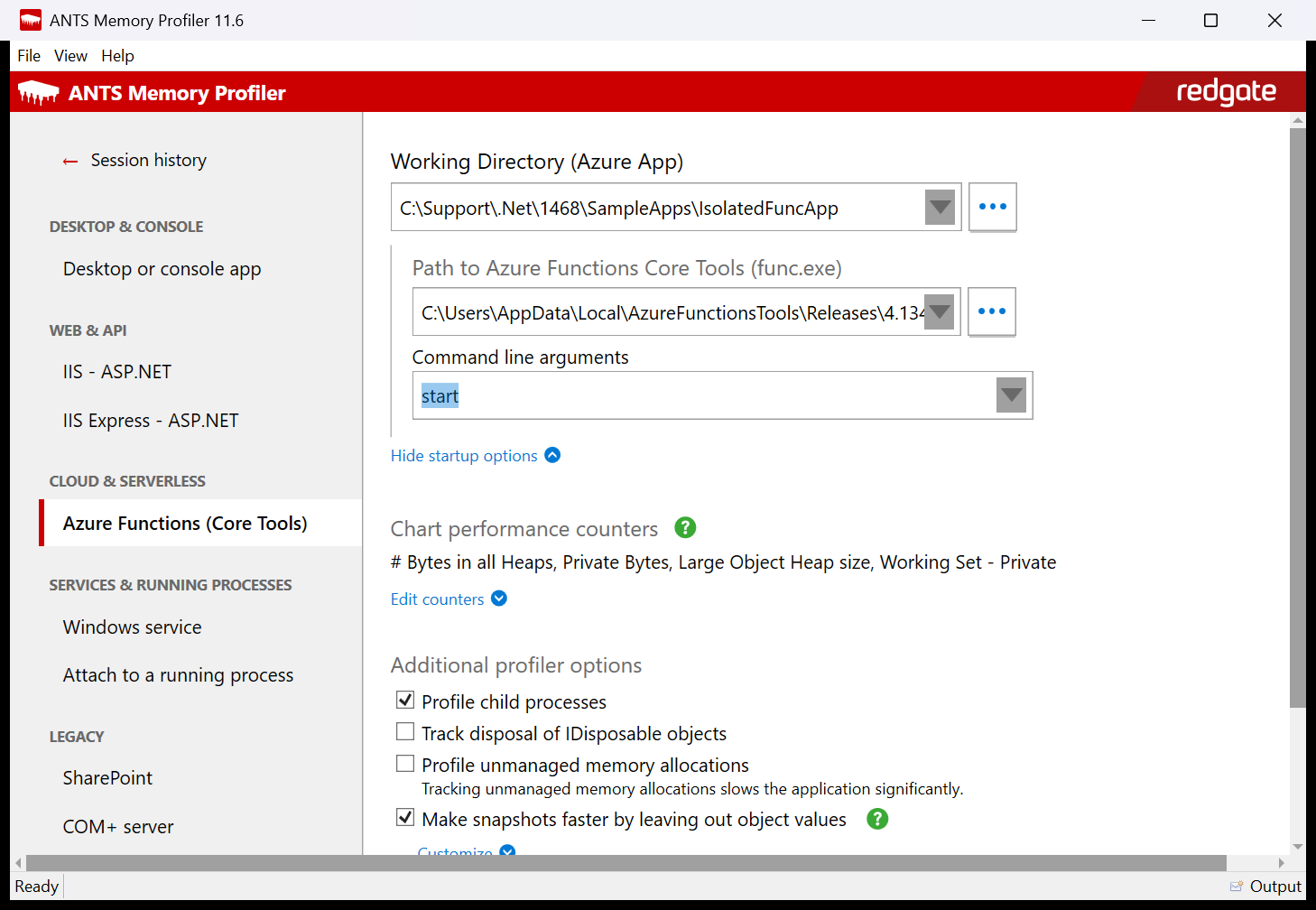
- On the startup page, click New profiling session.
- Under Cloud & serverless, select Azure Functions (Core Tools).
- In Working Directory (Azure App), select your function project folder.
- Check Path to Azure Functions Core Tools (func.exe).
ANTS Memory Profiler normally fills this in automatically. It first looks for a cached Core Tools build that matches your project type,
isolated or in-process. If no matching cached build is available, it searches PATH, standard npm installation locations, and the standalone Core Tools installation directories.
To use a different Core Tools installation, click ... and browse to func.exe. - Optionally, click Show startup options and change Command line arguments. The default is
start.
For example, usestart --port 7072if port 7071 is already in use. - Choose any other options, then click Start profiling.
What happens when you start profiling
- Your function project is built (
dotnet build). The build isn't profiled. - func.exe starts your function app and the profiler attaches to it. Child processes are always profiled, because your function code runs in a process started by func.exe.
- When the host is ready, call your functions as normal. For example, for an HTTP trigger, open
http://localhost:7071/api/<FunctionName>in a browser. - Take memory snapshots as usual.
- When you've finished, click Stop profiling. func.exe and the worker process are stopped.
Finding your objects in a snapshot
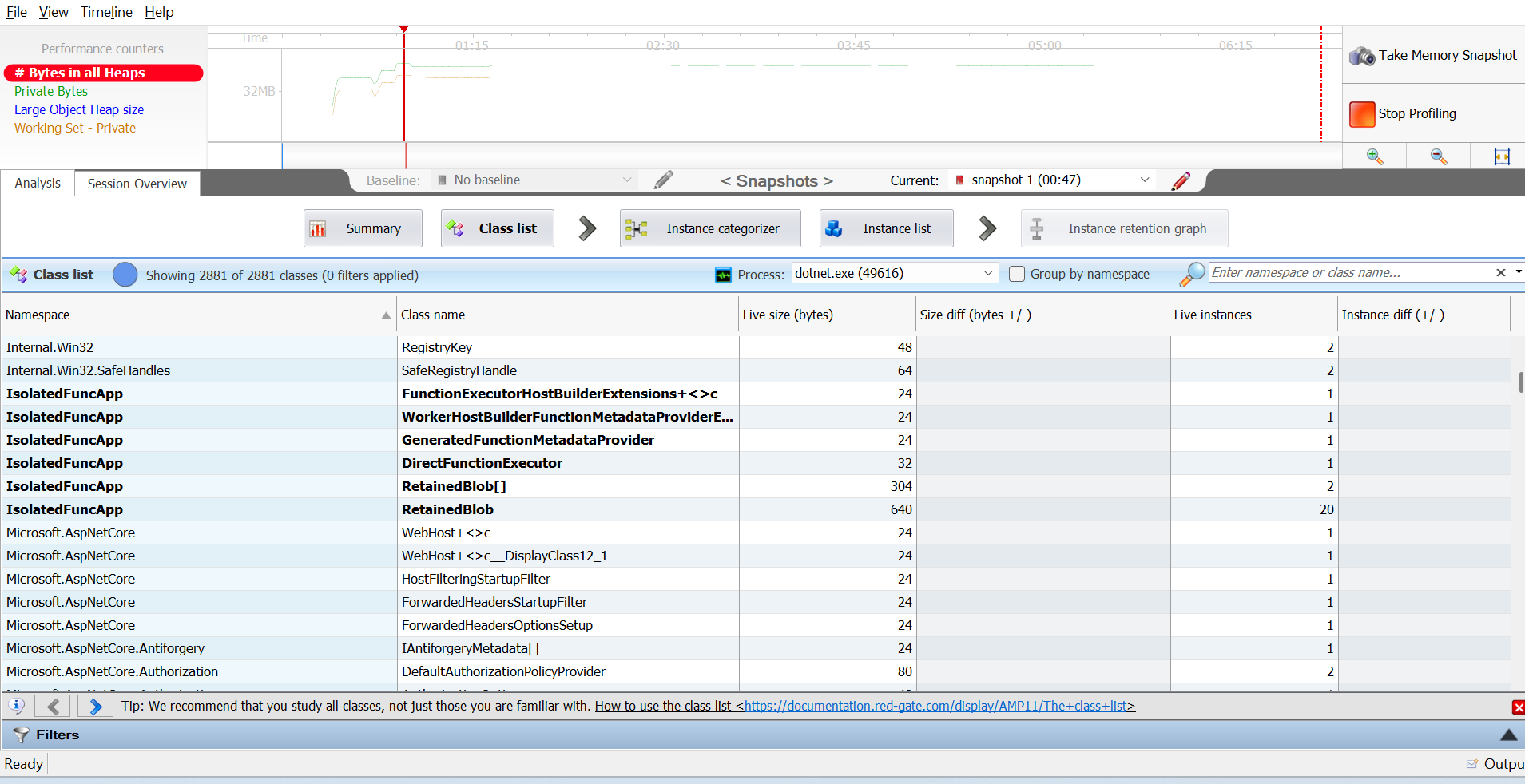
For isolated function apps, your code runs in a separate worker process (dotnet.exe) started by func.exe. In the class list, select that dotnet.exe in the Process list to see your objects.
If profiling doesn't start
| Message or problem | What to do |
|---|---|
| The function project failed to build. | Fix the build errors shown, then start profiling again. |
| Port 7071 is already in use. | Stop the other function app, or add --port <number> to the command line arguments. |
| Couldn't run 'dotnet build'. | Install the .NET SDK and make sure dotnet is on the PATH. |
| Start profiling is greyed out. | Check that the working directory contains host.json and that func.exe exists. |
This documentation contains proprietary information and is protected by copyright law.
Copyright © 2026 Red Gate Software Limited. All rights reserved


