Deployments
Published 29 September 2026
ENTERPRISE
Flyway Insights is in public preview for Flyway Enterprise users. Features may change before general availability. Got an idea or found a problem? Tell us what you think
The Deployments page is the home of Flyway Insights. It shows the history of every project published in your Redgate Organization for every supported database type.
You can access it at https://flyway.red-gate.com/pipelines.
Currently, only migrations-based deployments are shown on this page. We are planning to show state-based deployments too. All deployments (state and migrations) are included in the DORA and ROI pages. Contact our development team if you have questions about this.
Before your first deployment
- In Flyway Insights, select Add pipeline for a step-by-step guide to publish your deployment information or follow our Getting started with Flyway Insights documentation.
- Select View sample pipelines to explore example pipelines for SQL Server, Oracle, PostgreSQL, MySQL, Snowflake and Databricks. You can also view the samples directly at https://flyway.red-gate.com/pipelines/samples.
Deployments
Once you starts publishing deployments, each project appears with it's name, ID, database type, latest status, and when it was last deployed: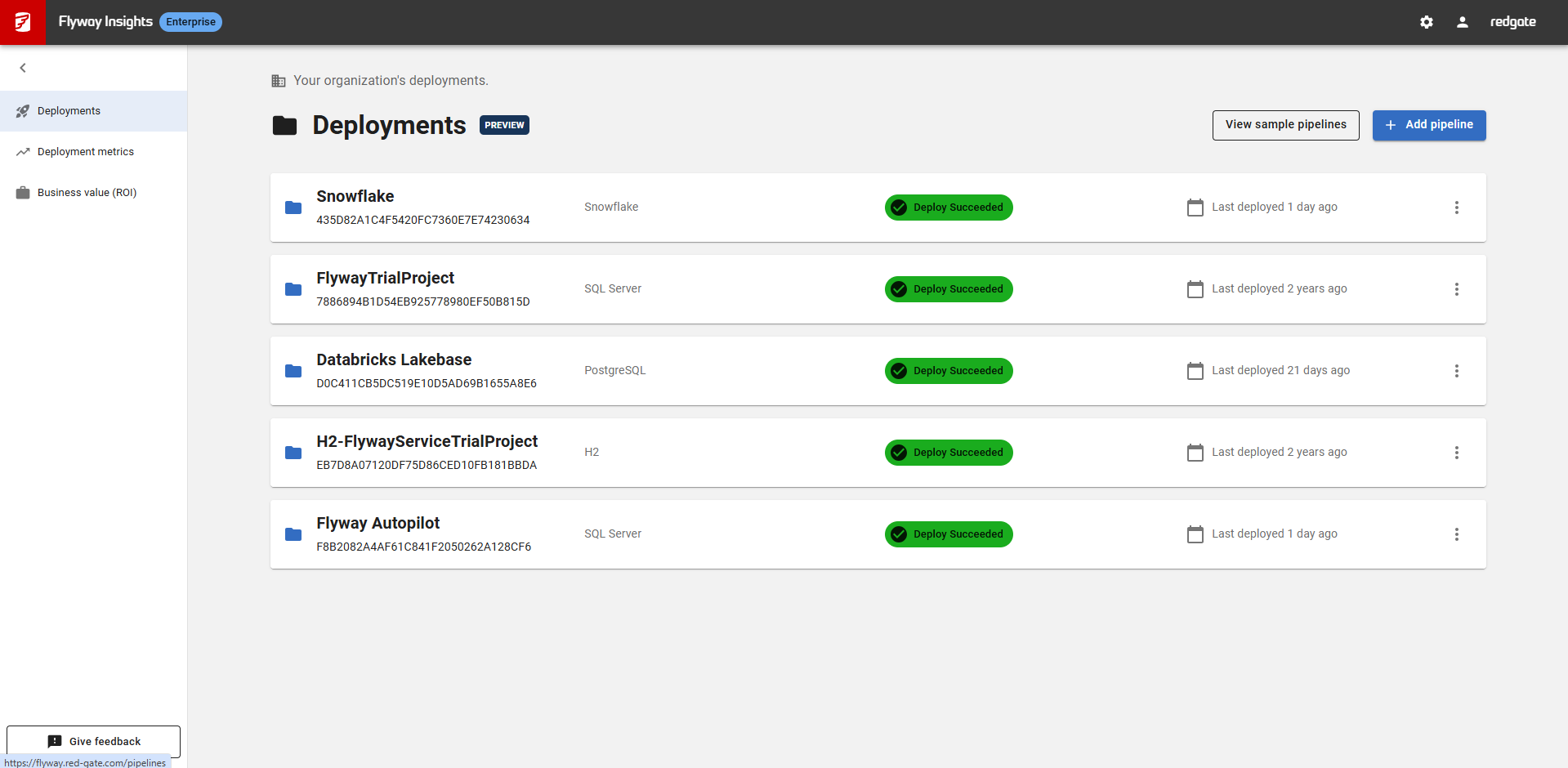
The possible statuses are:
| Status | Meaning |
|---|---|
| Deploy Succeeded | The latest deployment succeeded |
| Deploy Failed | The latest deployment failed |
| Drift Detected | An environment in this pipeline has drift. See Drift detection |
To connect another project, select Add pipeline.
Environments and deployment history
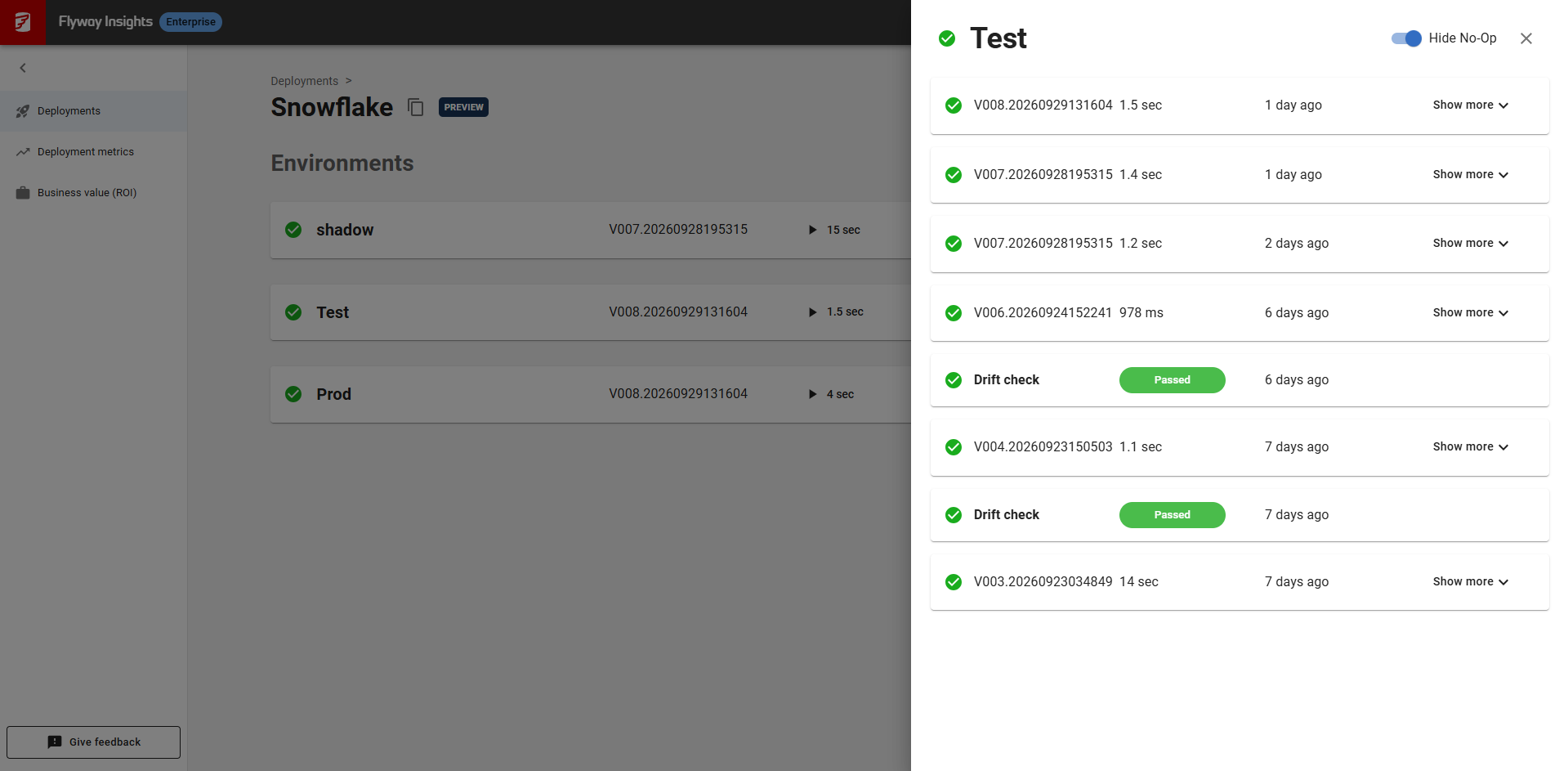
Select a project to see its environments. For each environment you can see:
- Every deployment, with its status, when it ran and how long it took.
- The name of the scripts each deployment applied.
- Drift checks
Select Show more, or Deployment history, to see the full list of deployments per environment. Turn on Hide No-Op to hide migrate runs that had nothing to apply.
Deleting a project
To remove a project you no longer need, select the ⋮ menu on its card, then Delete pipeline. You can only delete pipelines you own, so the ⋮ menu doesn't appear on pipelines a colleague shared.
This documentation contains proprietary information and is protected by copyright law.
Copyright © 2026 Red Gate Software Limited. All rights reserved


