Flyway Insights drift alerting
Published 10 October 2024
ENTERPRISE
Flyway Insights is in public preview for Flyway Enterprise users. Features may change before general availability. Got an idea or found a problem? Tell us what you think
Drift checks will be posted to Flyway Insights.
Reviewing drift

When drift is found, the pipeline shows Drift Detected on the Deployments page. Select Investigate > to see details.
Open a drift report to see every object that changed, with the Expected definition beside the Actual one. Each report has a status:
| Status | Meaning |
|---|---|
| Passed | No drift was found |
| Alert unresolved | Drift was found and nobody has dealt with it yet |
| Alert resolved | Someone has reviewed the drift and marked it as resolved |
Once you've dealt with the drift, for example by adding the hotfix to your migration scripts, select Mark as resolved to update the Status in Flyway Insights to "Alert resolved."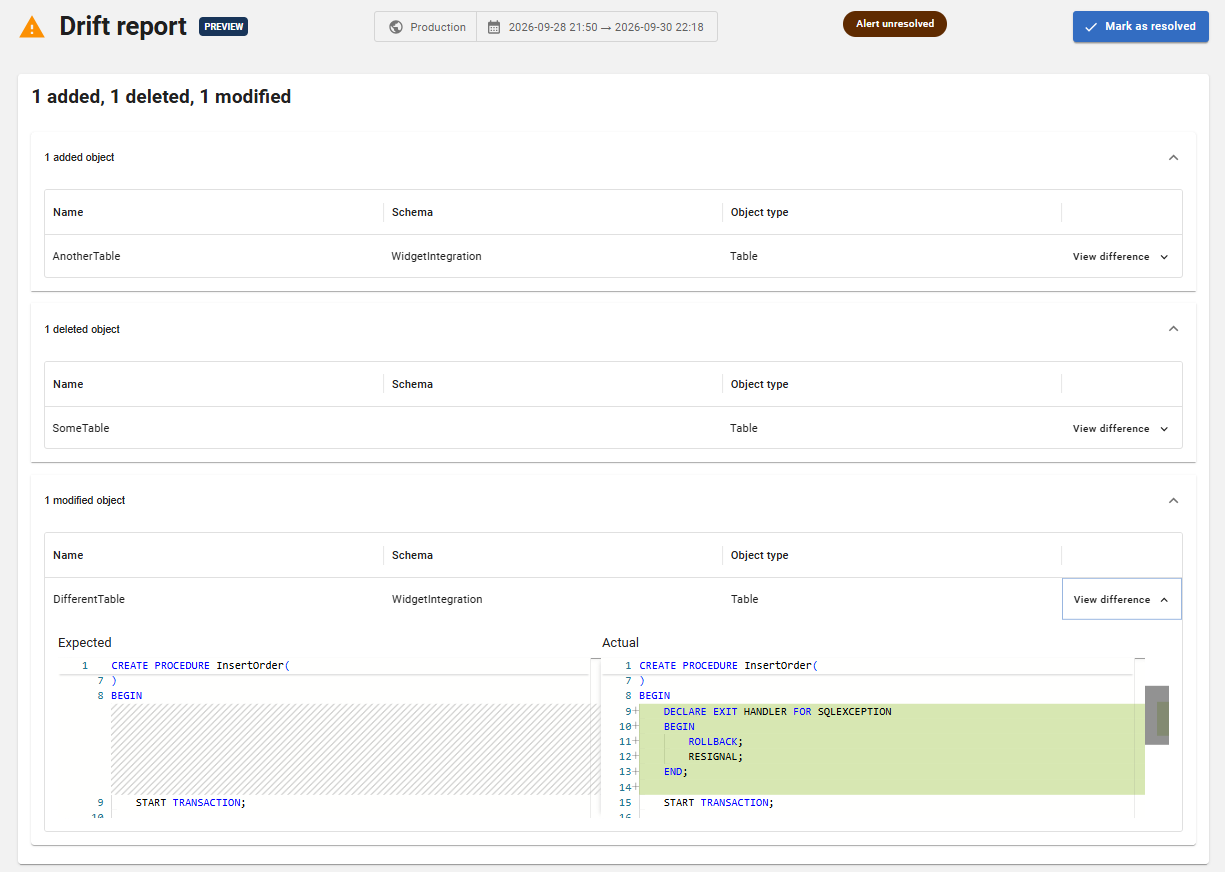
View our Sample Project
See our sample project to explore the Drift feature in Flyway Insights.
This documentation contains proprietary information and is protected by copyright law.
Copyright © 2026 Red Gate Software Limited. All rights reserved


