Adding MySQL on Aurora cluster
Published 28 October 2025
Additional configuration required
Make sure you have prepared MySQL for monitoring before adding a MySQL instance to Redgate Monitor.
This page explains how to add a MySQL cluster instance to Redgate Monitor. To monitor AWS machine metrics via the AWS API see enabling AWS enhanced monitoring.
For details of the metrics and alerts available for Aurora cluster instances, which of these are available only through the AWS API, and which also require the enhanced monitoring feature to be enabled for the RDS instance, please see: MySQL on Amazon RDS metrics and alerts.
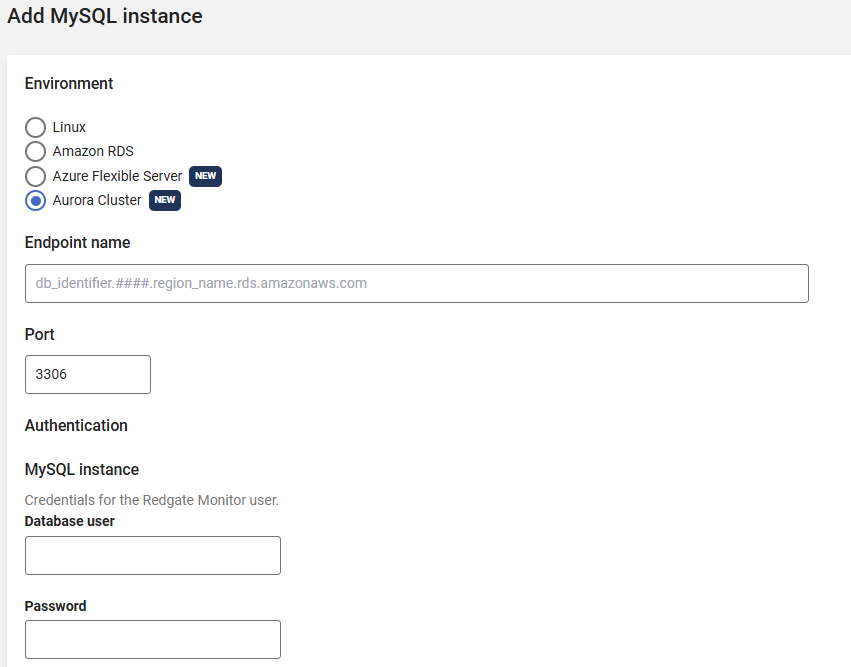
- Go to Configuration → Monitored servers → Add → MySQL instance.
- Select Aurora Cluster as the environment.
- In the Endpoint name field, enter the writer endpoint for the Aurora cluster provided by AWS, this will end with ".rds.amazonaws.com". Please check the screenshot below to see where is the writer endpoint is located for an Aurora cluster in AWS console.
You will need to enter the corresponding MySQL instance credentials to connect.
Host Monitoring
For capturing machine metrics for your Amazon RDS MySQL instance, you must switch on Enable host monitoring and provide API credentials.
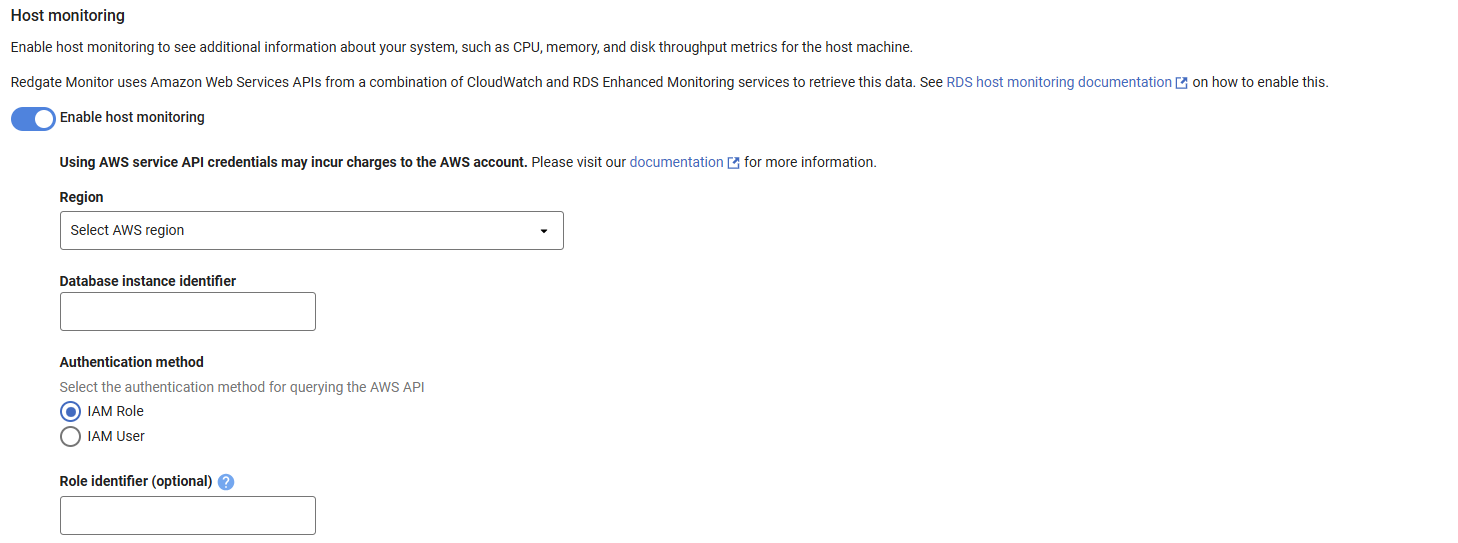
For information on how to set up host monitoring, see our dedicated documentation on Enabling host monitoring for RDS instances.
This documentation contains proprietary information and is protected by copyright law.
Copyright © 2026 Red Gate Software Limited. All rights reserved


