Applying tags to monitored databases
Published 08 December 2025
As well as applying tags to monitored servers, tags can also be applied to SQL Server and PostgreSQL databases.
Azure SQL databases / Elastic pool databases
To tag a monitored Azure SQL database, including in an Elastic pool, see applying tags to monitored servers.
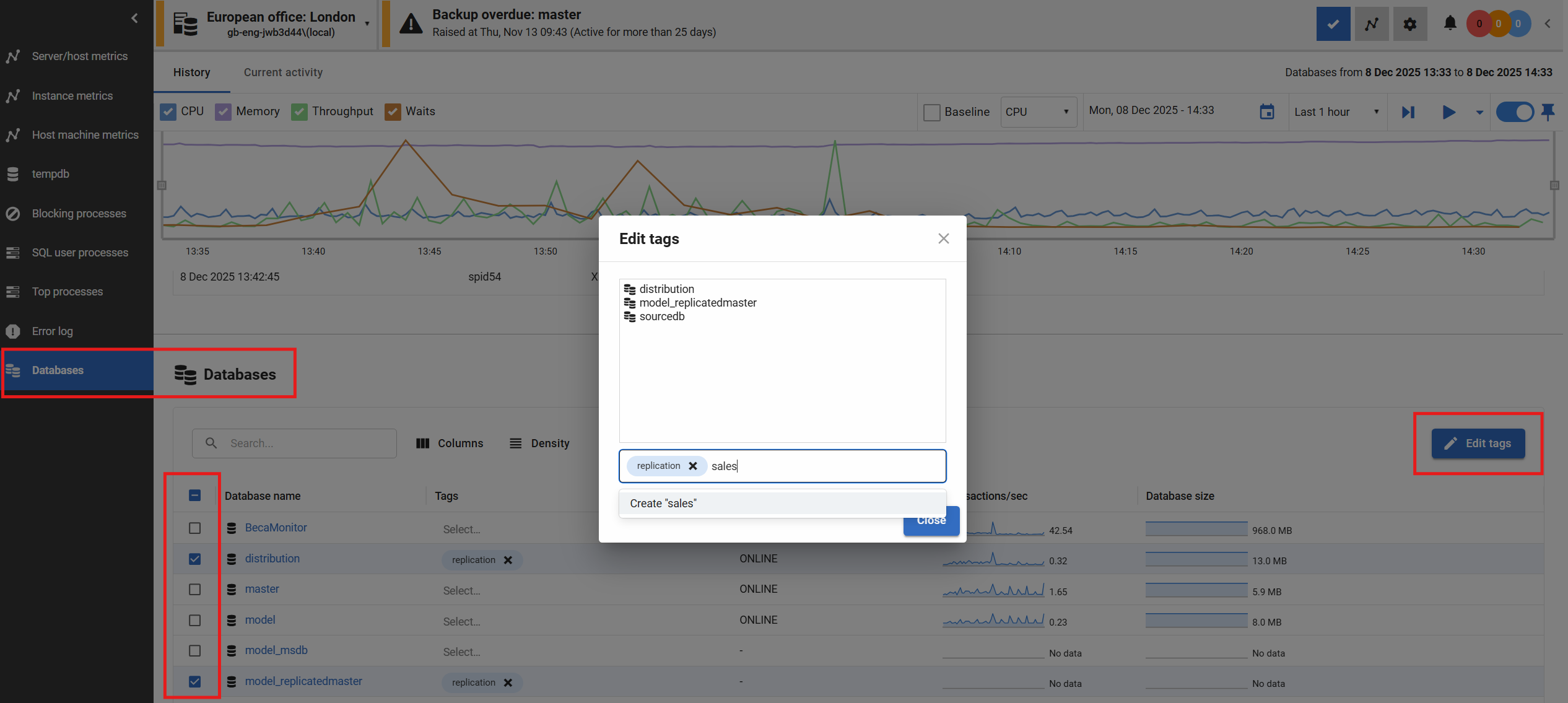
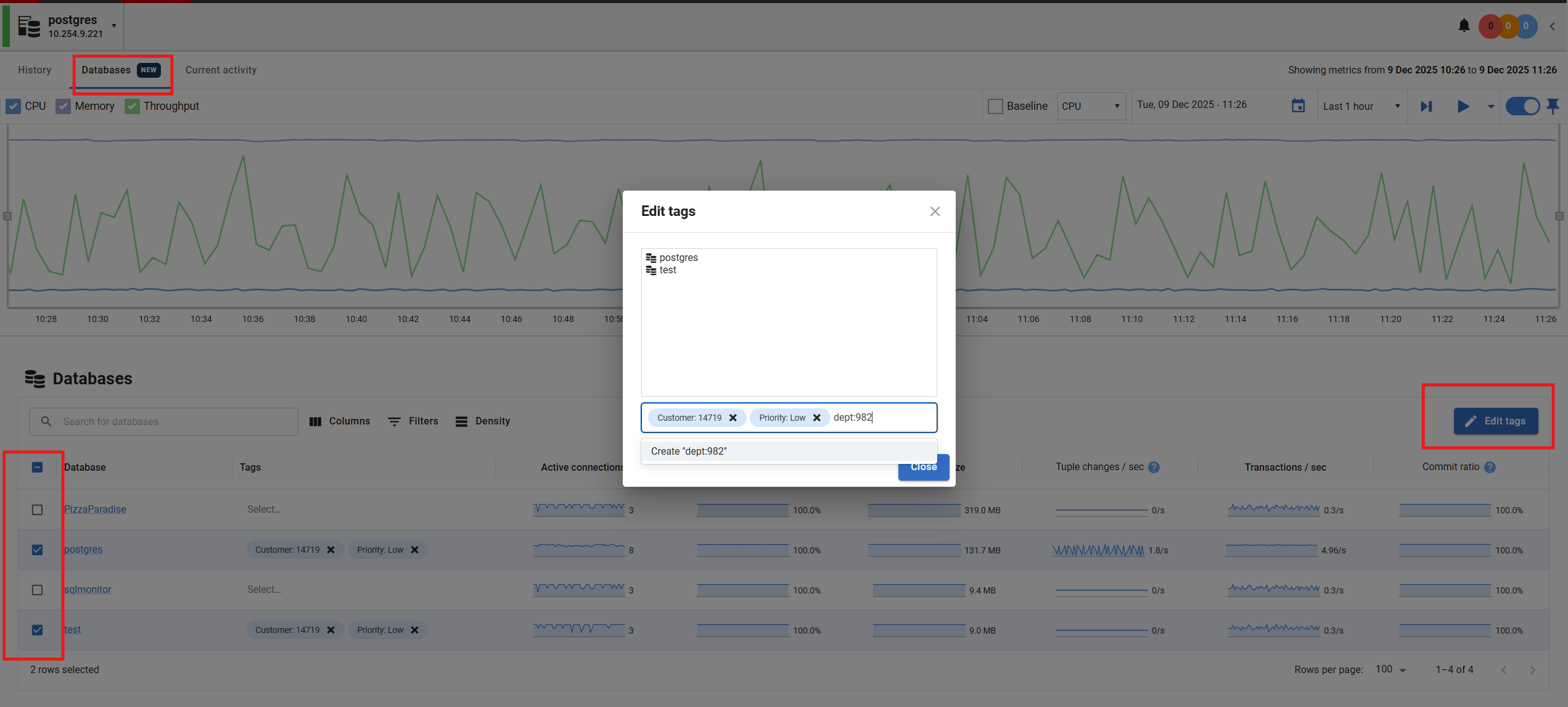
All other SQL Server and PostgreSQL database tags can be applied from the databases section of the server overview pages.
Only Administrator users can add, edit or remove tags. Read-only and standard users will be able to see tags and filter based on tags.
Applying tags to SQL Server databases (except Azure SQL databases, see above)
Applying tags to PostgreSQL databases
Filtering databases and servers by tags
When filtering by tag in the Global dashboard, servers will be displayed if they contain any database where that tag has been applied.
Pages that display database‑specific information (for example, Estate > Backups) support filtering by both database tags and server tags.
This documentation contains proprietary information and is protected by copyright law.
Copyright © 2026 Red Gate Software Limited. All rights reserved


