Installing the Base Monitor on a Separate Machine from the Website
Published 28 March 2024
This step applies only when installing the Base Monitor on a separate machine from the web server.
Installing the Base Monitor
You'll reach this step after you Setting up the Web Server.
Having done that you:
- Open the Redgate Monitor web interface. If you need to, you can get to this through the Start menu under Redgate Monitor website.
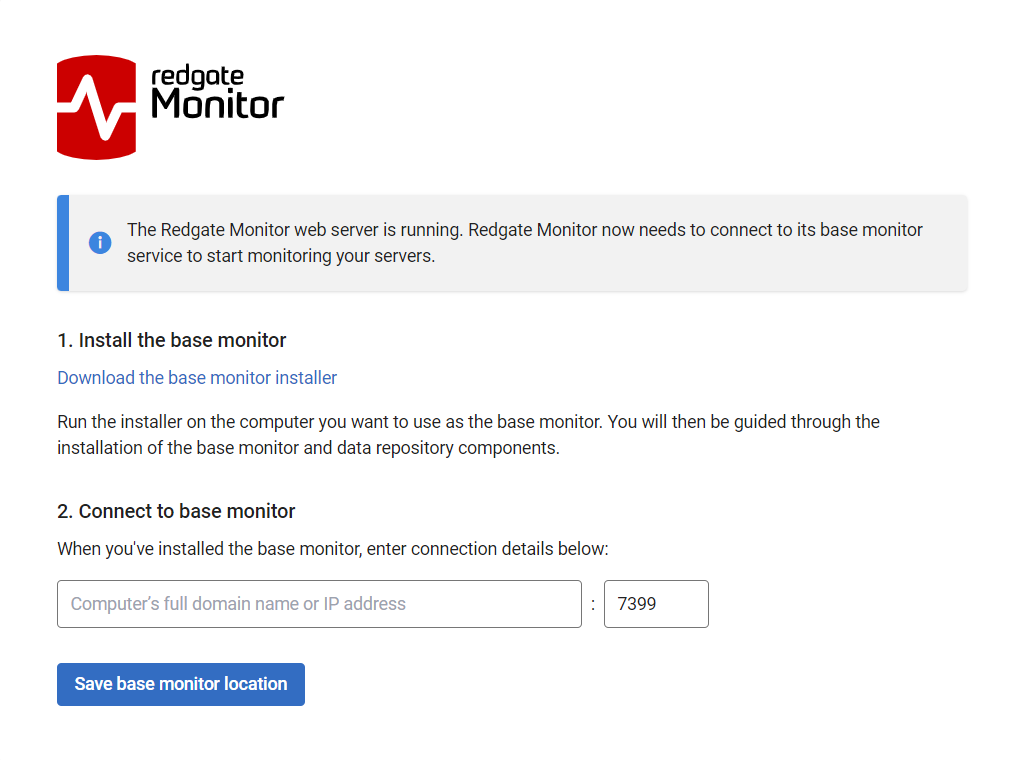
- Download the monitoring service installer.
If, for some reason, you cannot access the web interface from the machine you want to install the Base Monitor onto, you can copy the installer from the web interface installation directory. The file
RedgateMonitorBaseMonitorInstaller.exeis located in theDownloadsubfolder, by default located at:%Program Files%\Red Gate\Redgate Monitor\Web\wwwroot\Download Run it on the computer where you want to install the monitoring service, and follow the instructions.
Confirm the install directory and port for the Base Monitor service. Click Next.
Configure the Data Repository
As part of the installation process for the Base Monitor you will Configure the Base Monitor Service and Database.
Connecting to the Base Monitor and Web Server
- On the last page, the installer summarizes your choices before you install: the monitoring service computer name and port, the Redgate Monitor database connection details, and the service account's authentication type and username (if applicable):
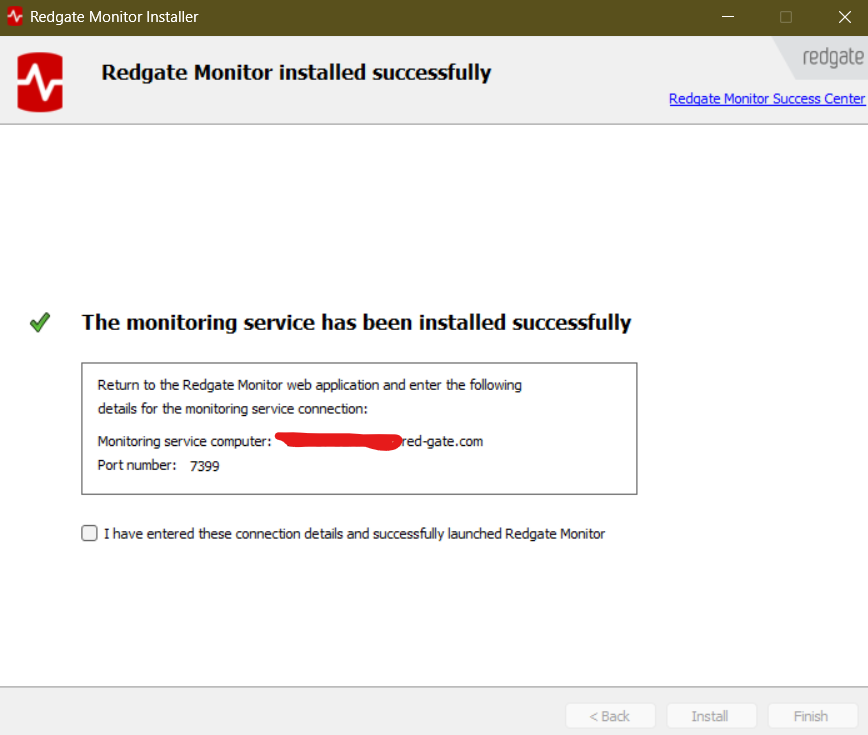
- On the machine where you installed the Redgate Monitor Web Server, in the Redgate Monitor web interface, specify the Monitoring service computer and port number and click Set monitoring service location.
- Redgate Monitor is installed with the Web Server and monitoring service on different computers.
Next step
This will complete the installation and you can now move on to: Using Redgate Monitor for the first time.
This documentation contains proprietary information and is protected by copyright law.
Copyright © 2026 Red Gate Software Limited. All rights reserved


