Setting up SNMP notifications
Published 28 March 2024
About SNMP notifications
You can set up Redgate Monitor to send an SNMP trap when:
- alerts are raised.
- an alert level increases (e.g. from Medium to High).
- an alert ends.
Supported SNMP versions :
- SNMPv1
- SNMPv2c
Configuring SNMP notifications
Go to the Configuration page. Under Alerts and Metrics, select Notification settings:
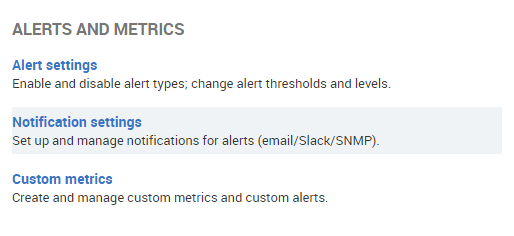
Configuring Redgate Monitor to send SNMP traps
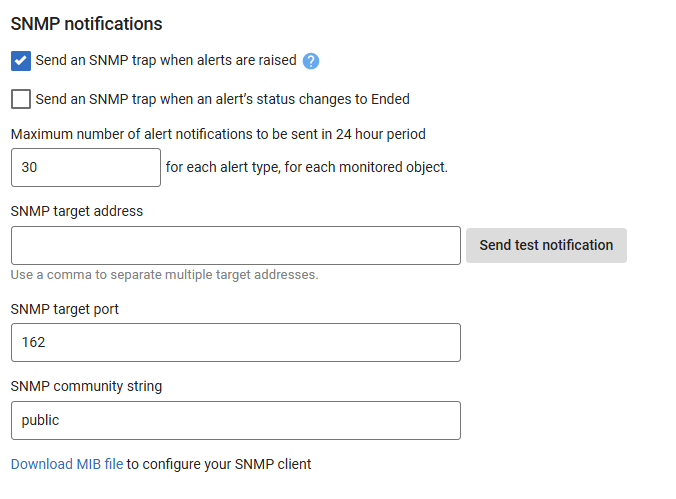
- Choose when Redgate Monitor should send SNMP traps.
- Enter the target address of where Redgate Monitor should send the SNMP traps.
- Click Send Test Notification to check your configuration.
- Enter an SNMP target port if it differs from the default.
- Enter an SNMP community string if needs be.
- You can choose how many notifications each alert type can send for each monitored object in a 24-hour period. The default limit is 30 notifications, and it can’t be set lower than 1.
This documentation contains proprietary information and is protected by copyright law.
Copyright © 2026 Red Gate Software Limited. All rights reserved


