Backups for SQL Server
Published 05 October 2026
The SQL Server tab of the Backups page shows the backup history of the databases on your monitored SQL Server instances, on Windows and Linux. Use it to find databases that are not backed up often enough, and to see how much data you could lose if a database failed.
For information that applies to all database engines, such as the recovery point bands, see Backups.
Recovery Point Objective (RPO)
The RPO graph shows the number of databases in each band of time since their last backup.
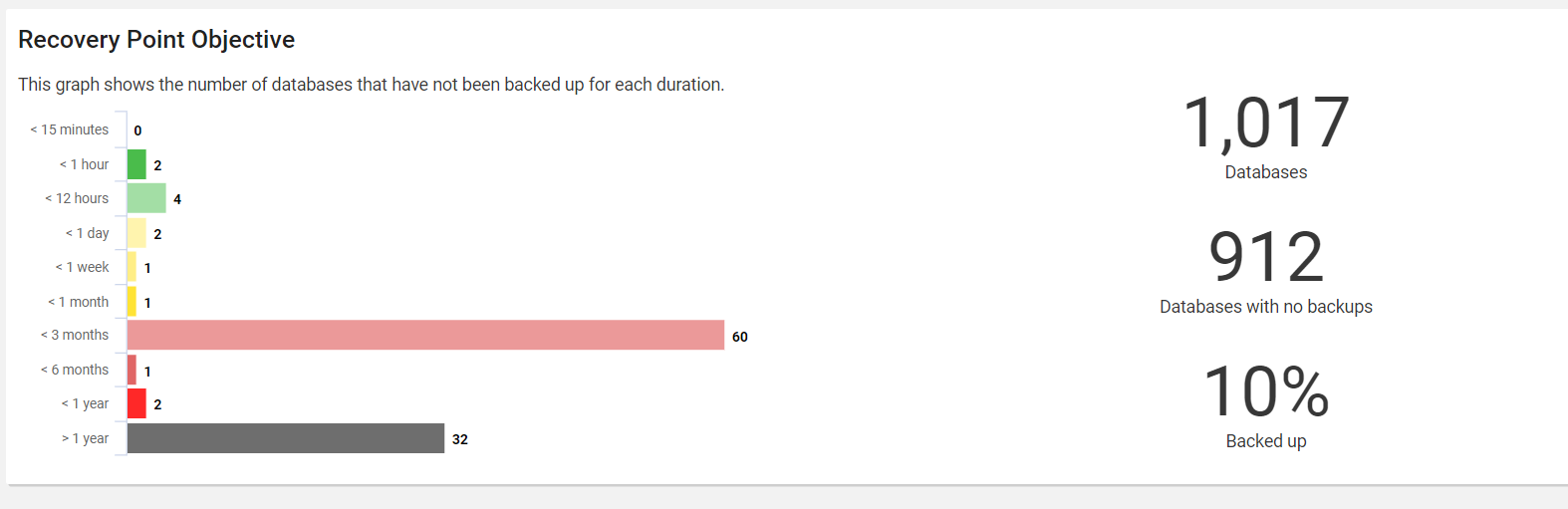
How Redgate Monitor calculates the RPO of a database
The RPO of a database is the time since its most recent backup finished. Redgate Monitor uses the latest of the full, differential and log backups.
For example, a database in the full recovery model has a log backup every 15 minutes and a full backup every week. The database is in the < 15 minutes band.
Summary statistics
| Statistic | What it shows |
|---|---|
| Databases | The number of databases that the current applied filters shows |
| Databases with no backups | The number of shown databases that have no full, differential or log backup |
| Backed up | The percentage of shown databases that have at least one backup |
Backup history retention
A database has "no backups" when Redgate Monitor has no backup history for it. Redgate Monitor purges backup history after the time that you set in the purge settings. If this time is shorter than the time between backups of a database, the database shows as having no backups.
If the purge time for backup data is less than one year, the page shows a warning.
To change the retention time, go to Configuration > Data management > Data retention. See Setting Redgate Monitor data retention policy.
Backup overview
The backup overview gives details about each database including the most recent Full, Differential and Log backups on record.

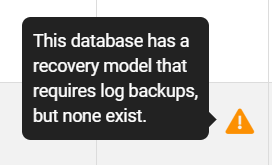
The recovery model set for the database is also shown along with warnings that indicate possible issues with the database.

Backup details
You can expand an individual database to obtain a detailed list of the backups and a graph showing the execution times for each backup.
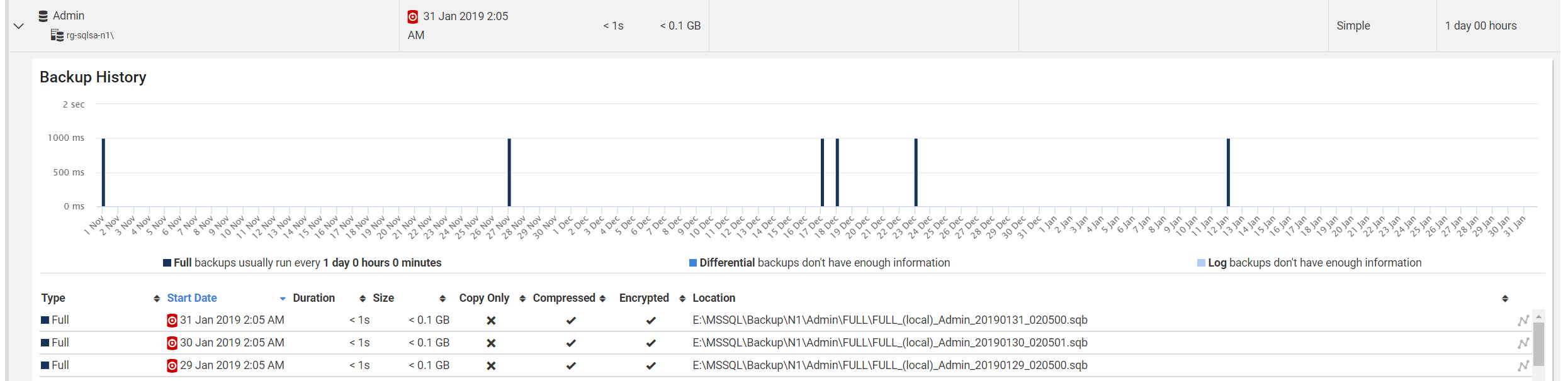
Note that some information cannot be shown for non-native backups made using tools other than SQL Backup, as this information cannot be reliably obtained from SQL Server.
Disabling snapshot backups
Redgate Monitor samples snapshot backups by default; if you wish to turn off sampling for snapshot backups, expand the relevant group for your Redgate Monitor repository and run the script.
Displaying read-only databases
Redgate Monitor excludes read-only databases from the Backup view by default. If you wish to include read-only databases, expand the relevant group for your Redgate Monitor repository and run the script.
This documentation contains proprietary information and is protected by copyright law.
Copyright © 2026 Red Gate Software Limited. All rights reserved


