Security Alerts
Published 22 April 2026
Security alerts are an Enterprise feature that help Redgate Monitor detect potential suspicious user activity and unsampled data for further investigation. You can read about these alerts below and further on the alerts documentation page.
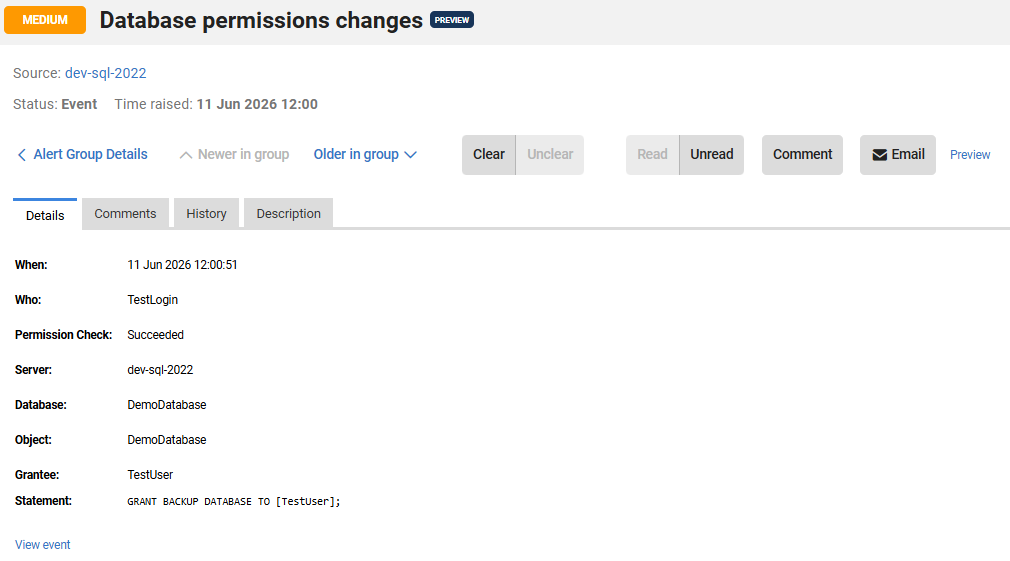
Database permission changes alert
Once enabled, this alert will trigger when changes to database permissions are detected. It will be raised whenever a database principal gains or loses a database permission via GRANT/REVOKE/DENY or through ownership transfer. The default setting, once enabled, is "Simple configuration" mode where a "High" level alert will be raised for all changes. It is possible to switch to "Advanced configuration" that allows the alert severity to be set per action (GRANT/REVOKE/DENY), and per object type (e.g. Database, Table, View). This alert is disabled by default.
What information is provided on the alert?
- When it happened
- Who did it
- If the permission succeeded
- Server
- Database
- Object the permission relates to
- Principal receiving the permission
- Statement
- A link to Security > Permissions > SQL Audit’s page under the details for further information.
Server membership change alert
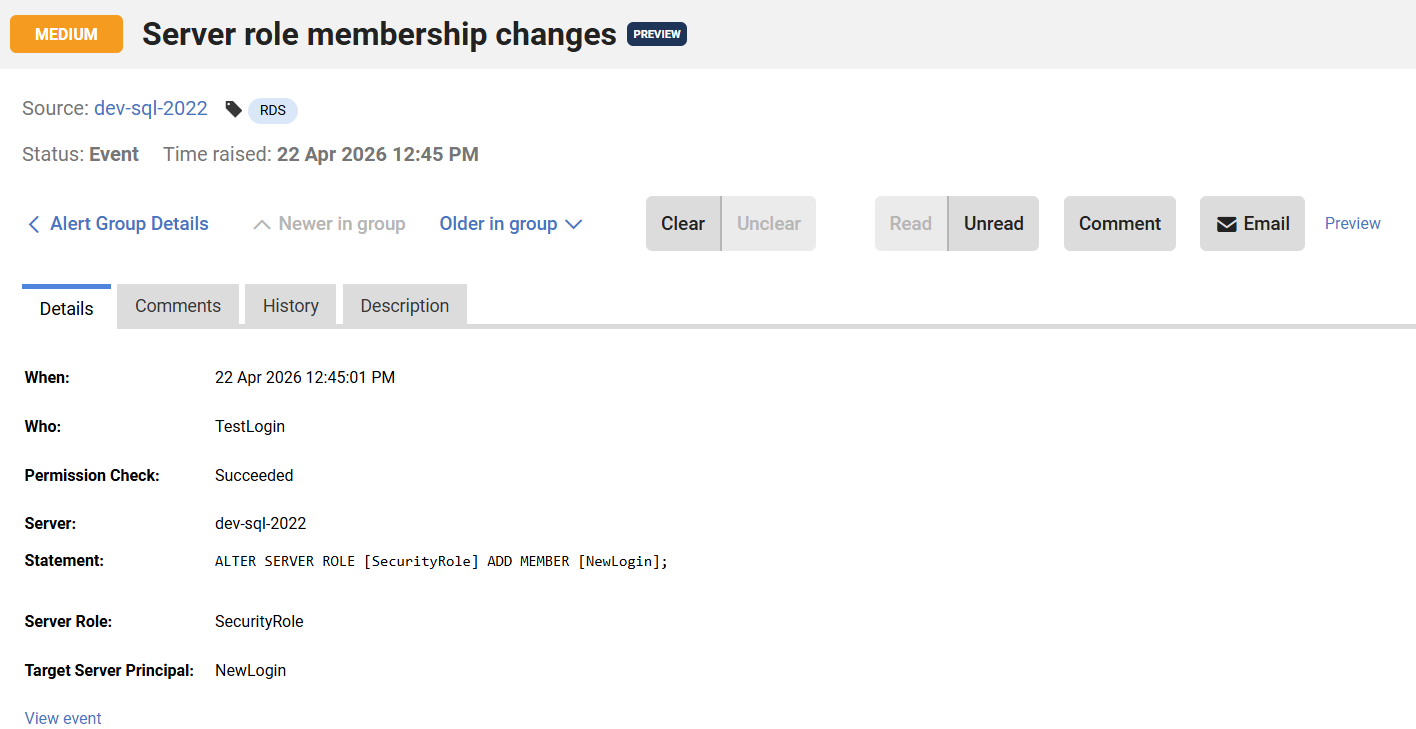
This alert will trigger when there are server membership changes, upon enabling. It will be raised whenever a principal is added or removed from a SQL Server server role. By default, it will raise a “High” level alert for all changes, but it is possible to override this and select different levels of alerting per specific server roles. This alert is disabled by default and would need to be enabled.
What information is provided on the alert?
- When it happened
- Who did it
- If the permission succeeded
- Server
- Statement
- Server role
- Target server principal
- A link to Security > Permissions > SQL Audit’s page under the details for further information.
SQL Audit file rollover missed events alert
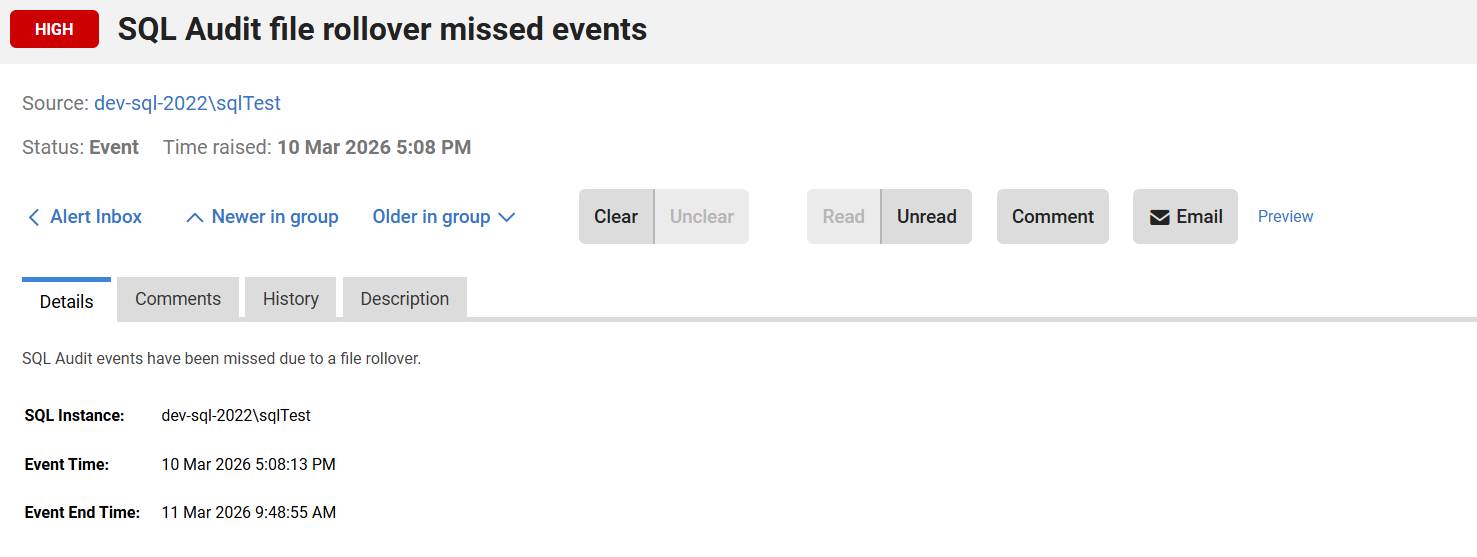
This alert will trigger when a surge in Audit events causes a file rollover before Redgate Monitor can sample these events in a file that was rolled over. This alert is also disabled by default.
On the alert, you will be able to see the instance it happened on, as well as the event start and end time. The SQL Audit file rollover missed events also provide further information to help avoid this from happening.
SQL Server logon failure
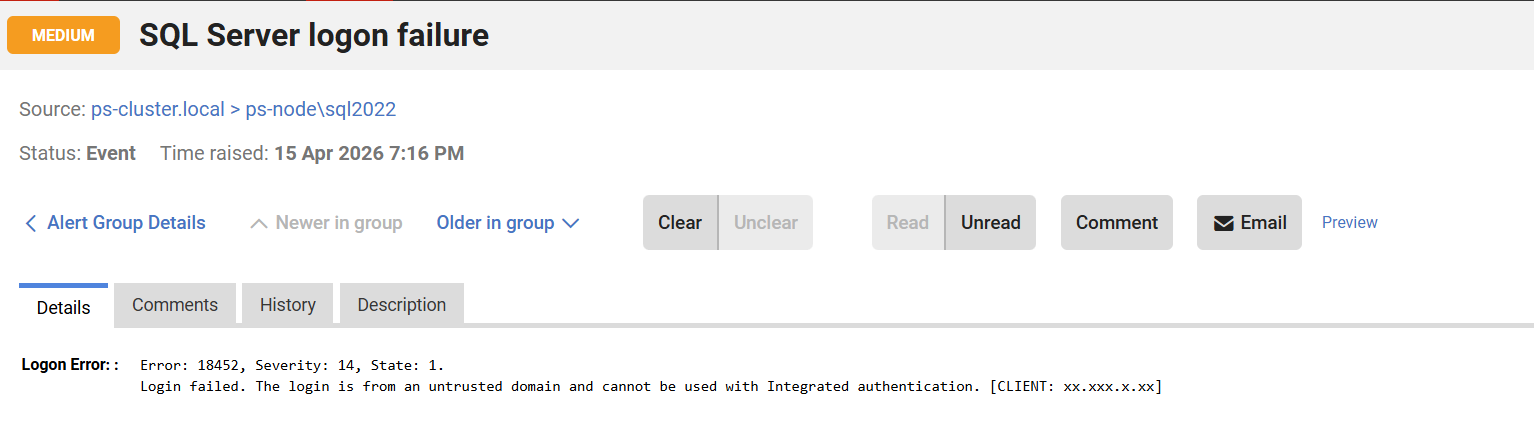
This alert will trigger when a message is written to the SQL Server error log indicating a logon failure event and it matches a specified regex pattern. This alert is also disabled by default.
On the alert, you will be able to see the error message.
This documentation contains proprietary information and is protected by copyright law.
Copyright © 2026 Red Gate Software Limited. All rights reserved


