Troubleshoot missing external user/group details
Published 28 October 2026
If you're missing external user or group details like this:
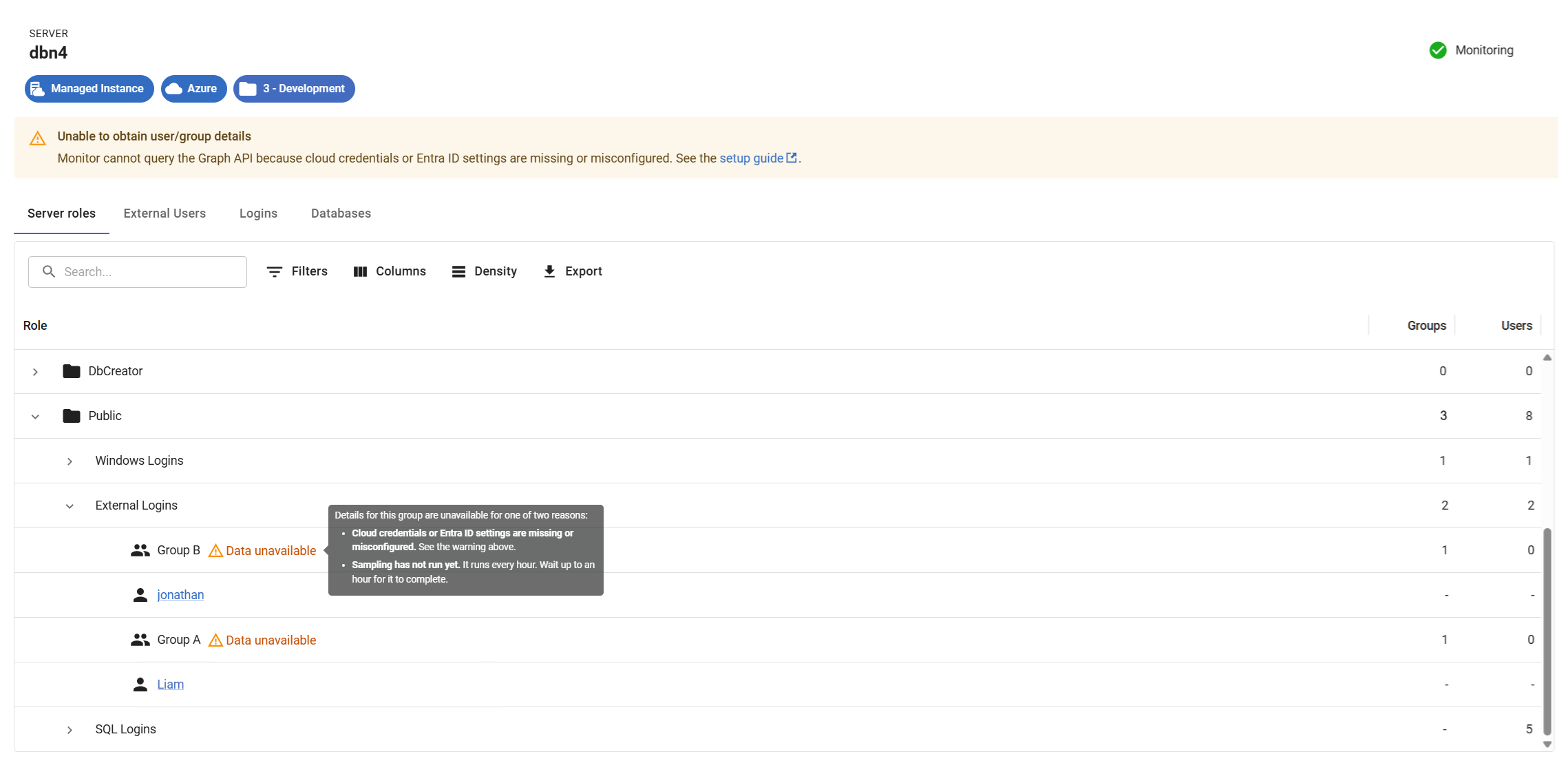
Before you start: Entra ID monitoring needs Cloud Service Credentials (an Azure app registration). If you haven’t set these up, start with Creating access key for Microsoft Azure.
Otherwise, check the following:
- Check the Entra ID is defined and linked to the right Base Monitor. Make sure the Entra ID for the tenant where your Azure Managed Instance resides has been added to the Base Monitor responsible for monitoring that instance.
- Check the Entra ID's monitoring status. If it's been added but its status isn't Monitoring, you'll need to resolve the underlying issue. Common causes include:
- Invalid or expired credentials: recreate the Cloud Service Credentials and update Entra ID credentials with the new ones.
- Insufficient privileges: check the app registration has both User.Read.All and Group.Read.All granted (see step 4 of Adding Entra ID).
- Connectivity issues: confirm the Base Monitor machine has outbound access to Microsoft Graph, and check for VPN interference.
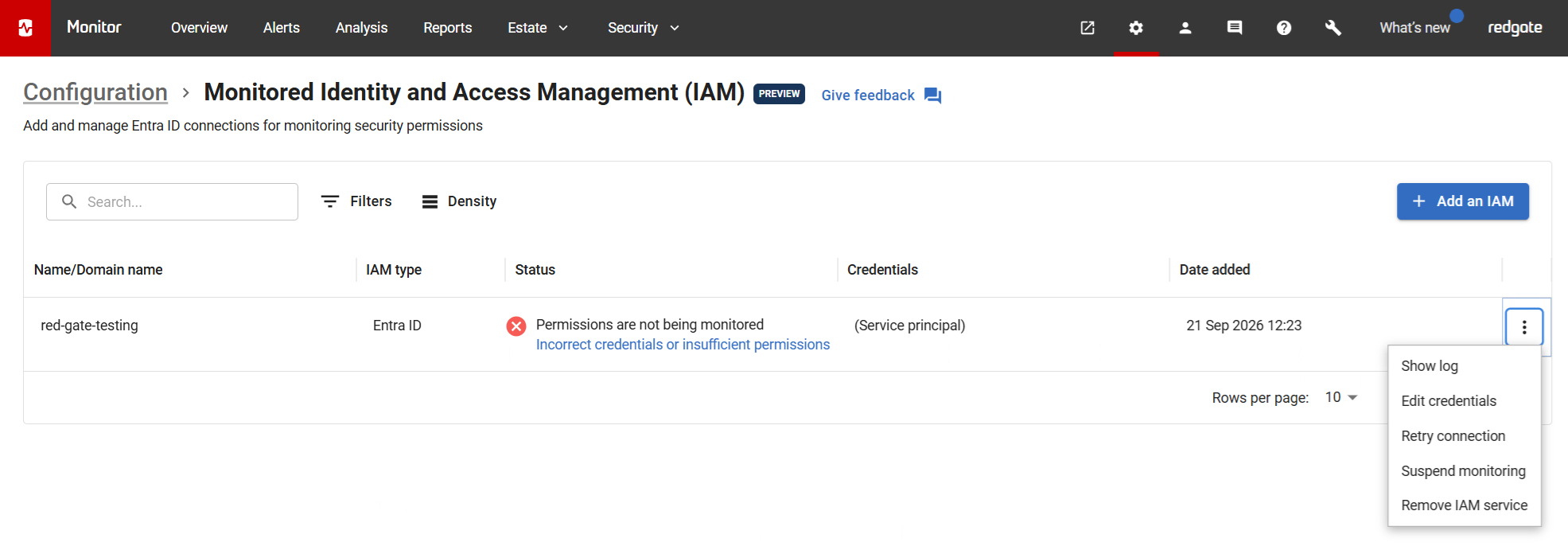
- Wait for sampling to finish. If everything above looks fine, sampling may not have finished yet. The data should appear soon.
See also
- Adding Entra ID: how to set up a monitored Entra ID, including the required Cloud Service Credentials and permissions.
- Managing cloud services: creating and updating Cloud Service Credentials.
- Monitored Identity and Access Management (IAM): an overview of monitored IAM instances and their statuses.
This documentation contains proprietary information and is protected by copyright law.
Copyright © 2026 Red Gate Software Limited. All rights reserved


