Installing and setting up
Published 05 January 2016
To install and set up the SQL Lock beta:
Run the SQL Lock installer.
You need to run a setup script on the server. You need Sysadmins privileges to do this.
To see what the setup script will do, see How it works.
In Management Studio, in the Object Explorer, right-click the server. Under SQL Lock, select Open SQL Lock install script:
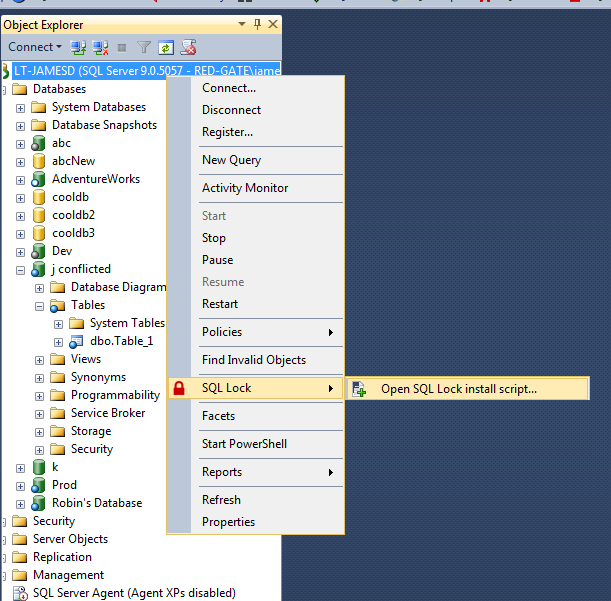
The install script opens.- Run the script.
SQL Lock is ready to use.
If you want to uninstall SQL Lock, you need to run another script to remove the functionality from the server. For more information, see Uninstalling.
This documentation contains proprietary information and is protected by copyright law.
Copyright © 2026 Red Gate Software Limited. All rights reserved


