Enabling/Disabling AI features in SQL Prompt
Published 22 August 2025
All SQL Prompt AI features — including Prompt AI, Redgate Assistant (Preview) and AI code completion (Preview) — are opt-in. They don't run by default, and an individual user has to take affirmative action before any data is sent to them and to our AI services.
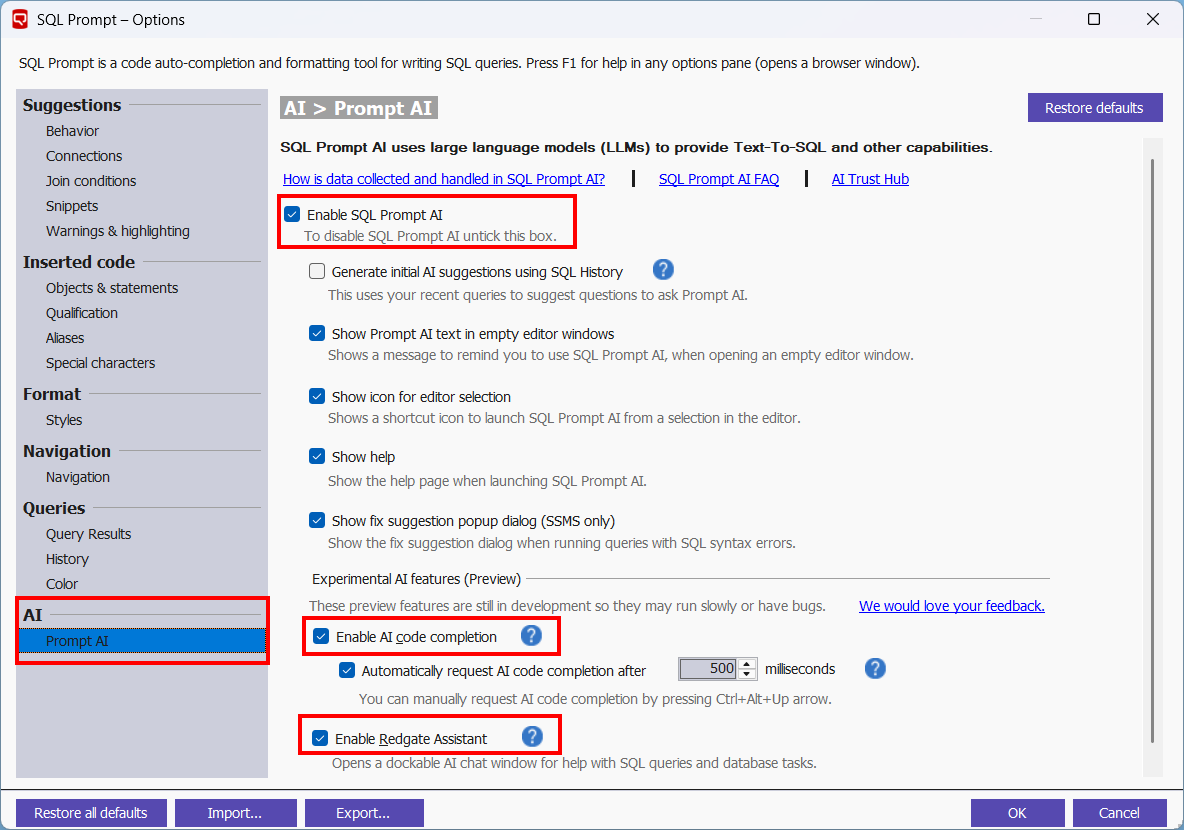
AI preview features — Redgate Assistant (Preview) and AI code completion (Preview) — can also be enabled/disabled individually.
This document shows you how you can enable each SQL Prompt AI feature directly from your IDE. Please check AI in SQL Prompt FAQ for more details on how this can be controlled on an org-level.
Prerequisites
- You will need a SQL Prompt subscription license (or a SQL Toolbelt Essentials or SQL Toolbelt license one). Perpetual licenses are excluded.
- All SQL Prompt AI features make all AI requests to
*.redgate-platform.comsubdomain. Additionally, Redgate Assistant (Preview) also makes requests to*.ai.redgate.cloud.- If your organization enforces it, you will need to set these subdomains in your firewall rules and allow lists to enable Prompt AI / Redgate Assistant (Preview) in SQL Prompt.
- If you have created a Redgate organization before, ensure you have opted-in to use AI features in Redgate portal.
- To find out more about the Redgate organization authentication, refer to Creating a Redgate Organization and Managing AI features for your organization section in AI in SQL Prompt FAQ.
Via the IDE main menu directly (AI/Redgate Assistant)
For convenience purposes, it's possible to quickly change the enablement state of SQL Prompt AI and Redgate Assistant (Preview) through SQL Prompt's IDE main menu via the following checkbox actions:
- Enable Prompt AI
- Enable Redgate Assistant
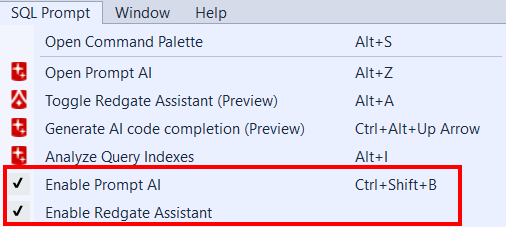
SQL Prompt AI can also be turned on and off using the Ctrl+Shift+B keyboard shortcut.
Via SQL Prompt Options (All)
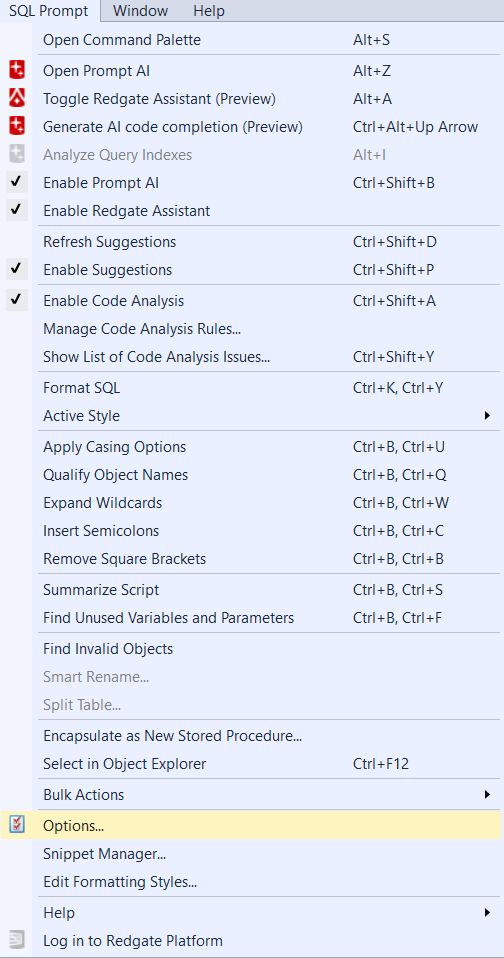
All AI features in SQL Prompt, including preview ones, can be enabled and disabled in the Options, which can be found at the bottom of the SQL Prompt menu (SQL Prompt > Options...).
This documentation contains proprietary information and is protected by copyright law.
Copyright © 2026 Red Gate Software Limited. All rights reserved


