Drive view
Published 05 August 2025
The Drive view is the starting point for every Redgate Data Modeler user available at datamodeler.redgate-platform.com after logging in. The top bar will get you to various places. Let's take a look at it.

Top bar consists of:
- The logo button that will get you to the Drive View.
- The heading with the name of the view you are in right now.
- Help lets you to browse through documentation and other resources.
- Settings lets you to choose between light and dark mode.
- Notification drawer (you may change your notification preferences there).
- My account menu lets you access current account and subscription details or change other settings Log out button is also there.
List of models
Your models live in your drive. They can be placed loose, or you may organize them within folders.
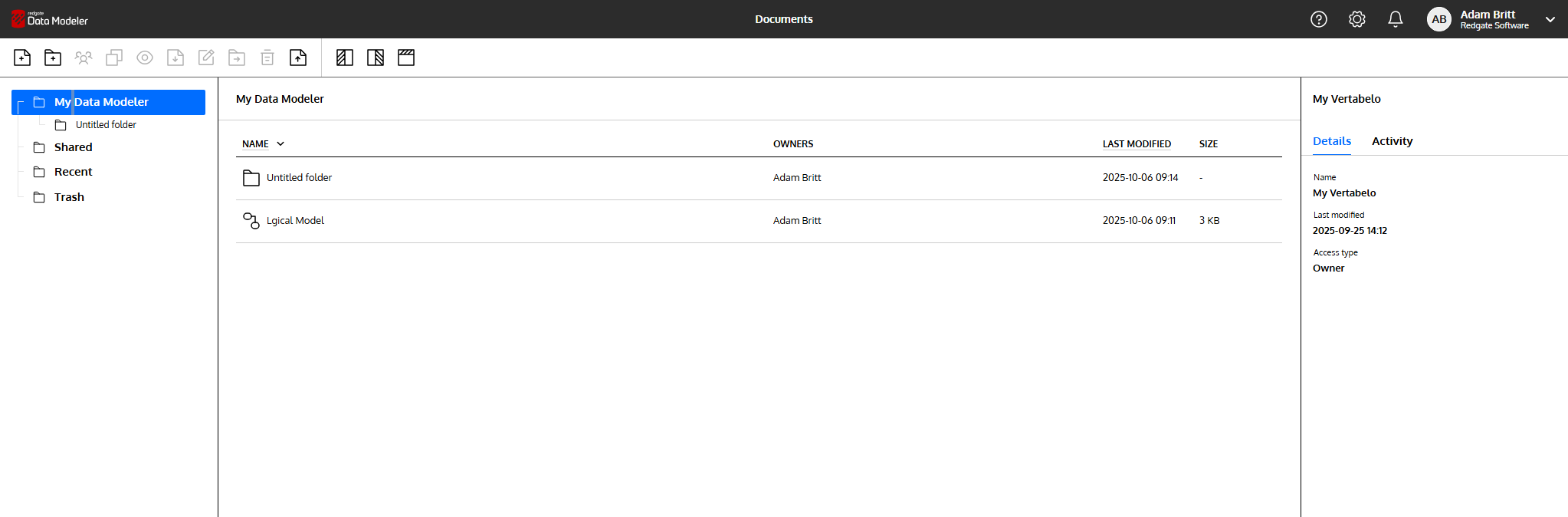
In the left panel you'll find the tree structure of your drive under My Data Modeler. In Shared you'll find all models that were shared by someone else with you. Recent models will let you start where you left off, and Trash will allow you to recover accidentally deleted models.
Select a model to see more information about the model: 3 tabs in the right panel will show up: Activity, Details, and Versions.
If you want to preview how the model was changing, click on the eye icon in the top bar. You may do it also by right-clicking on it and picking the Preview option from the context menu.
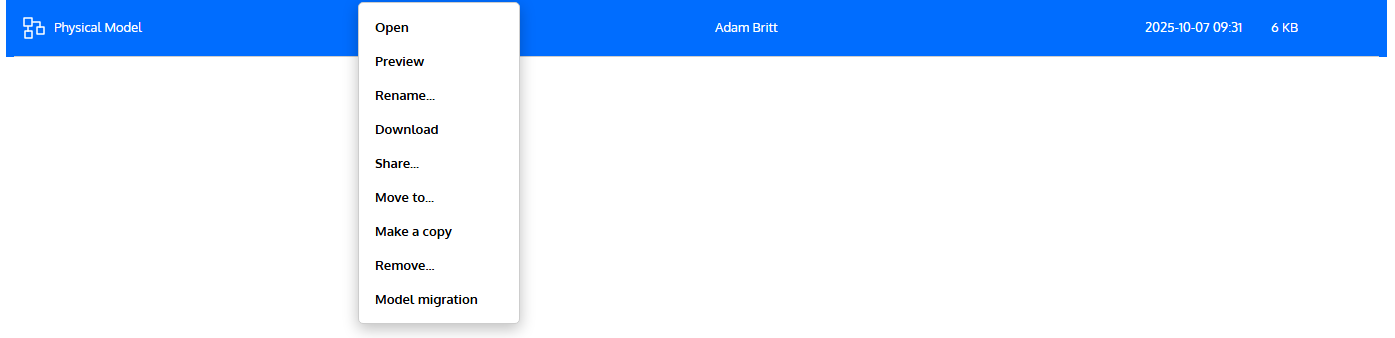
In the context menu, you'll also find these options:
Downloadwill let you quickly download XML files for sharing.Share...will show a pop-up with sharing options. Read more here.Publish to the Web...will bring up a pop-up that will let you generate the link and code for embedding the model, e.g., on your blog.- ... and more that are self-explanatory.
This documentation contains proprietary information and is protected by copyright law.
Copyright © 2026 Red Gate Software Limited. All rights reserved


