These pages cover SQL Clone 1, which is not the latest version. Help for other versions is also available.

Installing SQL Clone Agents
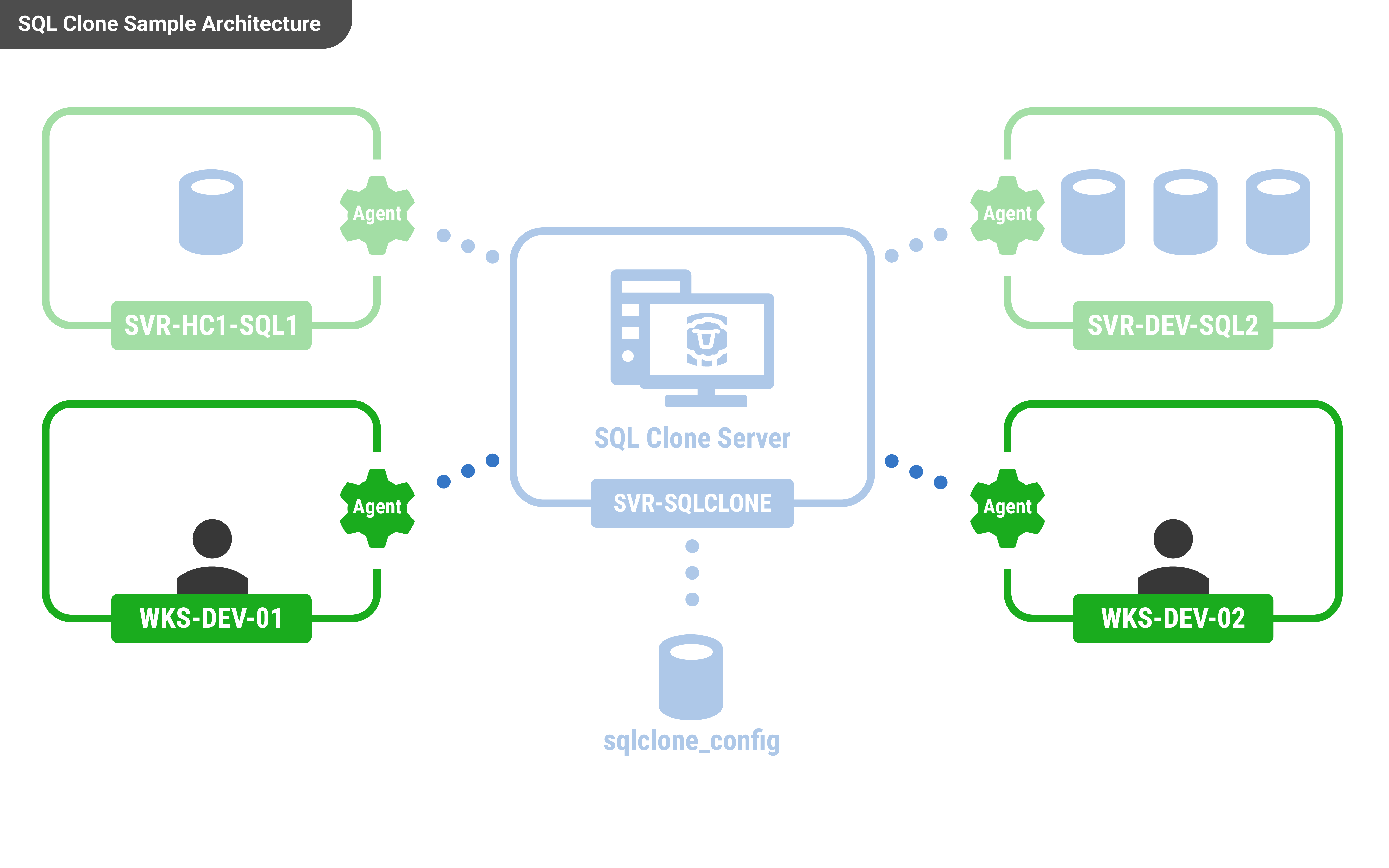
Once you have installed SQL Clone Server, you will need to install one or more SQL Clone agents. You will need to install an agent on every machine with SQL Server where the cloned databases will be hosted.
A clone host SQL Server version should be the same or higher than that of the image.
The steps to install an Agent to create a Clone are the same as installing the Agent to create an Image, but additionally there is the option to change the default location where the cloned database files are stored. This is in the “Advanced Options” of the set up wizard
The SQL Clone agent installed can be downloaded from the home page of the server's web app.
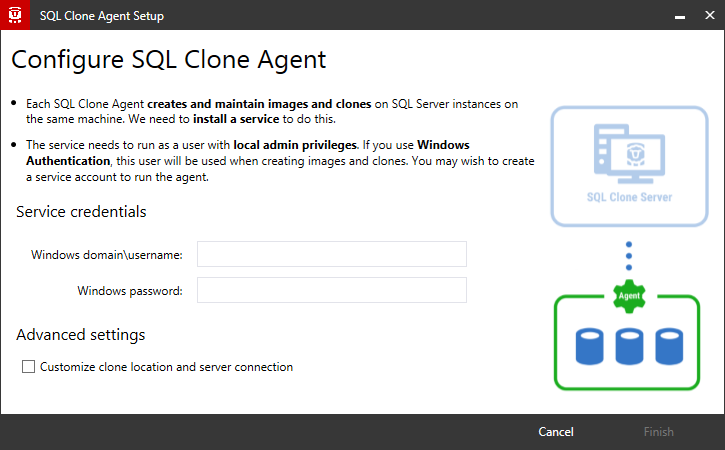
The agent installer requires a username and password for the agent service. These credentials will also be used to connect to databases if you choose "windows authentication" within the tool.
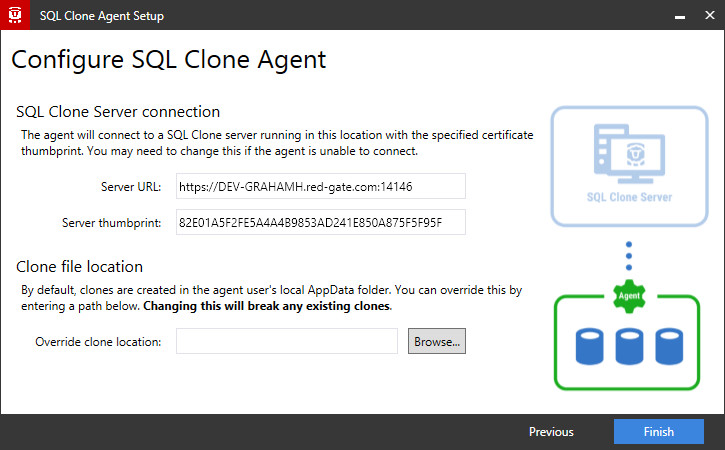
Most users won't need customize the advanced settings available:
- The server URL will be the same as used to access the web app but start with https and end in port 14146
- The server thumbprint should only be changed if advised by support
See Requirements for more information about what permissions the agent user requires.
Troubleshooting the install
- "An existing connection was forcibly closed by the remote host" error
- "Could not load file or assembly 'RedGate.SqlClone.Unmanaged.dll' or one of its dependencies" error
- Agent communication problems during install configuration
- Could not execute "...VCRedist2015": Installation error 1 when running
- Error 1603 Service ... could not be installed. Verify that you have sufficient privileges to install system services.
- Error 1923. Service ... could not be installed. Verify that you have sufficient privileges to install system services.
- Problems during configuration wizard
- Printed by Atlassian Confluence 8.5.31