These pages cover SQL Backup Pro 8.0. Help for older versions is also available.

-
Created by
 Administrator, last updated by Eddie Davis on Nov 15, 2016
1 minute read
Administrator, last updated by Eddie Davis on Nov 15, 2016
1 minute read
Hosted storage settings are only available in SQL Backup Pro 7.3 and later.
To be able to upload backups to hosted storage, you need to create a SQL Backup Pro Hosted Storage account and link it to a SQL Server instance.
To link an account to a SQL Server instance for the first time:
On the Tools menu, select Server Options, and open the Hosted Storage Settings tab.
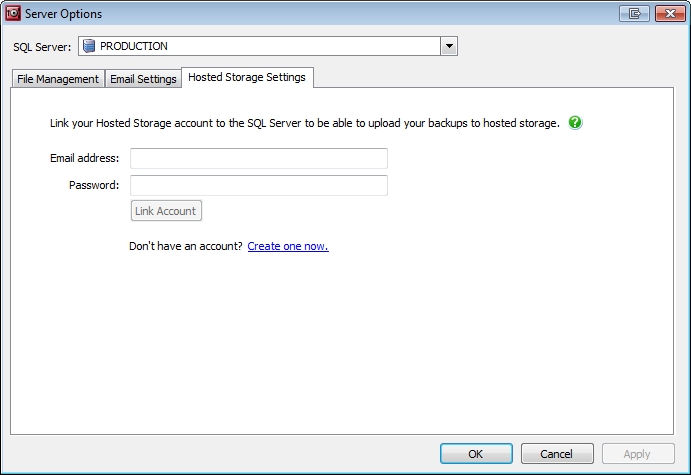
- Select the SQL Server you want to link to your account from the drop-down list.
- Enter your account email address and password. Your password will not be stored on your machine.
Click Link Account. A confirmation message is displayed if the account is successfully linked.
The machine running the SQL Backup Pro GUI must be connected to the internet in order to link a SQL Server instance to a Hosted Storage account.
Overview
Content Tools
- Printed by Atlassian Confluence 10.2.19