Deploying database changes manually
Published 12 September 2025
You can manually run state-based or migrations-based deployments using Flyway Desktop or using the command line directly.
- In Flyway Desktop, visit the Deploy page. You will be asked if you want to do state or migrations-based deployments. The default is state. You can change this later in the project settings if needed.
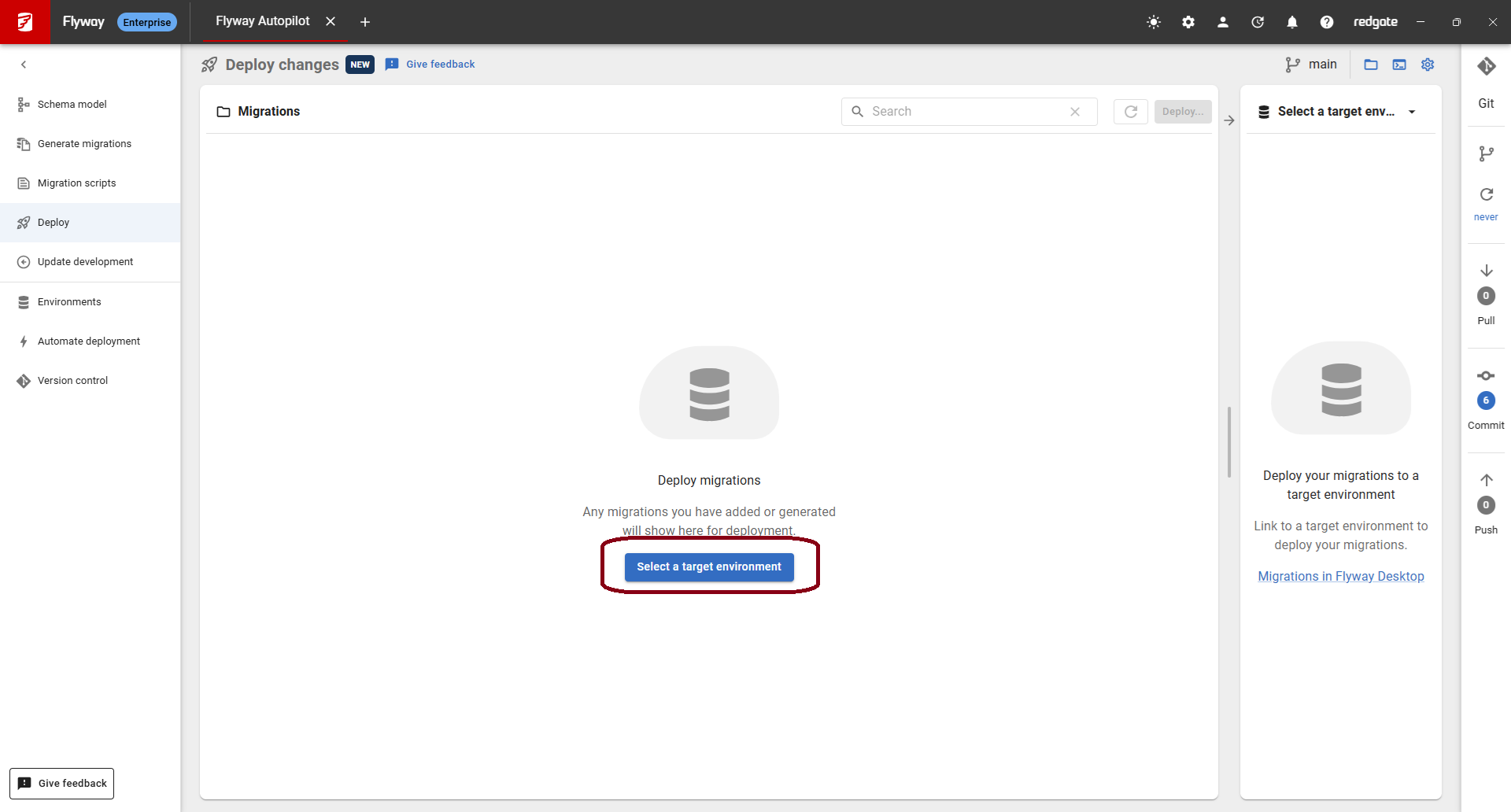
- Click Select a target environment to choose the environment that you want to deploy to. If the environment hasn't been added to your project yet, you can add a new environment and setup the connection details.
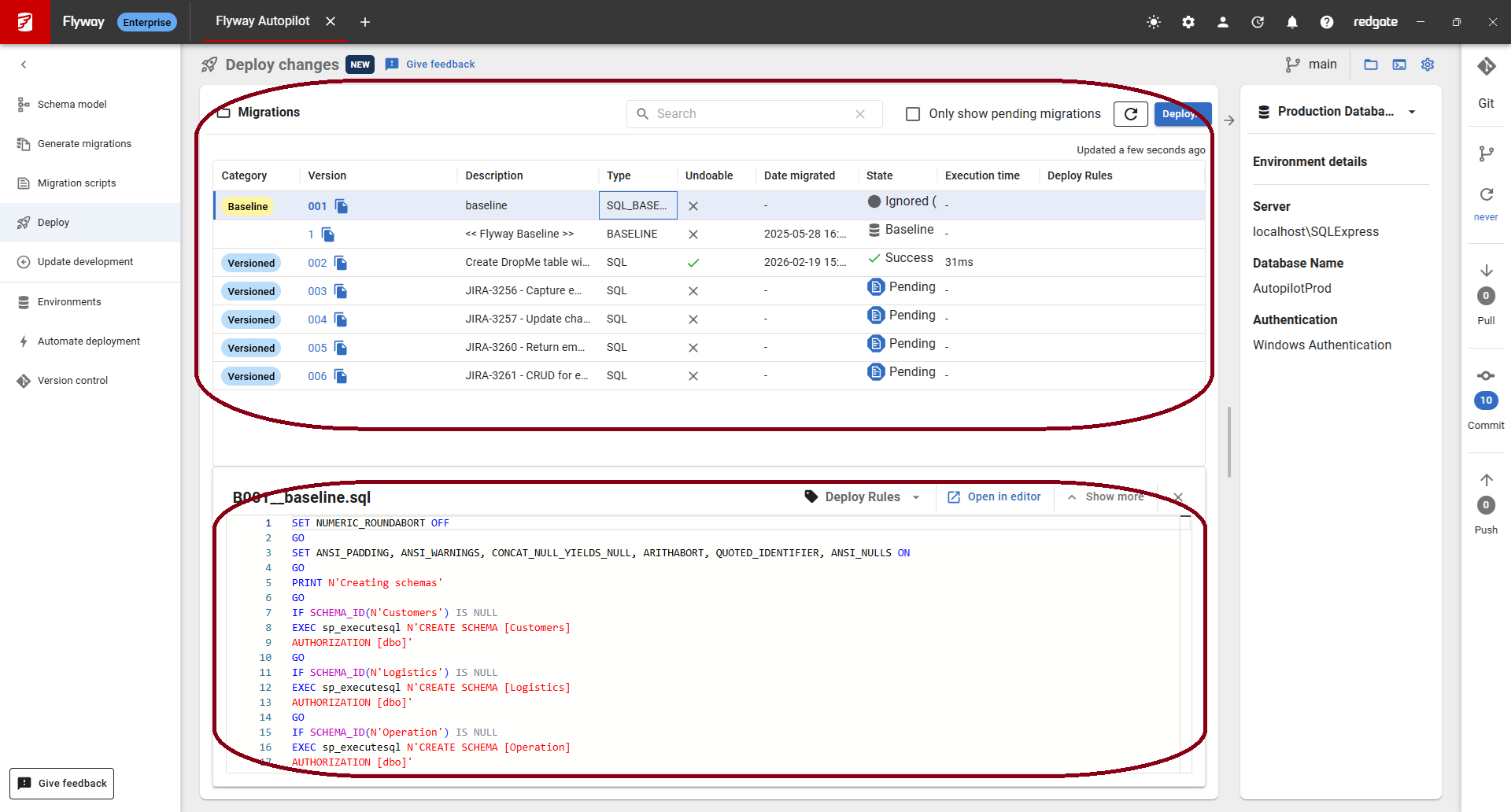
- Once your environment is selected, review the pending changes. You can click on the rows at the top to see the diff or the migration script at the bottom.
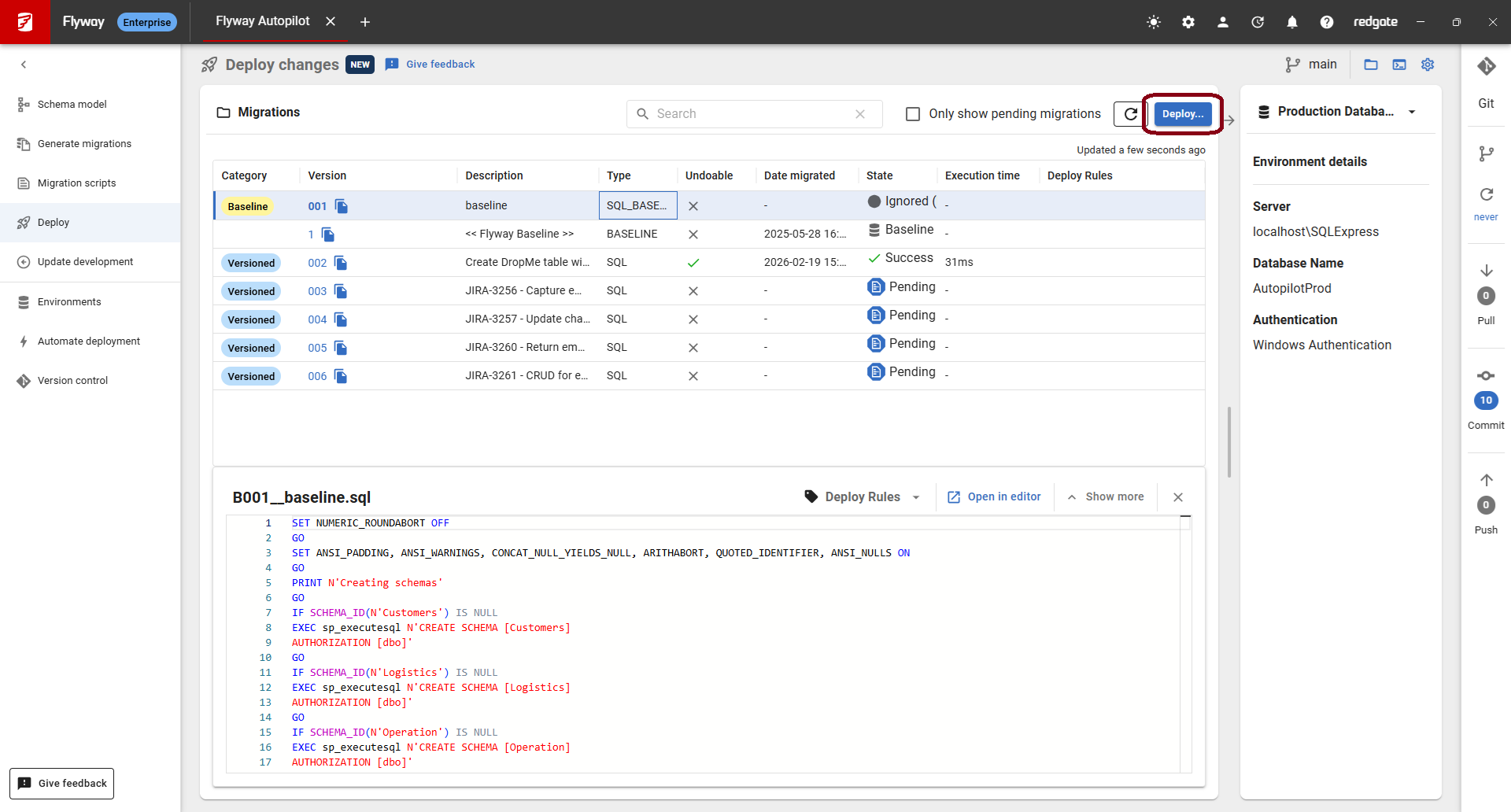
- Click on Deploy...
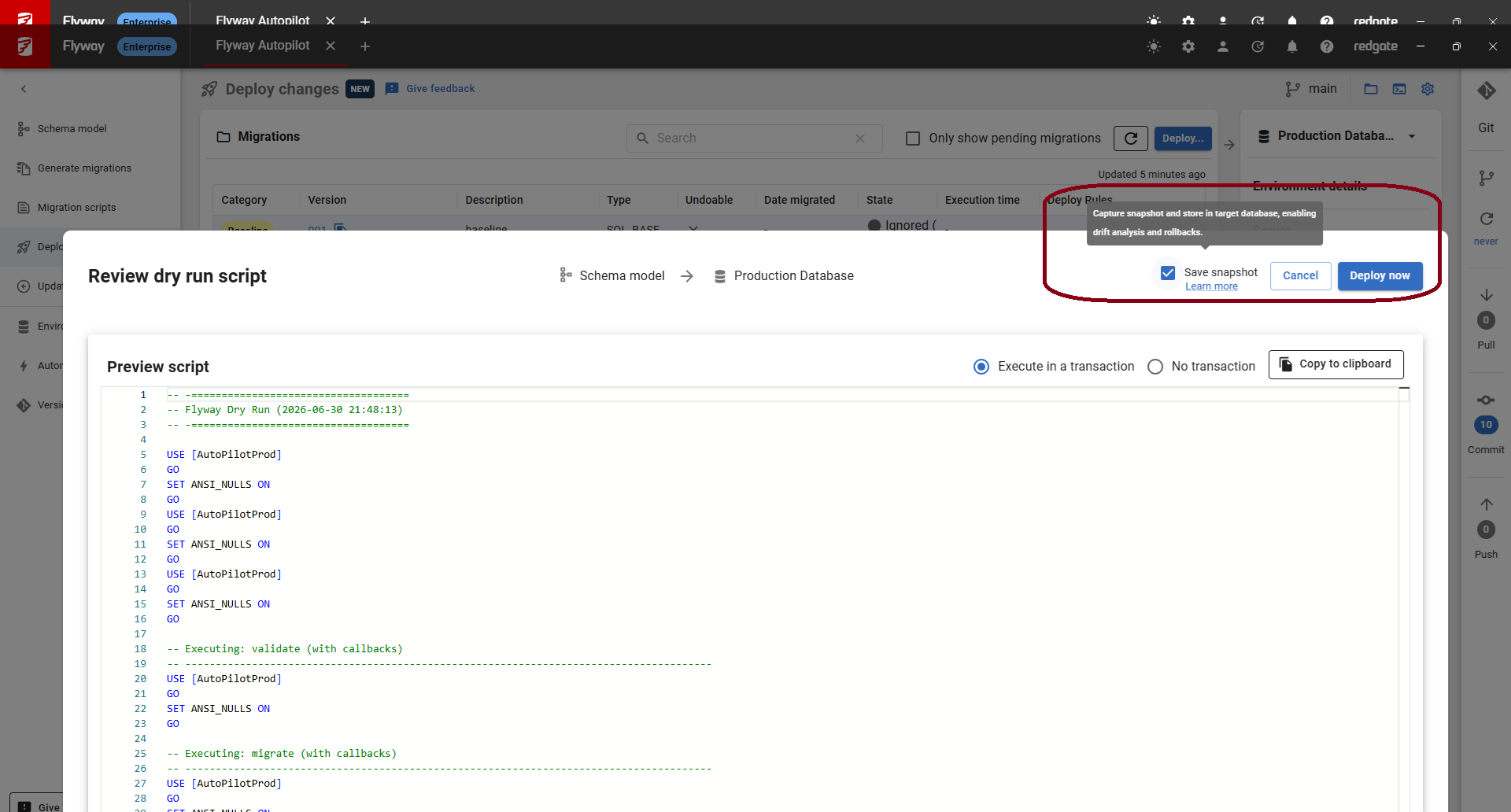
- You will have a chance to review the deployment script before executing it on the target. Check Save snapshot, so future deployments can check for drift. Click Deploy now to execute the script on the target environment.
- You will get confirmation that the deployment was successful.
State-based deployments
State based deployments involve:
- Generate a deployment script by running a comparison between your schema model and target environment. This is done using the prepare command.
- Execute the deployment script against your target environment. This is done using the deploy command.
State-based deployments rely upon Redgate comparison technology and are only available for SQL Server, Oracle, PostgreSQL, and MySQL, and their cloud variants.
Migrations-based deployments
Migrations based deployments involve running the migrate command to apply pending migrations to a target environment.
For the migrate command to succeed, the target environment must be baselined in order to create the schema history table. This is usually a one-time process. It can be done as part of the migrate action by setting the baselineOnMigrate parameter. This BaselineVersion is automatically added to the Flyway project file (flyway.toml) when generating a baseline script in Flyway Desktop. This BaselineVersion we'll automatically be picked up when running flyway migrate -baselineOnMigrate=true. This doesn't reapply the Baseline script to existing environments, but will run it if you're targeting a new empty database.
Migrations can be conditionally executed.
Relevant tutorials
This documentation contains proprietary information and is protected by copyright law.
Copyright © 2026 Red Gate Software Limited. All rights reserved


