Alert analysis
Published 09 April 2026
Alert analysis in Redgate Monitor is available starting in version 14.15.0. This feature is currently in Public Preview.
Alert analysis provides AI-powered insight into why alerts may have been triggered, helping you identify probable root causes and providing remediation steps. The analysis combines the alert details, including query text, process information, and other contextual data, to guide you through what may have caused the issue and how to resolve it.
To learn more about the data used for alert analysis and how it is handled, visit the Redgate AI Trust Hub.
| Alert type | Supported database engines |
|---|---|
| Long-running query | SQL Server, PostgreSQL, Oracle, MongoDB, MySQL |
| Blocking process | SQL Server |
| Deadlock | SQL Server |
Prerequisites
Before using alert analysis, ensure you have configured Monitor AI.
How to use
Navigate to the Alert Inbox and select an alert of a supported type.
On the alert details page, click the Analyze alert button in the command bar.
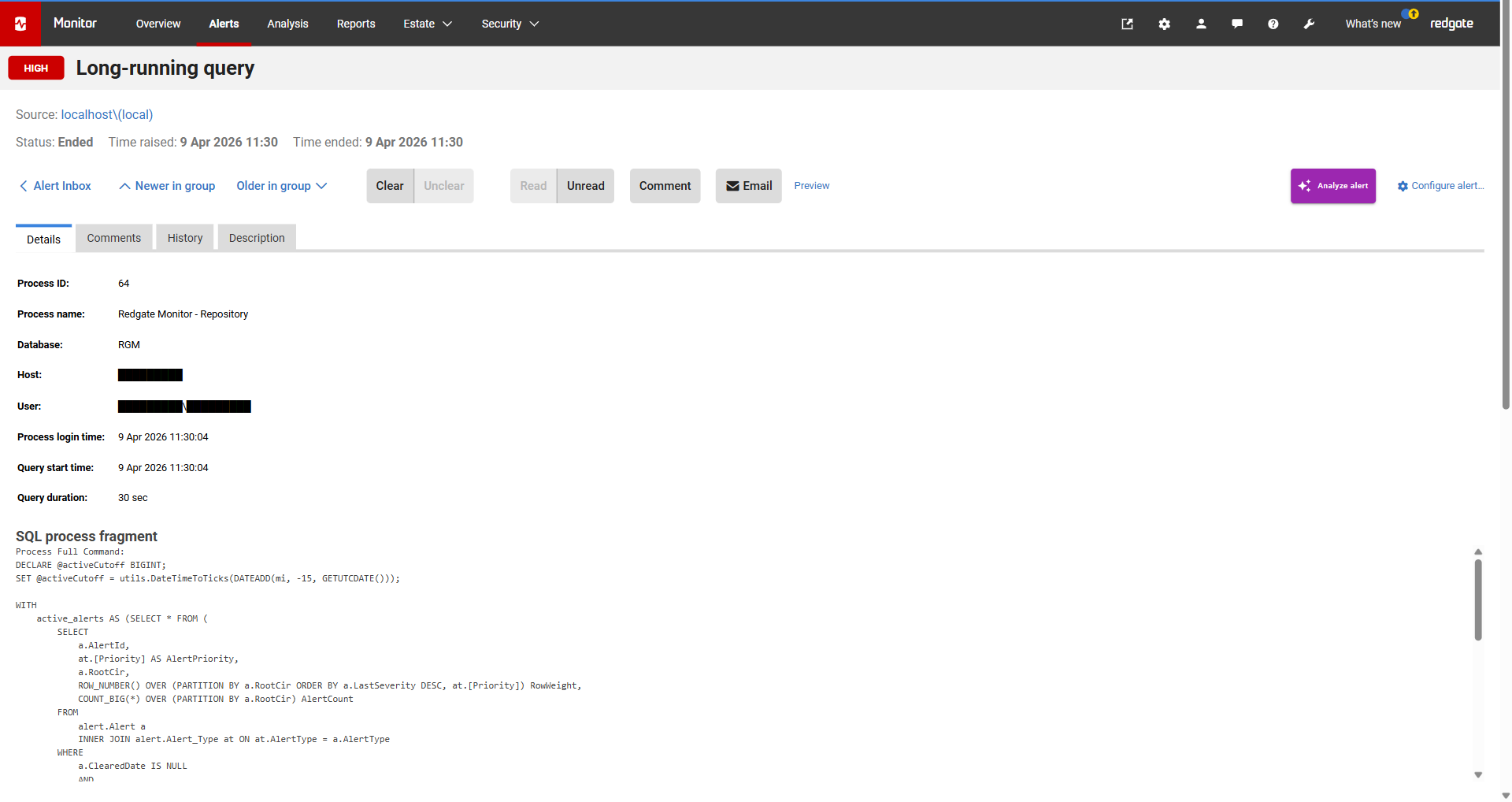
The AI analysis drawer opens on the right side of the page. The analysis may take a few moments to load.
The analysis includes:
- A summary of the alert and the likely cause.
- Root cause analysis with ranked probable causes and their impact levels.
- Remediation steps for each identified root cause.
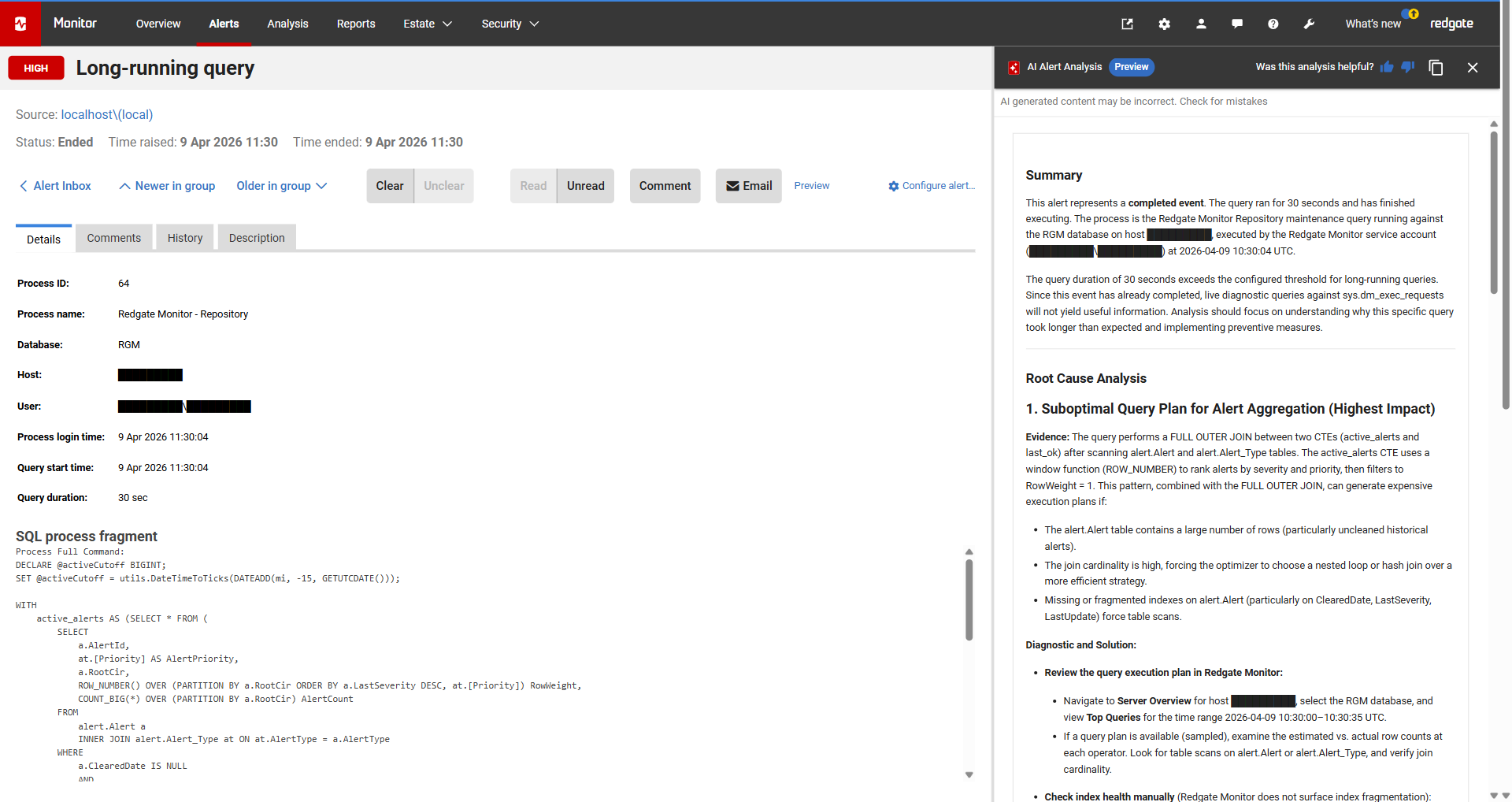
To share the analysis, click the Copy button in the drawer header to copy the full analysis text to your clipboard
AI generated content may be incorrect. Check for mistakes. Always verify the analysis and remediation steps against your own environment before making changes.
The analysis aims to identify specific, actionable causes based on the alert data available. It won't necessarily always suggest changes -- if the alert data does not indicate a clear root cause, the analysis will note this rather than inventing unnecessary recommendations.
This documentation contains proprietary information and is protected by copyright law.
Copyright © 2026 Red Gate Software Limited. All rights reserved


