PostgreSQL Query comparison
Published 12 January 2026
Redgate Monitor supports the functionality to take a query from the Top queries table and compare it's query plans from different points in time.
Actual query plan table
The actual query plan table is located underneath the Query execution history graph. It displays all captured query plans for the selected top query for a given range - customisable from the drop down above the query execution history graph or changing the zoom range on the Activity graph. The table can be filtered/sorted and customised to provide the most important information for the displayed query plans.
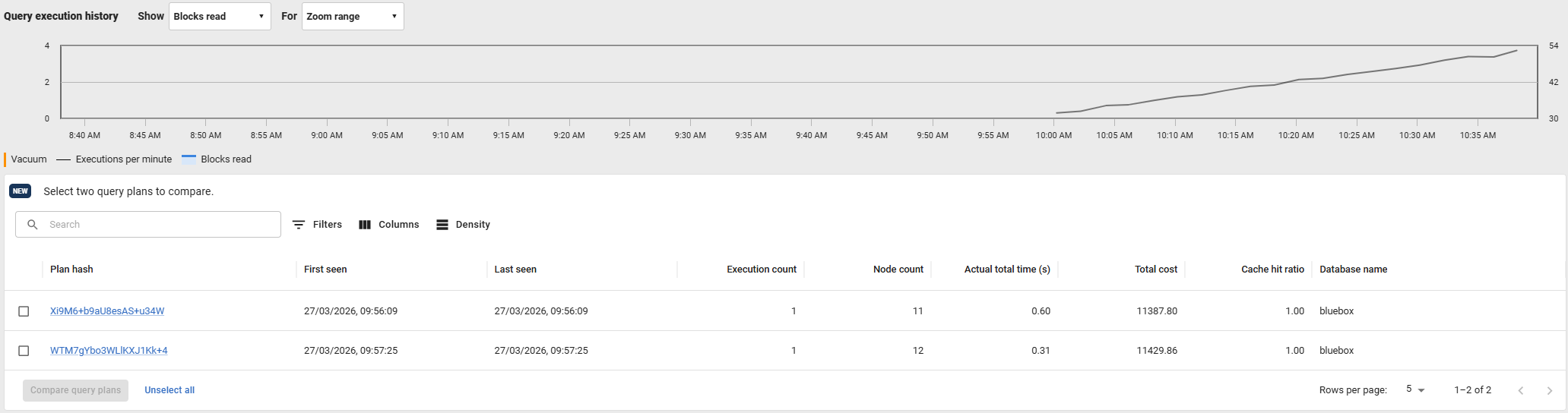
The table can be used in tandem with the Query execution history graph in multiple ways:
- Hovering a significant row on the table will highlight the Significant plan change at that point in time on on the graph,
- Likewise, hovering a graph point will highlight the corresponding plan change on the table.
Comparing two query plans
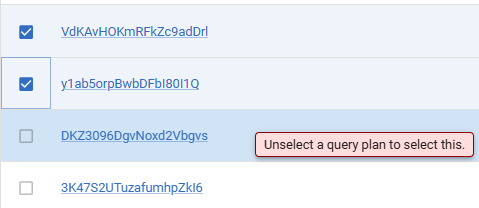
The actual query plan table can be used to compare exactly two query plans together. This is possible by clicking on any two rows in the Actual query plan table to select them. Once selected, the 'Compare query plans' button is enabled and can be clicked to open a new window to compare those query plans.
If two query plans are already selected, the warning message below is displayed when hovering unselected rows.

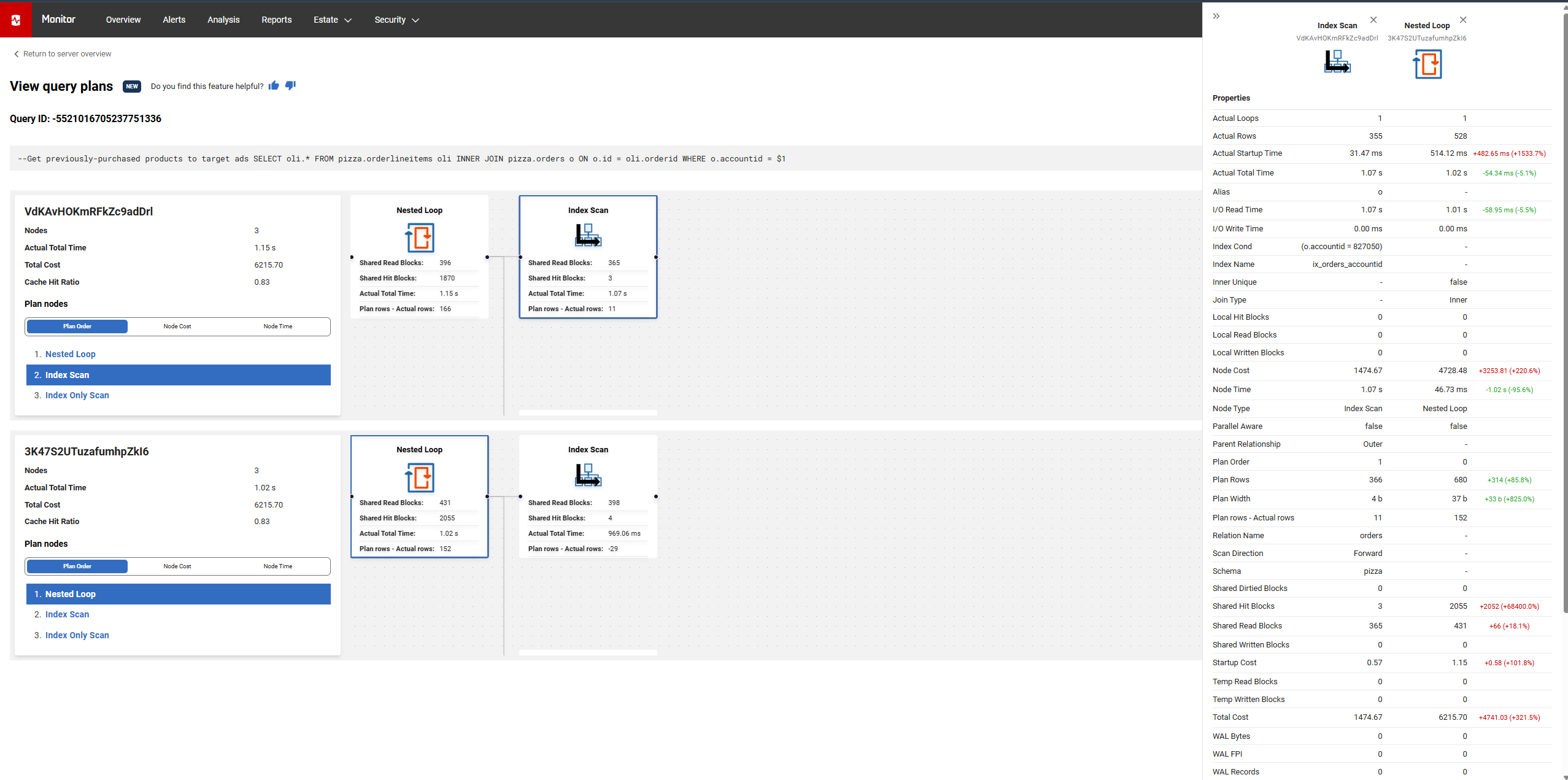
This window displays two graphs, one for each query plan which can be interacted with in the same way as a single query plan's graph. However, it also supports the ability to compare specific nodes between graphs by clicking a node from each graph. Once both are selected, the nodes are highlighted blue and display a drawer on the right that compares the difference between each metric on the graph.
Viewing specific query plans
The actual query plan table can also be used to view a specific query plan by clicking the hyperlinked plan hash. Doing so, opens a new window of that query plan that can be interacted with the same as when 'View latest query plan' is clicked.
This documentation contains proprietary information and is protected by copyright law.
Copyright © 2026 Red Gate Software Limited. All rights reserved


