Creating a subsetting treatment
Published 27 November 2025
Prerequisites
- You need a database model first
Creating a Subsetting Treatment
Step 1: Navigate to Your Database Model
- Go to Database models in the left sidebar
- Click on the database model you want to create a treatment for
- Click + Create treatment
Step 2: Configure the Treatment
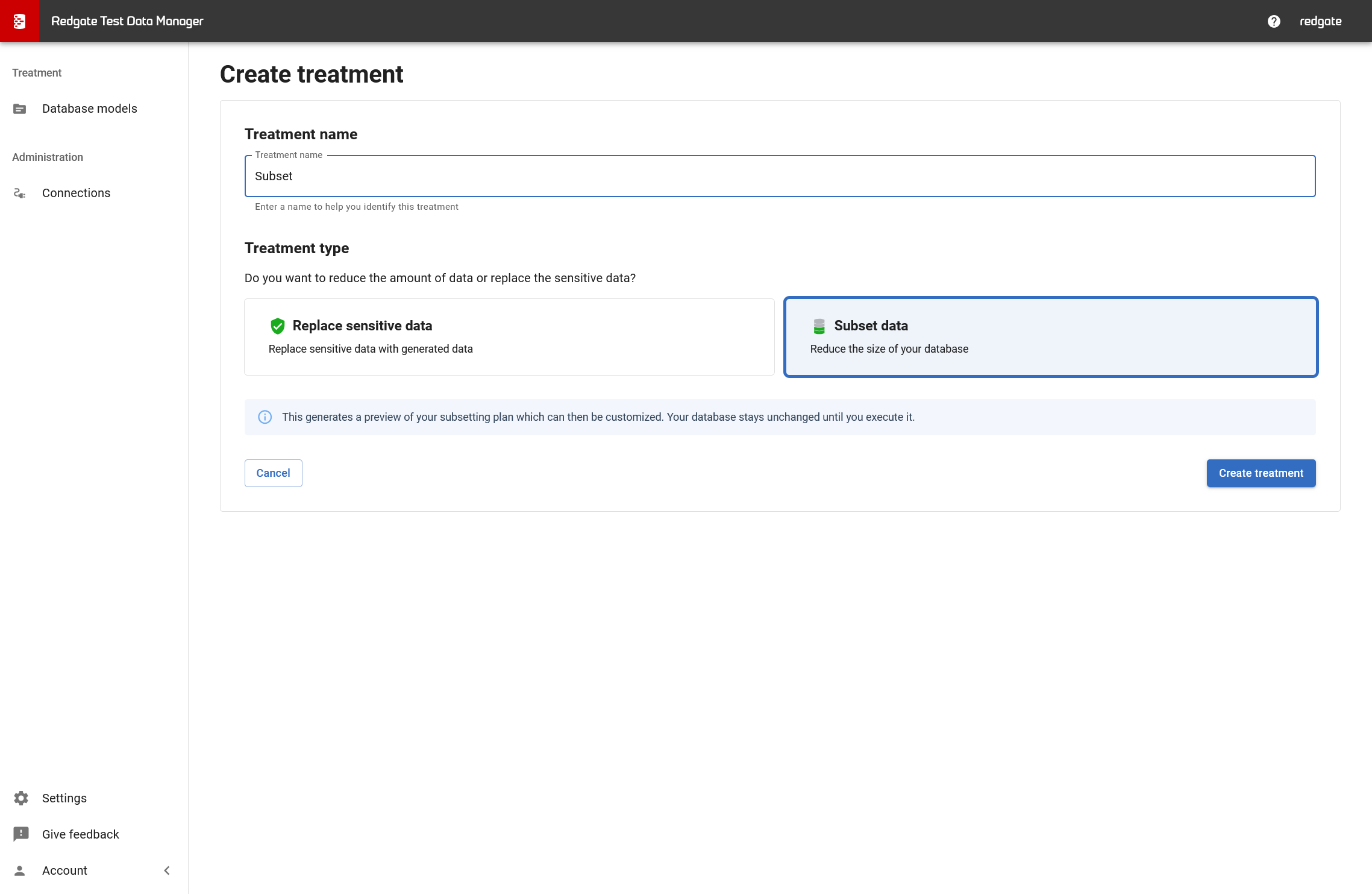
- Treatment name: Enter a descriptive name (e.g., "Customer_Data_Subset")
- Treatment type: Select Subset data
- Replace sensitive data: Anonymizes PII (see Anonymization treatments)
- Subset data: Reduces database size while maintaining referential integrity
- Click Create treatment
What does subsetting do? Subsetting follows foreign key relationships in your database to extract a smaller, representative dataset. All relationships between tables are preserved, ensuring your subset remains usable for testing.
What happens next
- Treatment is created
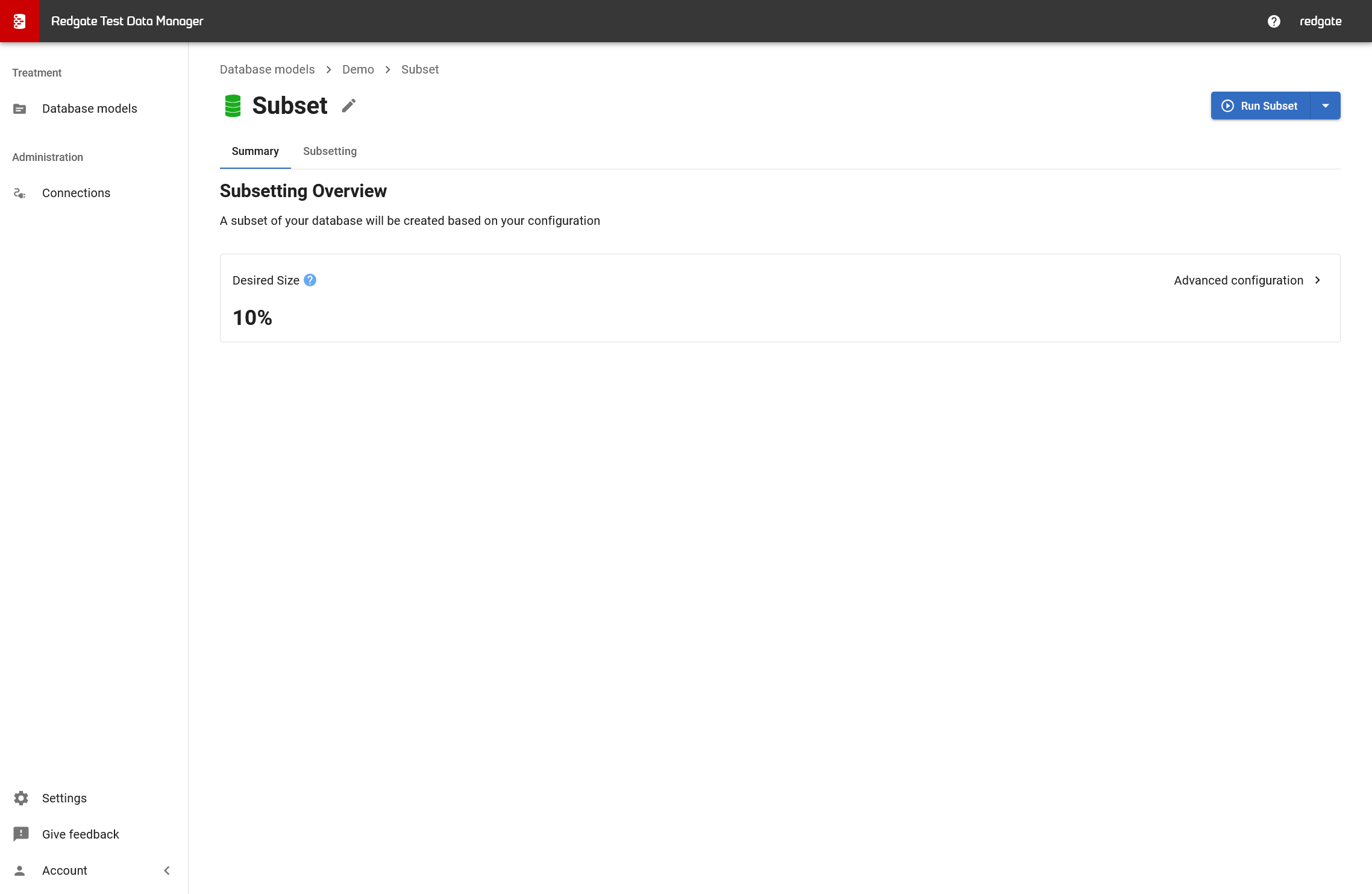
- Summary tab appears
- Choose your subsetting approach
→ Configuring desired size subsetting
→ Configuring starting tables subsetting
The Summary Tab
The Summary tab provides a high-level overview of your treatment:
- Desired Size: Shows the configured size (e.g., "10%")
- Advanced configuration: Link to access detailed subsetting options
Using the Summary tab:
- Review your configuration before running the treatment
- Quickly check which subsetting approach you're using
- Access advanced options to configure your subset
Related pages
← Back to Subsetting treatments overview
This documentation contains proprietary information and is protected by copyright law.
Copyright © 2026 Red Gate Software Limited. All rights reserved


