Flyway Pipelines
Published 28 June 2024
Flyway Pipelines is now Flyway Insights. Read our blog to find out more details. These documentation pages will be updated soon. You can access Flyway Insights and see sample data at https://flyway.redgate.com.
Access Flyway Pipelines at https://flyway.redgate.com.
Flyway Pipelines allows you to:
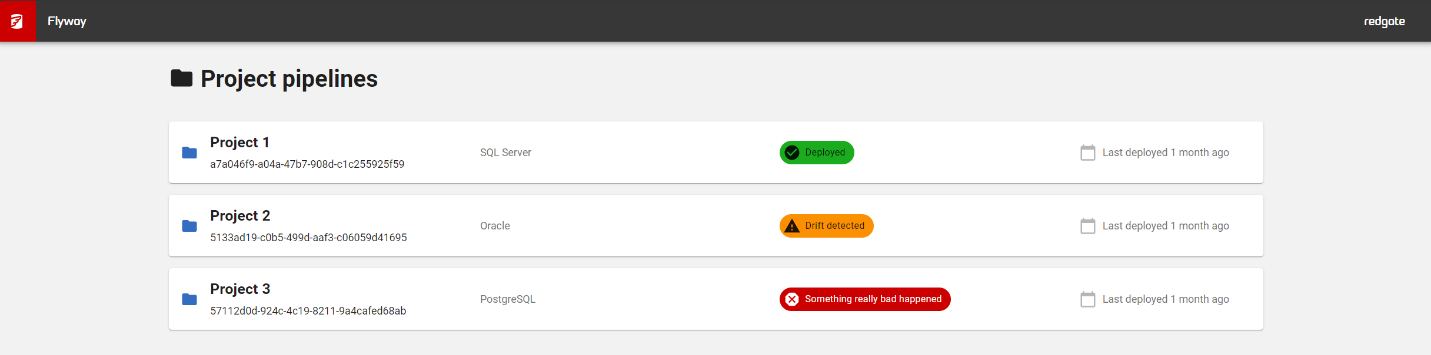
- Gain centralized visibility of the state of your database deployments across your projects so you can see what has been deployed, when and where for easy tracking
- You can also see how long each deployment took across your environments
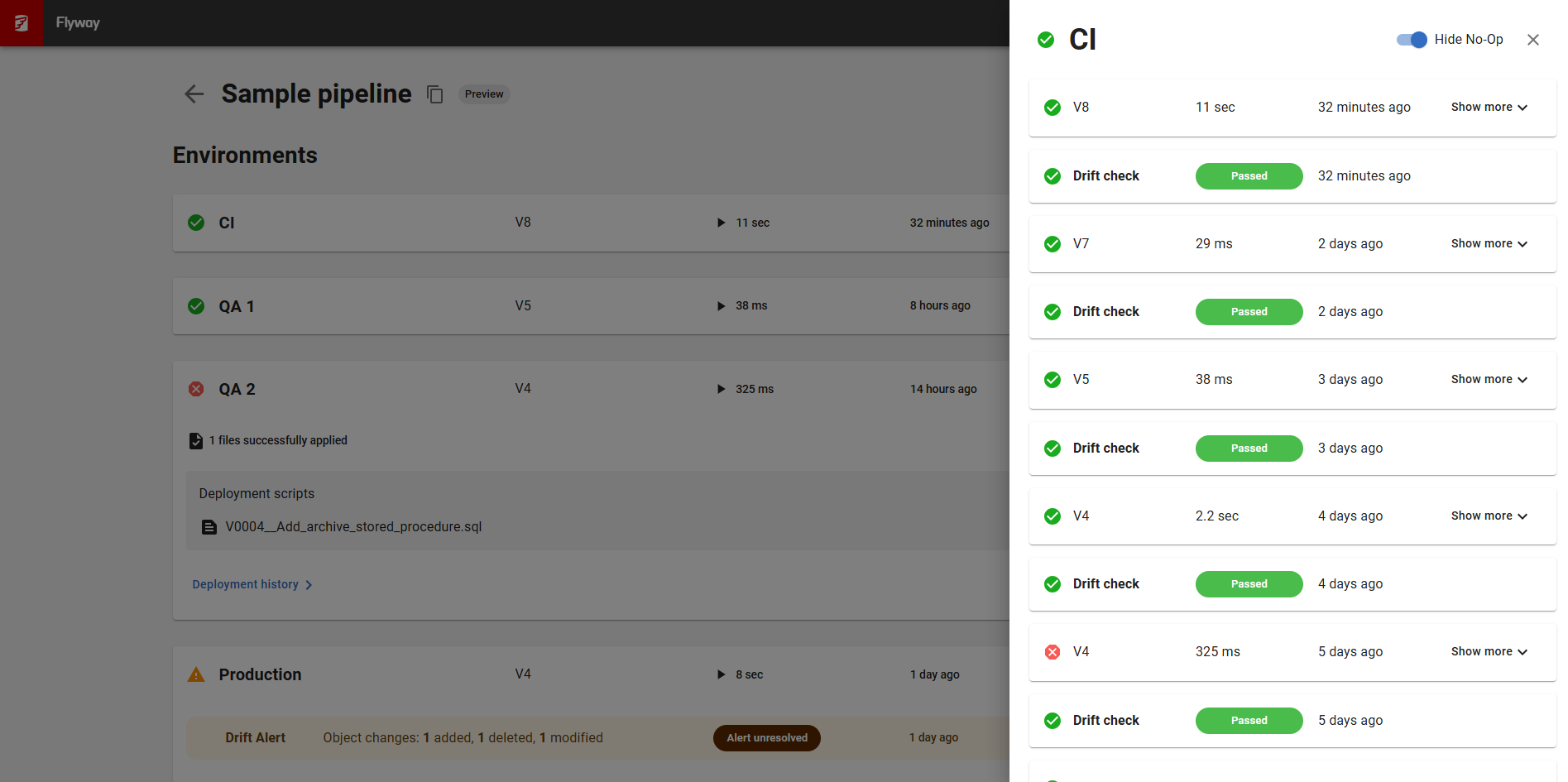
- See if any of your database environments have drifted, meaning they have changes that didn't follow the Flyway release process (e.g., a hot fix made directly to Production)
- Support auditing requirements with a history of database deployments across your entire estate
Watch Ryan Booz introduce and setup Flyway Pipelines
Gain centralized visibility of the state of your database deployments across projects so you can see what has been deployed, when and where for easy trackingFlyway Pipelines will allow you to see at an elevated level the state of all the projects using Flyway within your organization and to act accordingly if you need to. This will help reduce silos by allowing your whole team to view a history of database deployments without the need to connect to multiple environments to see the latest state of your databases. You can also see how long each deployment took across your environments | 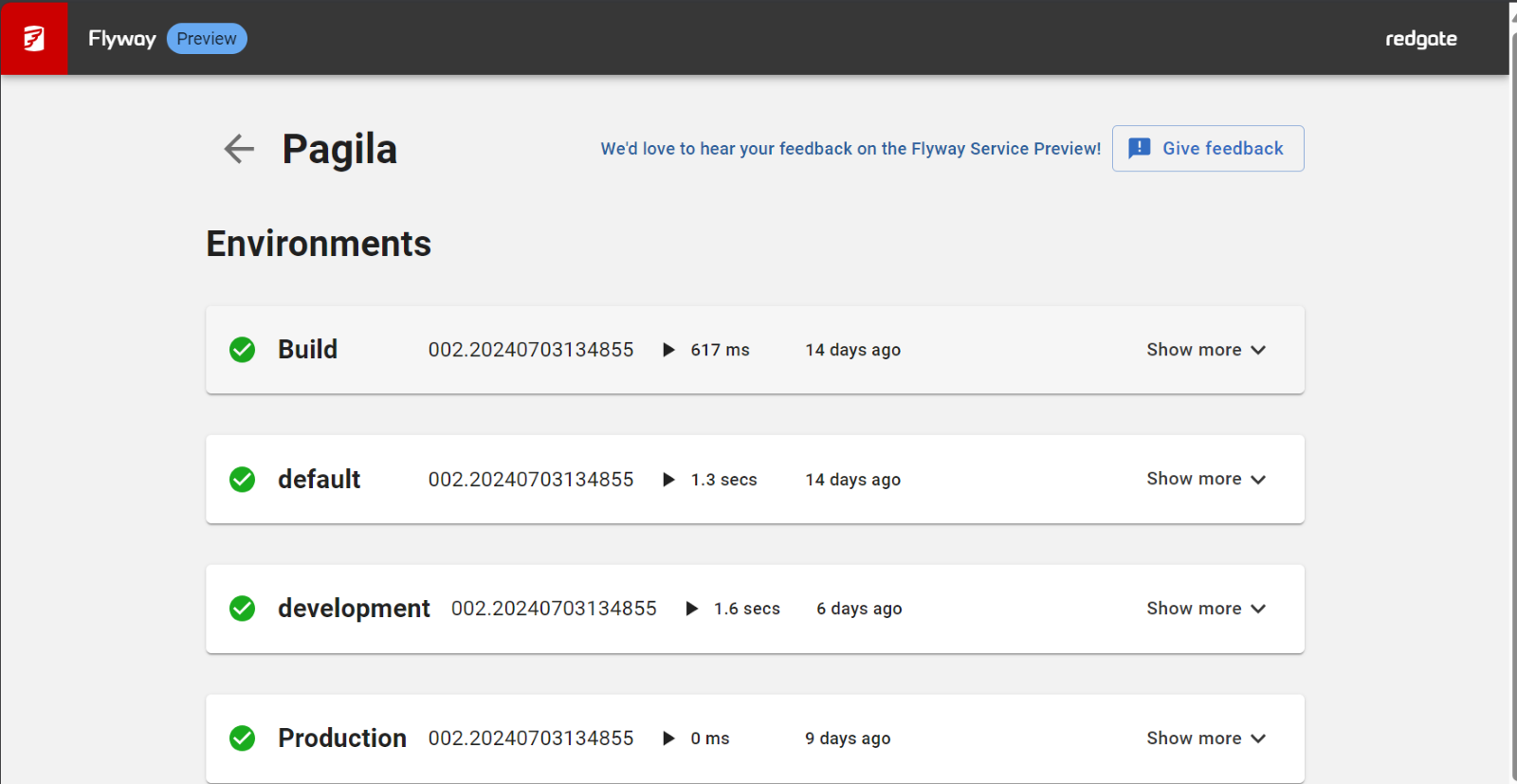 |
See if any of your database environments have driftedIf your database environments have drifted, this means they have changes that didn't follow the Flyway release process (e.g., a hot fix made directly to Production). Drift can cause problems with future deployments. |
|
Support auditing requirements with a history of database deployments across your projectsFlyway Pipelines records a detailed audit trail of your deployments in a central hosted storage location. This deployment information can be shared with others without having to share your environment details. Being hosted by Redgate means you can access this information from anywhere at any time and on any device. |
|
Get started
- Download the latest version of Flyway, if you do not have it already
- Login to the service at https://flyway.red-gate.com/pipelines
- Configure the service using a Quick Start Guide below
- Use the Feedback link within Flyway Pipelines to let us know your thoughts
More information:
- Quickstart - CI / CD Pipeline
- Quickstart - Flyway Desktop (pipelines)
- Quickstart - Flyway CLI
- Flyway Pipelines Drift Check
- Flyway Pipeline Reports
- Personal Access Tokens
- Features usage by Edition
- Tell us what you think
- What Information is being used within the Flyway Service?
- Converting a conf file to a TOML file
This documentation contains proprietary information and is protected by copyright law.
Copyright © 2026 Red Gate Software Limited. All rights reserved


