Printing the comparison results
Published 23 January 2013
When you have run the comparison on the project, you can print a summary of the comparison results.
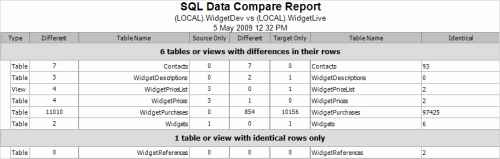
To see a preview of the summary, on the File menu, click Print Preview.
The Preview dialog box provides the following commands:
 | prints the summary |
 | configures the page setup |
  | zoom in or out |
    | displays the first page, previous page, next page, or last page |
This documentation contains proprietary information and is protected by copyright law.
Copyright © 2026 Red Gate Software Limited. All rights reserved


