Using styles
Published 29 October 2019
Use multiple styles
You can work with multiple formatting styles by changing the active style, the style that will be used when you run Format SQL.
To change the active style, in the Formatting styles window, for the style you want to set as active, click  and select Set as active.
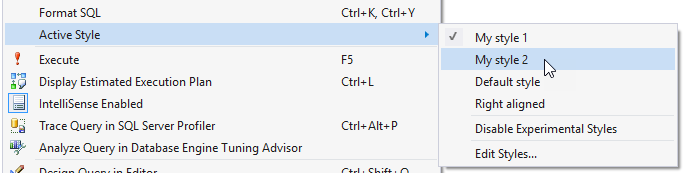
Alternatively, in a query window, right-click and use the Active Style menu to select a style:
This documentation contains proprietary information and is protected by copyright law.
Copyright © 2026 Red Gate Software Limited. All rights reserved


